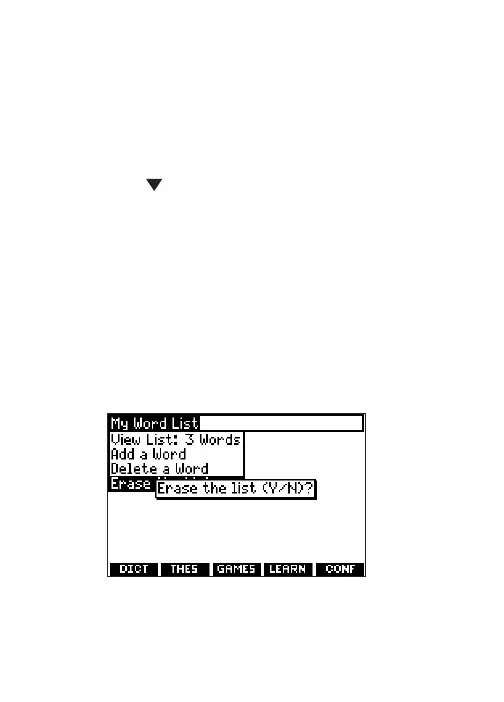
Removing a Word from My Word List
1. Press LEARN.
2. Highlight My Word List and then press
ENTER.
3. Highlight Delete a Word and press ENTER.
4. Use to highlight the word you want to
remove.
5. Press ENTER to delete that word.
Erasing My Word List
1. Press LEARN.
2. Highlight My Word List and then press
ENTER.
3. Highlight Erase the List and press ENTER.
The prompt “Erase the List (Y/N)?”
appears.
43






 To Next Page