62
Using the Databank
Adding Entries
You can store as many as 100 names and
telephone numbers and addresses in the
Databank. The total number of names you can
add depends on the size of each entry.
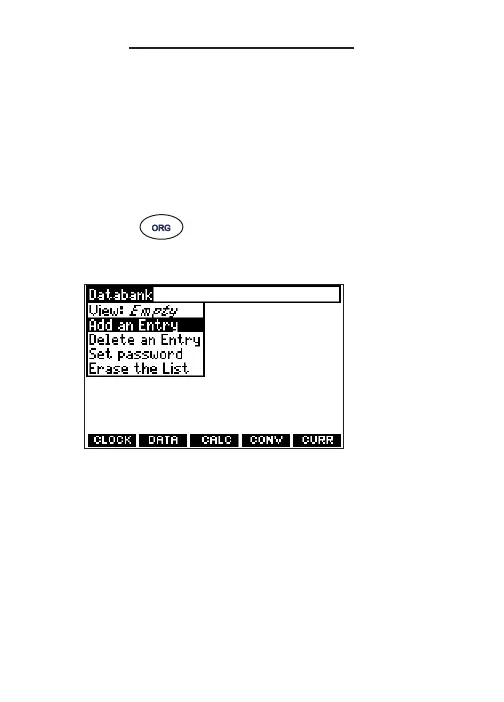
1. Press .
2. Press DATA.
3. Highlight Add an Entry and then press ENTER.
4. Type a name and press ENTER.
5. Type a phone number and press ENTER.
Note: Q-P will type numbers 0-9
automatically.
To type a letter from this row, hold
FN and press the letter key.










 To Next Page