26
101
39
103
59
56
56
76
105
38
Cable
63
62
103
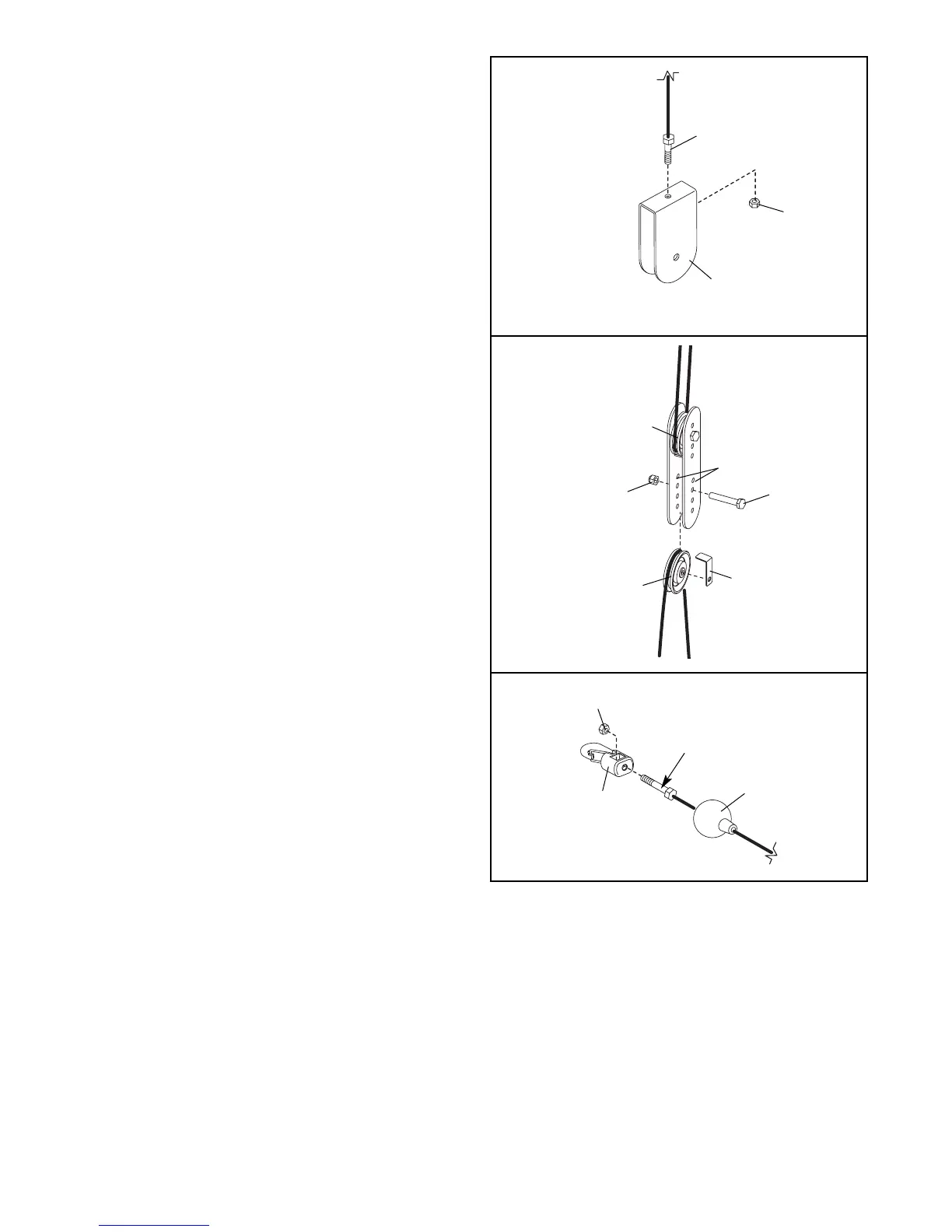
See drawing C. Slack can be removed from the
cables by tightening the M6 Nylon Locknut (103) on
either end of the High Cable (63) inside of a “U”-
bracket (62). Note: It may be necessary to remove the
3 1/2” Pulley (not shown) from the “U”-bracket to do
this.
See drawing D. Additional slack can be removed by
moving one of the 3 1/2” Pulleys (56) between the
two Long Pulley Plates (59) to a set of holes closer to
the middle of the Pulley Plates. Remove the M10
Nylon Locknut (101) and the M10 x 46mm Button Bolt
(76) from the Cable Trap (105), the Pulley, and the
Pulley Plates. Reattach the Pulley and the Cable Trap
with the Bolt and Locknut. Make sure that the Cable
Trap is positioned to hold the cable in place and
that the cable and Pulley move smoothly.
See drawing E. Additional slack can be removed
from the cables by tightening one of the cables into
the M6 Nylon Locknut (103) inside of a Cable Clip
(38). To do this, pull the Clip Cover (39) back and use
a pair of pliers to tighten the Locknut. Replace the
Clip Cover.
Note: If a cable tends to slip off the pulleys often,
the cable may have become twisted. Remove the
cable and re-install it.
If the cables need to be replaced, see ORDERING
REPLACEMENT PARTS on the back cover of this
manual.
C
D
E



 To Next Page