8
Pairing between eProfessional and app
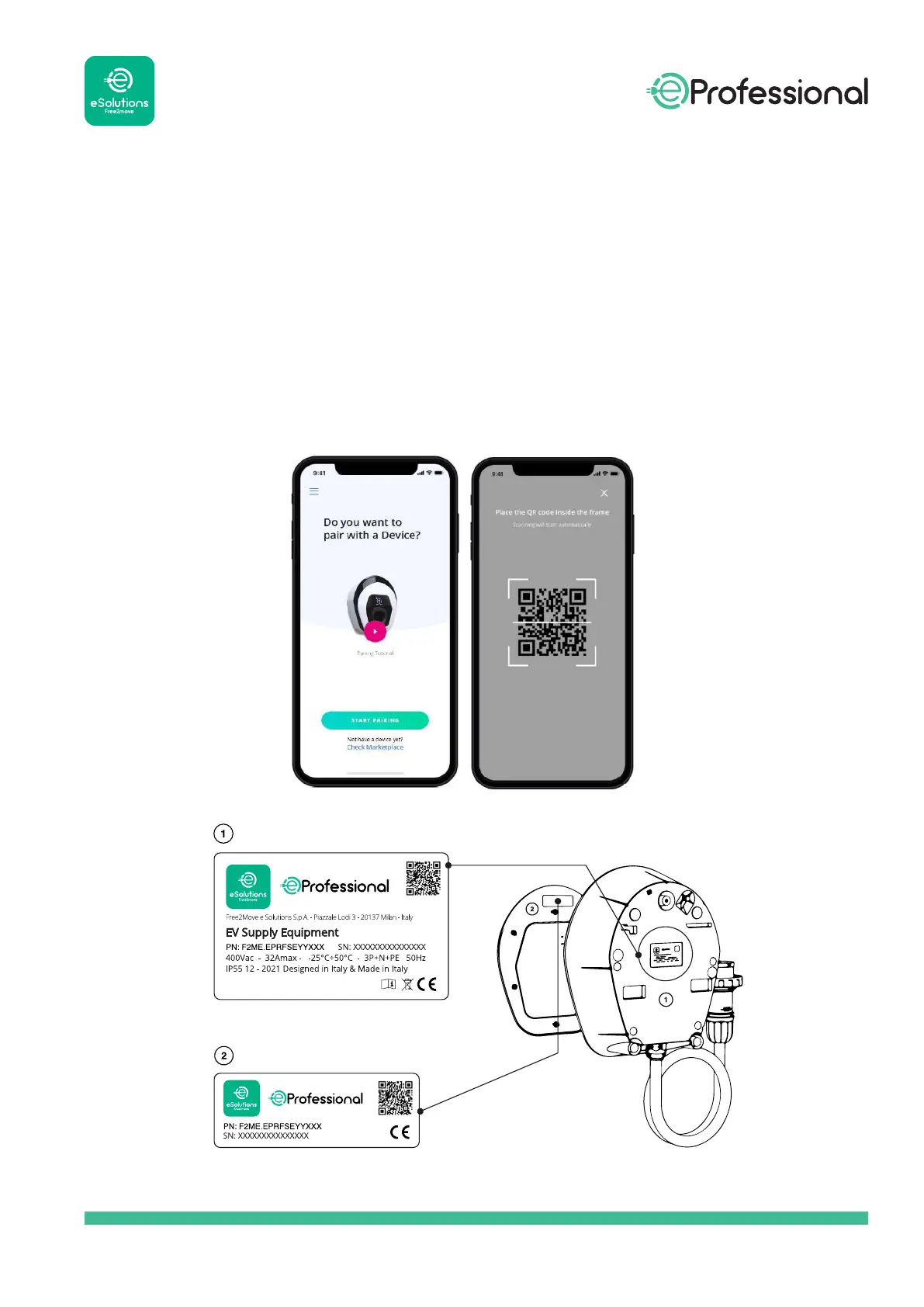
The app authenticates and pairs via a QR Code, linking eProfessional to the owner’s user account.
This pairing enables all remote features, such as data collection, display and analysis, as well as
seamless customer support.
It is possible to pair more than one eProfessional. The “Device List” menu allows users to
manage all their wallboxes from a single page.
It is possible to congure a Wi-Fi connection for eProfessional via the App.
QR Code information is given on the label on the back of the charger case, or on the label on
the back of the external cover.


 To Next Page