GB
4
23
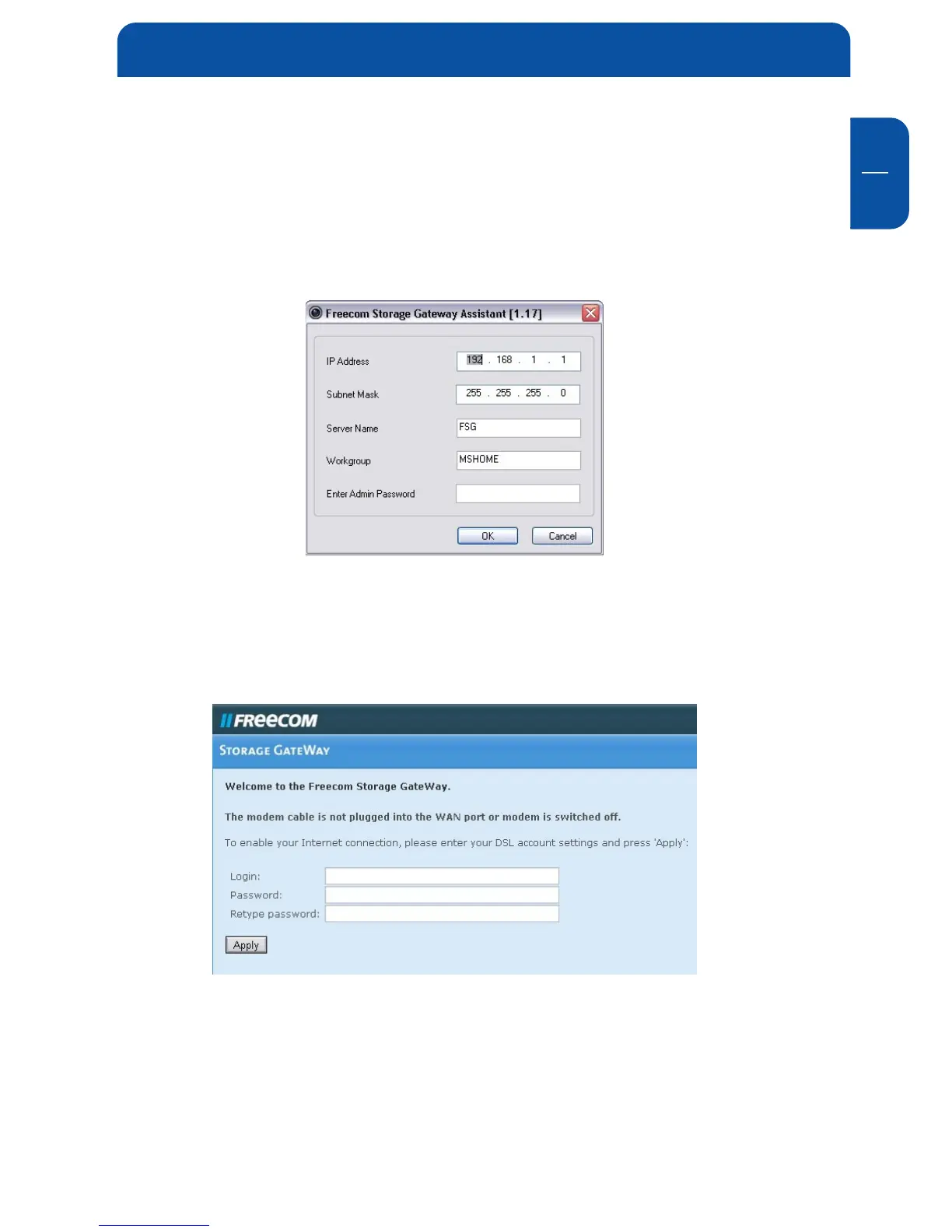
The default password and login for the FSG-3 is "admin". With the Freecom
Storage Gateway Assistant you can:
4.2.1 Configure basic settings of your Freecom Storage Gateway
Assign IP address, subnet mask, FSG-3 device name and workgroup name. You
have to enter your admin password to apply changes.
4.2.2 Setup the DSL account on your Freecom Storage Gateway
A browser window will open where you can enter the login data for your DSL
connection (admin login required).
4.2.3 Browse available folders on your Freecom Storage Gateway
After logging in as a user or the admin, an Explorer window will open showing
all available folders on the FSG-3. When logging in as a user, only folders with
permission for this user will be shown. The administrator has permissions for all
folders on the FSG-3.
Freecom Storage Gateway Assistant


 To Next Page