GB
8
59
Chapter 8: Accessing FSG-3 Data from Mac OS X
Mac OS X v10.3.x and higher
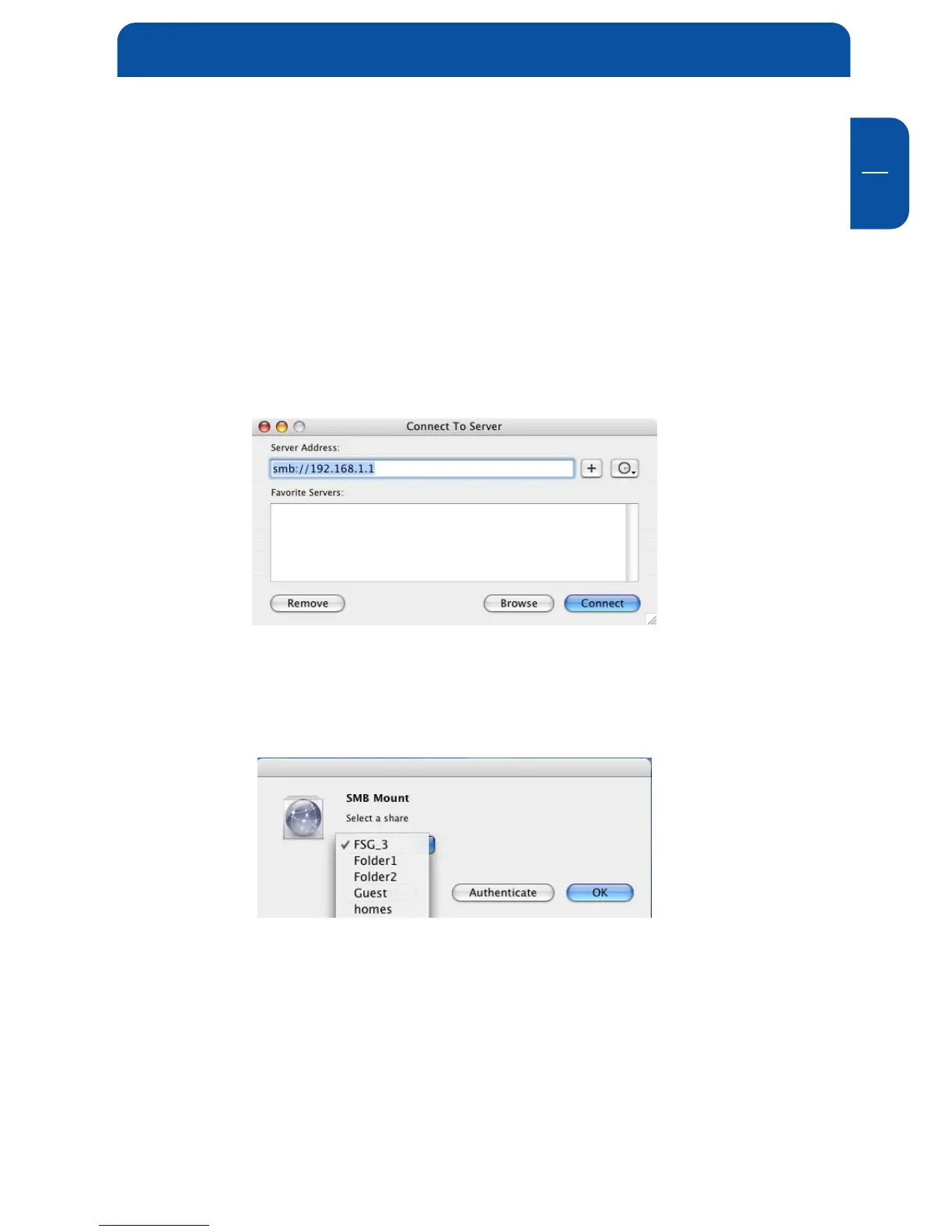
In the Menu bar, select "Go" -> "Connect to Server". The FSG-3 address is
smb://192.168.1.1
You can also type
smb://FSG_NAME
(Factory default is smb://FSG).
Click on "Connect". In the next window you have to select a shared folder.
Continue by clicking on OK.
Accessing the FSG-3 from Mac OS X


 To Next Page