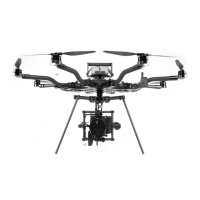
13. Flight Controller Allow to INITIALIZE
14. Blade Dampers VERIFY 8 PRESENT AND IN GOOD CONDITION
15. Orientation Lights VERIFY SOLID COLORED, DIM
16. Receiver VERIFY BOUND
17. ALTA X QGroundControl
CONNECT
VERIFY NO WARNINGS
19. Compass Calibration CALIBRATE if required
20 Radio Control Range Check AS REQUIRED
Check that the payload is secure by checking that the Toad In The Hole quick release lever is
fully clamped and closed and that the payload does not slip. Check that all isolator
cartridges are locked in place, especially if they have been recently replaced.
The blades should be checked for damage, including nicks and scrapes. If a propeller blade
has been nicked enough that it catches a fingernail, it should be replaced. Blade bolts should
be tight and blades should show little slop. There should be no slop between the propeller
hub and the motor.
ActiveBlade dampers should be present and in good condition
Motors should spin freely, and there should be no grinding or scraping sound from the motor.
The inside of the motor should be free of debris.
Always turn on the radio controller before powering ALTA X. Follow the battery installation
guidance in the Battery Installation section of this manual for battery installation
instructions.
While the Autopilot initializes, keep ALTA X as stable as possible.
If ALTA X moves during initialization, it may not boot properly and will fail to start or not
maintain heading.


 To Next Page