Waypoint specific
Variables
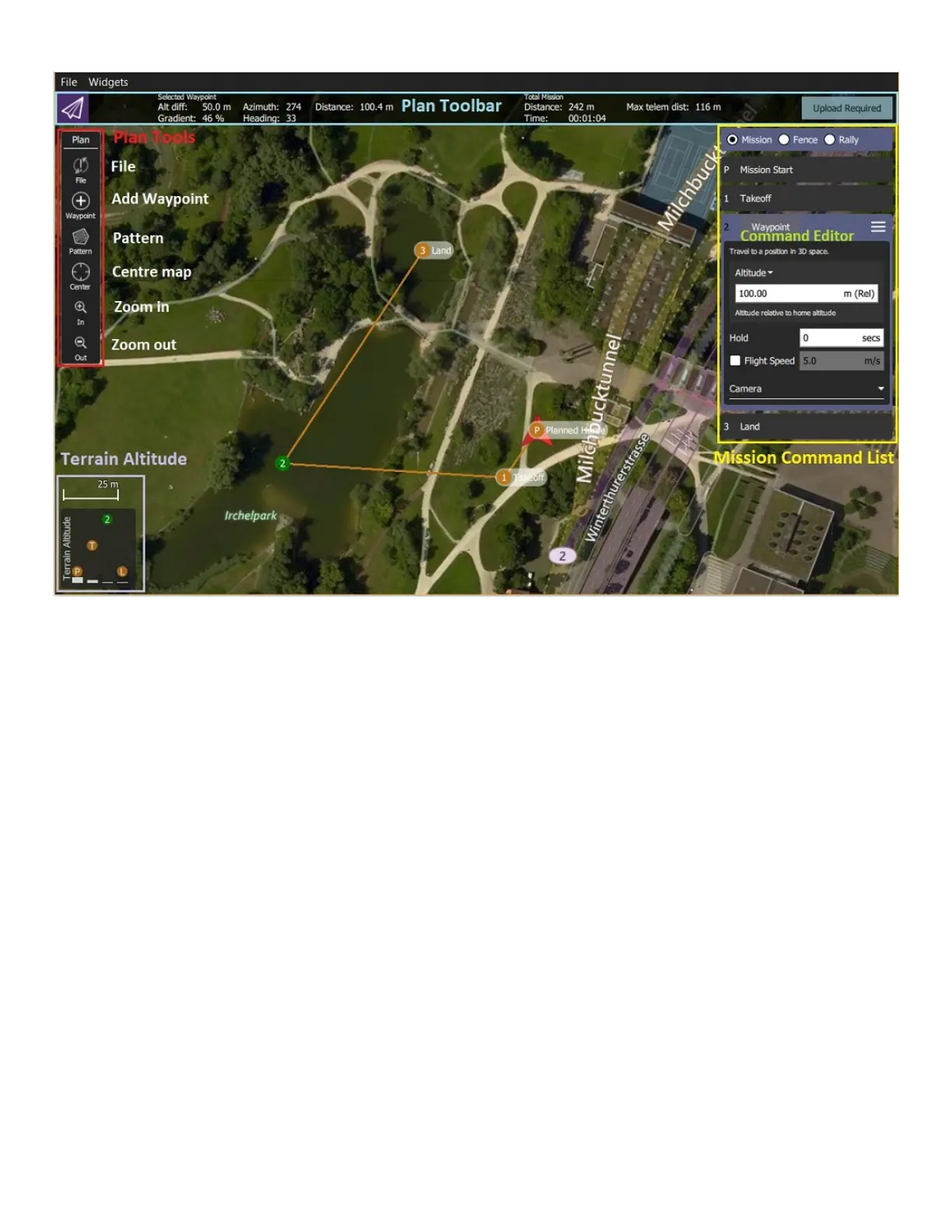
Waypoint specific values -such as speed, altitude or commands- can be
modified by selecting a waypoint and using the detailed waypoint list at
the right hand side of the screen.
Planned Home
Planned Home (a.k.a Mission Start) item in the detailed waypoint list
can be used as a settings item. The altitude and flight speed values will
be passed to all other waypoints along the list.
Mission Ending
Mission ending characteristics can be customized by toggling “return to
home” option.
Home Position
The home position can be changed and centered to the middle of the
map from the settings item.
Advanced Users
Detailed waypoint list can be used to give commands at each waypoint. Command menu
can be accessed by clicking on the three horizontal lines (top right of waypoint details panel).
These commands will add an extra waypoint. The point of this waypoint is to indicate that


 To Next Page