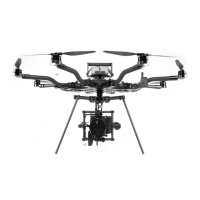
Alarm Indication
1. Mode Switch MANUAL
2. ALTA X LAND as soon as possible
3. ALTA X QGroundControl CHECK IN APP WARNINGS
Alarms are displayed if the flight controller determines there is a condition present that can
adversely affect the safety of the flight. Alarms are indicated by the Boom LEDs quickly
flashing.
Land as soon as possible when the Boom LEDs indicate a warning, and investigate the
problem while ALTA X is safely on the ground. It is best practice to set the mode switch to
Manual when an Alarm is observed to maintain full control authority of ALTA X.
Pilot Loss of Orientation
1. Control Inputs NEUTRALIZE
2. Mode Switch POSITION
3. Yaw NOSE AWAY
4. Roll VERIFY DIRECTION
Alarms are displayed if the flight controller determines there is a condition present that can
adversely affect the safety of the flight. Alarms are indicated by the Boom LEDs flashing.
Land as soon as possible when the Boom LEDs indicate a warning, and investigate the
problem while ALTA X is safely on the ground. It is best practice to set the mode switch to
Manual when an Alarm is observed to maintain full control authority of ALTA X.
{% hint style="warning" %} Position Mode may not function as expected if Position Lock has
not been achieved. It is best practice to wait for Position Lock prior to takeoff, even if
Position Mode is not planned to be used during the flight. {% endhint %}
Unexpected Flight Controller Behavior


 To Next Page