3.
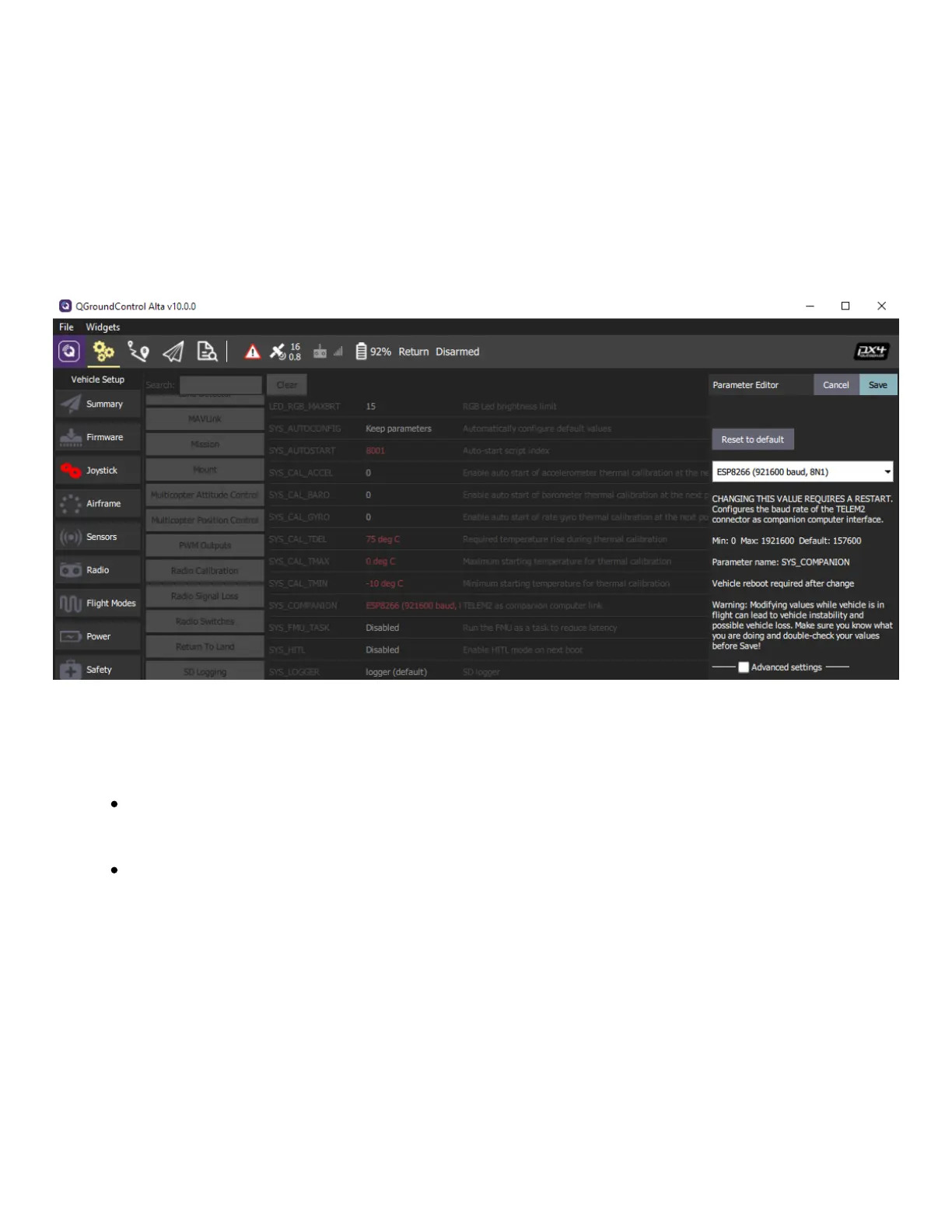
Change the FF_WIFI_ENABLE parameter to 1 and MAV_1_CONFIG to "TELEM2" and
restart ALTA X
4. Re-download the parameters by selecting Tools... Refresh in the parameter screen
5.
Check (or set) the following parameters to configure wifi: MAV_1_MODE=Normal,
MAV_1_RATE = 20000, MAV_1_FORWARD=Disabled, and SER_TEL2_BAUD=921600 8N1
6. Restart the Alta X and connect with a wifi device.
1.
Connect to ALTA X’s WiFi using the initial
password listed below
SSID: ALTAX-<serial number>; eg. ALTAX-
781880
Password: altaalta
Note that this connection won't provide
internet, and some devices may
disconnect if not internet is detected.
Users will have to disable this feature to
use Alta X WIFI
2.
Open your preferred web browser and go to
192.168.4.1


 To Next Page