OPERATION GUIDE
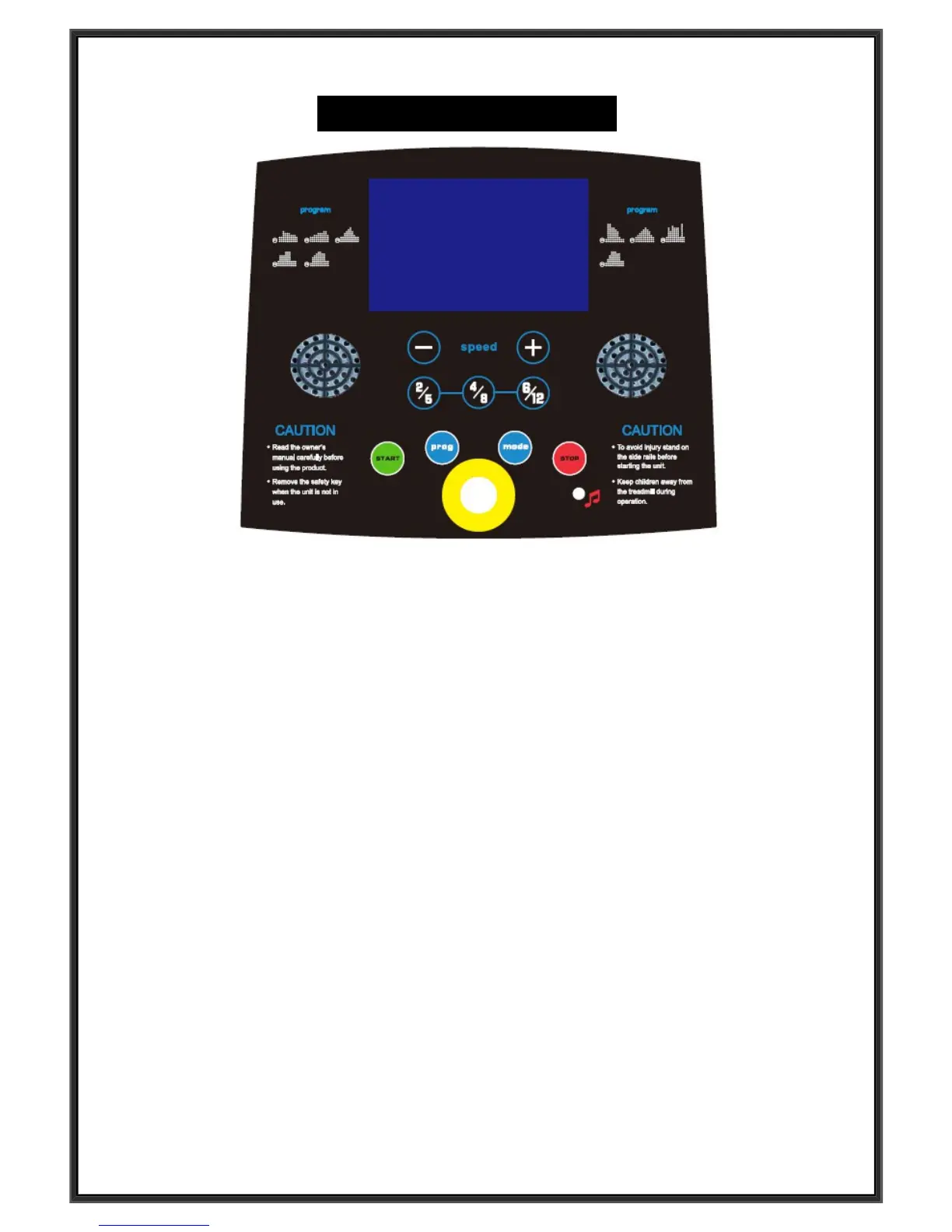
WINDOW DISPLAY
:
1.“ speed “ window: Display the speed, the speed range is 0.8--12km/h or 0.8--6km/h, 1 grid means
1 km/h.When setting programes, show PI-P9, when setting mode, show H1-H3.
2. ” time” window: Display running time. Display the exercise time positive direction clock from 0
:
00-
99
:
59 ,when count to 99:59, the machine will stop smoothly and show ‘ End ‘, then enter into initial
situation after 5 seconds; When count down, it will show from the setting time to 0:00, when down to
0:00 , the machine will stop smoothly and show ‘ End ’, and will enter into the initial situation.
3.” distance” window: Display the running distance, Display the exercise time positive direction clock
from 0
:
00-99
:
9, when up to 99.9, it will count again from 0; When count down, it will show from
setting data to 0; When down to 0, the machine will stop smoothly and show ‘ End ’, enter into the
initial situation after 5 seconds.
4.” calories” window: Display runner’s calories worked out. it will count from 0 to 999, when up to 999, it
will count again from 0; when count down, it will count from the setting data to 0, when down to 0, the
machine will stop smoothly and show ‘ End ’, and enter into the situation waiting for operation after 5
seconds.
5. ” pulse” window: Display the runner heart beat. When the runner holds handle pulse with two hands,
the system can calculate the runner’s heart beat and show in this window, the range is 50-200
beats/min ( this data is just for reference, can not be as the medical data).
BUTTON FUNCTION:
1. “ Program ” buttom: Under initial situation, press this button to choose the program from
“0.8”
、
“ P1-
P2-P3-P4-P5-P6-P7-P8-P9” 9
programs; 0.8 is the system default running mode, “P1-P9” are pre-
set programs.
2. “ MODE ” button: Press this button to choose circlely “0.8”, “H1”, “ H2 ”, “H3” (0.8 is the system
default running mode, “H1” is time counting down mode, “ H2 ” is distance counting down mode, “ H3 ”


 To Next Page