• •
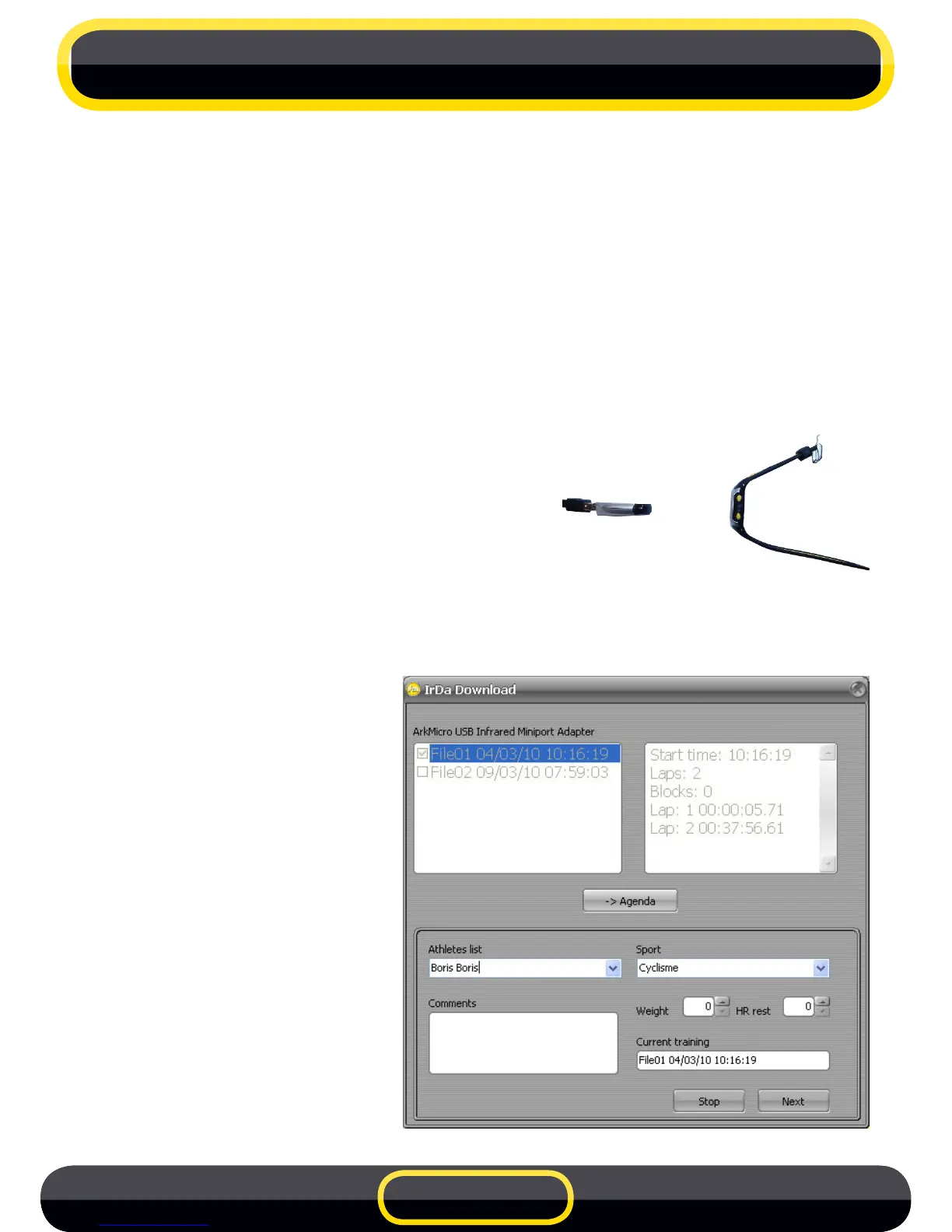
To download training data to your computer you need an IrDA interface
(infrared). This accessory is supplied by Freelap SA.
BeforeconnectingtheUSB-IrDastickinstallthedriverfoundontheCD-
ROMsupplied.Youcanalsodownloaditfromwww.freelap.ch.
You can now connect the stick to your computer and launch the Freelap
Manager software.
Warning, always connect the USB stick BEFORE launching the
Freelap Manager software.
Place your stopwatch in front of the
USB-IrDastick(maximumrecommended
distance 10 cm).
Switch to PC mode by pressing the
MODEbutton(mustbeinTIMEmode).
A window will appear in the software showing the les within the
stopwatch.YoucanpreviewtheLAPSofeachlebyselectingit.
Check the les to
download into the
Freelap Manager diary
and click on DIARY
button. You can choose
the athlete and the sport
foreachle.Thenselect
by the NEXT button.
5 PC DOWNLOAD
EN 10



 To Next Page