2201 Cantu Court Suite 215 Sarasota, FL 34232 Page 5 of 23
(941) 378-4242 (800-237-3928 Fax (941) 378-2765
Stewartsigns.com
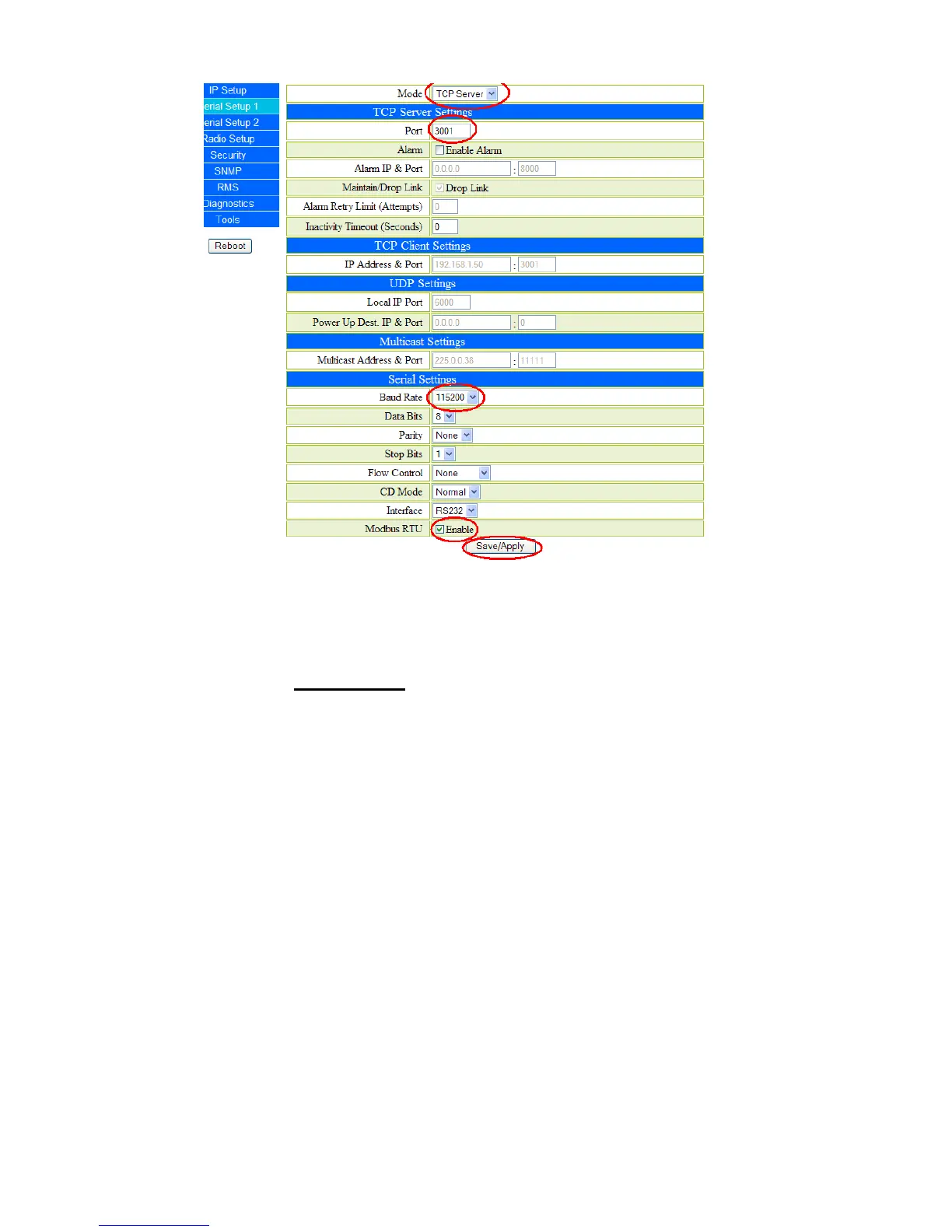
Figure #6 “Serial Setup 1” Window (Building Unit)
3. Configuring the “Serial Setup 2”.
1. Click on “Serial Setup 2”. The Serial Setup window will be displayed. See figure
#7.
2. Set Mode to “Disabled”.
3. Click on “Save/Apply” to save your settings.


 To Next Page