Main Menu
04
22
04
19
Set up Main Menu
Press and hold SETUP, the setting picture
appears as follow:
* Buttons of ENTER are
on the remote control.
[ ] [ ] [ ] [ ]/
The main menu includes 5 selections above,
press or button to select the requisite it-
em, then hit ENTER to set it; press or
button to reach EXIT, press ENTER to
exit setting.
Note:
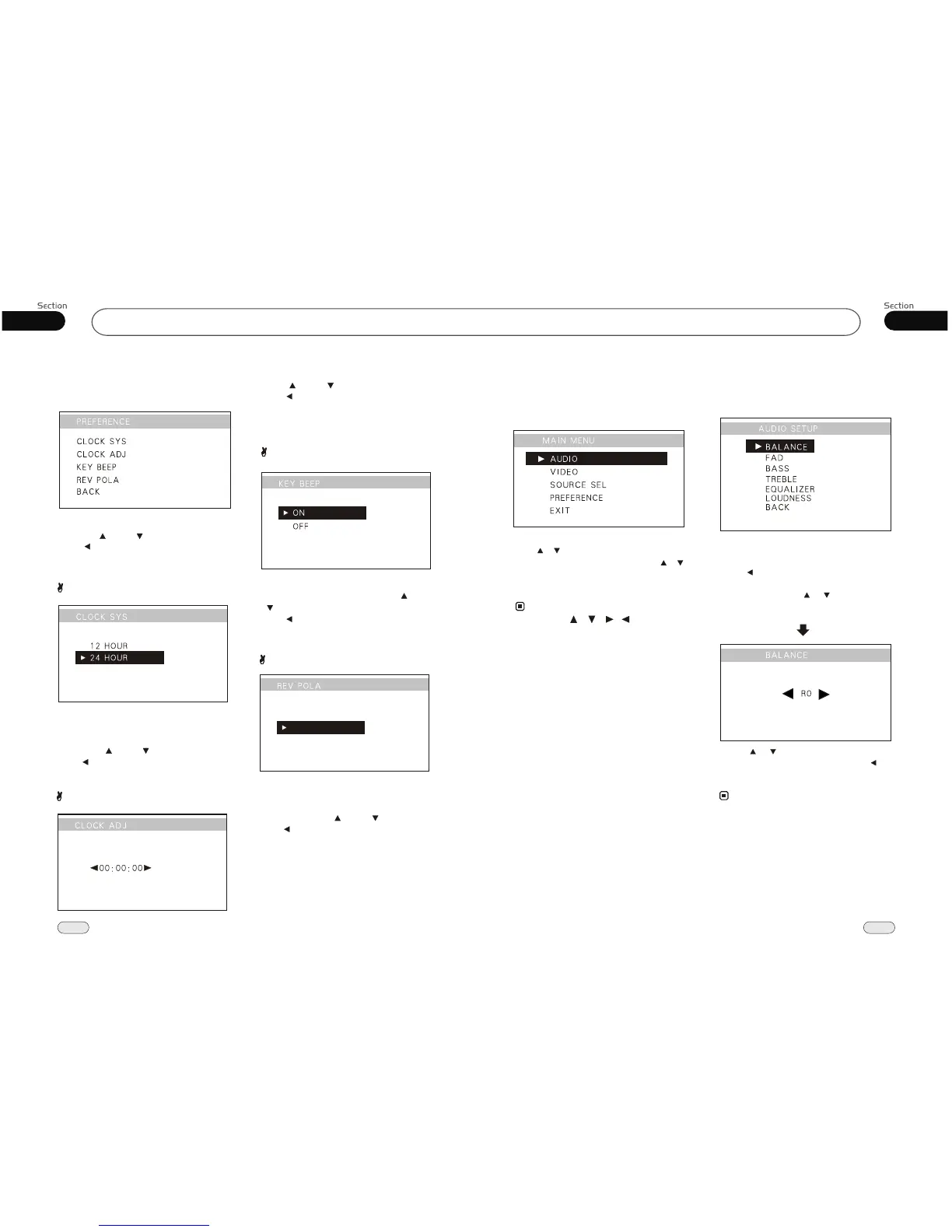
4.PREFERENCE SETUP
Select PREFERENCE, then press ENTER.
This menu can set up the above items by
pressing [ ] and [ ] and ENTER.
Press or BACK, then press ENTER to
back to the previous menu.
Clock System
Setting CLOCK SYSTEM in this menu,
according to the desired setting 12 HOUR
or 24 HOUR, the default setting is 24 HO-
UR. Press [ ] and [ ] and ENTER.
Press or BACK, then press ENTER to
back to the previous menu.
Clock Adjust
KEY BEEP
Setting CLOCK ADJUST in this menu,
Press [ ] and [ ] and ENTER.
Press or BACK, then press ENTER to
back to the previous menu.
Setting KEY BEEP ON or OFF in this menu,
the default setting is OFF.. Press [ ] and
[ ] and ENTER.
Press or BACK, then press ENTER to
back to the previous menu.
Main Menu
* Rotate and press VOL button on the head unit
performs the same function.
1.Audio Adjust
After Selecting AUDIO, press ENTER to
enter the setting system:
You can adjust BALANCE, FAD, BASS
TREBLE, EQUALIZER, LOUDNESS,
press [ ] or BACK then press ENTER to
back to the previous menu.
For example, press [ ] [ ] to select FAD,
the setting menu will appear as follow:
Press to increase or decrease the
size, and then press ENTER. Press [ ] to
back to the previous menu.
[ ] [ ]
* Adjusting the other items perform the same
operation.
Note:
BATTERY
GROUND
REVERSE POLA
Setting reverse pola in this menu, The signal
is +12V when you back a car, please set
BATTERY; if the signal is 0V, please set
GROUND.Press [ ] and [ ] and ENTER.
Press to go back to the previous menu.


 To Next Page