04
20
04
21
Main Menu
Main Menu
2.Video Adjust
Selecting VIDEO in main menu, press
ENTER to enter setting system.
The main menu includes items above.
Press or BACK and then press ENTER
to back to the previous menu.
Image Adjust
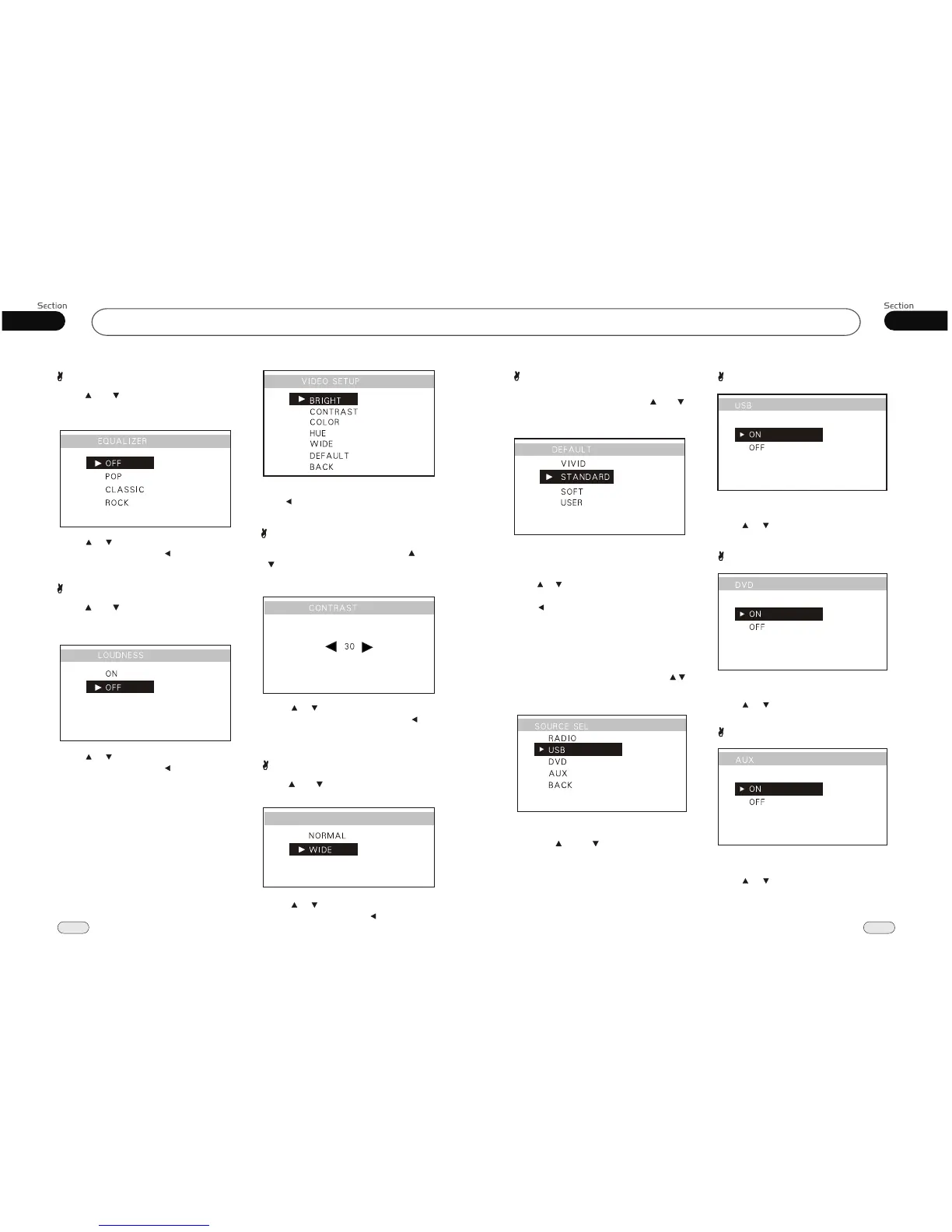
Adjusting the CONTRAST : press[ ]or
[ ] to select CONTRAST, then press
ENTER, the setting menu appears as
follow:
Press to increase or decrease the
size, and then press ENTER. Press [ ] to
back to the previous menu.
[ ] [ ]
Adjusting the
other items perform the same operation.
3.Source Setup
Selecting SOURCE SEL by pressing
in main menu, press ENTER to enter
setting system.
This menu can set up the above items by
pressing [ ] and [ ] and ENTER.
If you set one of them OFF, the function
is invalid. For example, if one item set OFF
pressing SOURCE button can not activate
it. During playback mode, you can not
set it OFF.
USB ON/OFF
Turning on or off the USB can be set in this
menu, the default setting is ON.
Press or to select, then press ENTER.
EQUALIZER
Press[ ]or [ ] to select EQUALIZER,
then press ENTER, the setting menu
appears as follow:
Press to select your desired item,
then press ENTER, press to back to the
previous menu.
[ ] [ ]
LOUDNESS
Press[ ]or [ ] to select LOUDNESS,
then press ENTER, the setting menu
appears as follow:
Press to select your desired item,
then press ENTER, press to back to the
previous menu.
[ ] [ ]
WIDE
WIDE
Press[ ]or [ ] to select WIDE, then press
ENTER, the setting menu appears as follow:
Press to select your desired item,
then press ENTER, press to back to the
previous menu.
[ ] [ ]
Default
Adjusting the DEFAULT : press[ ]or [ ]
to select DEFAULT, then press ENTER,
the setting menu appears as follow:
The main menu includes selections above,
after selecting any one of them, DEFAULT
will switch to USER.
press or button to adjust item, then press
ENTER.
Press to back to the previous menu.
DVD ON/OFF
Turning on or off the DVD can be set in this
menu, the default setting is ON.
Press or to select, then press ENTER.
AUX ON/OFF
Turning on or off the AUX can be set in this
menu, the default setting is ON.
Press or to select, then press ENTER.


 To Previous Page