i
The respective differential lock is only dis-
engaged when the display shows v.
X
If £ flashes in display,briefly alter the
speed, e.g. pull away.
i
If the differential locks are engaged and
you drive faster than 30 mph (50 km/h) the
current status of the differential locks is
again shown in the display.Disengage the
differential locks or drive at aspeed below
30 mph (50 km/h).
Idling speed
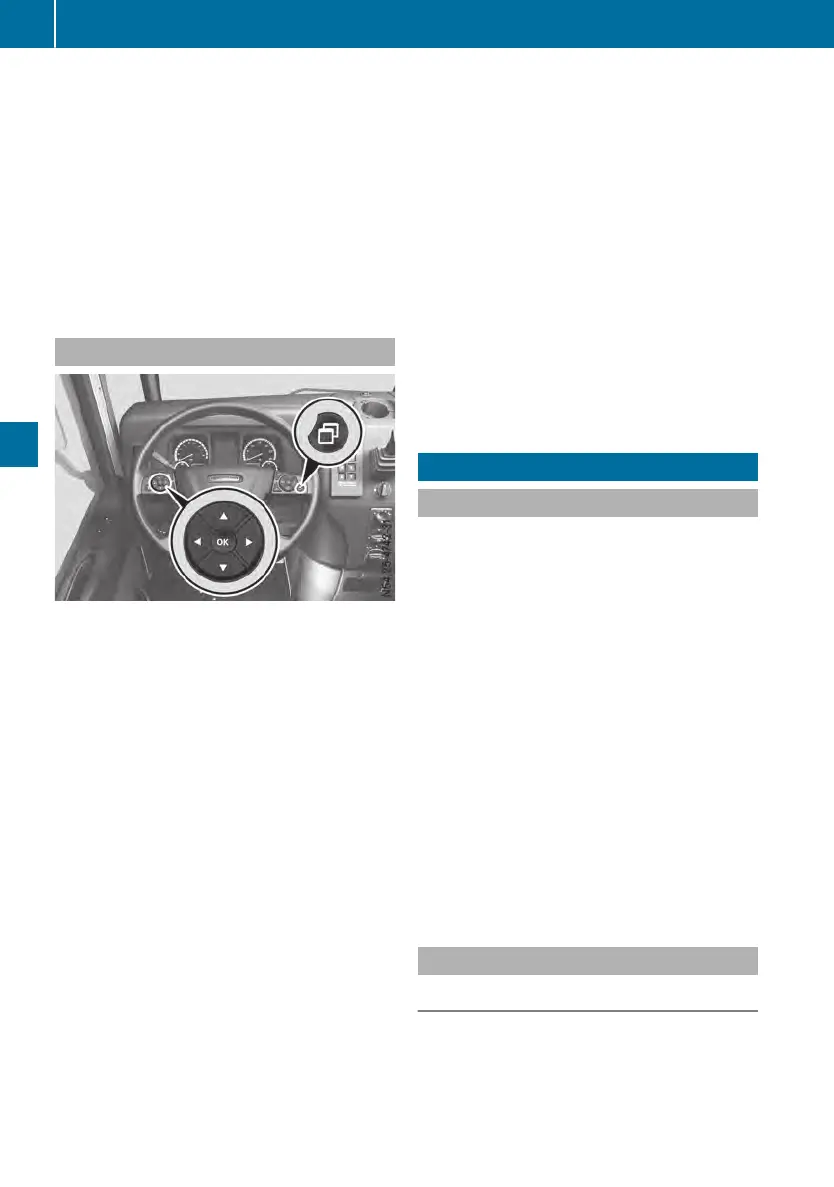
Buttons on the multifunction steeringwheel
After the engine has started, the idling speed
is controlled automatically according to the
coolant temperature. The engine idling speed
may differ in certain operating conditions
depending on the engine or on vehicles with
power take-off.
You can set the idling speed to between
approximately 600 and 800 rpm. The engine
idling speed may differ for special-purpose
bodies.
The engine idling speed can be set via the on-
board computer. This makes it possible to
operate auxiliary equipment such as pumps at
their working speed.
Setting the idling speed
X
Press the Ù button on the multifunction
steeringwheel repeatedly until the EngineEngine
speedspeed input window is shown in the on-
board computer.
X
Press the s or r button to increase
or decrease the idling speed in approx-
imately 20 rpm increments.
X
Press the 9 button to exit the input win-
dow.
or
X
Wait for approximately 3seconds.
The setting is stored automatically.
Switching off the idling speed setting
X
Press the o button.
or
X
Press the Ù button repeatedly until the on-
board computer shows the Engine speedEngine speed
input window.
X
Press the u button.
The increased idle speed is automatically reset
if you drive faster than approximately 12 mph
(20km/h).
Drivingsystems
Introduction to drivingsystems
The vehicle may be equipped withthe follow-
ingdrivingsystems:
R
Speed limiter (Y page 120)
R
Cruise control(Ypage 122)
R
Distancecontrol assistant (Y page 124)
R
Active BrakeAssist(Ypage 128)
R
LaneKeepingAssist(Ypage 134)
R
Blindspotcamera system(Ypage 135)
Withthe right-hand buttongroup on themulti-
function steeringwheel, you can selectthe
speed limiter, cruise controland distancecon-
trol assistant drivingsystems.
You can activateordeactivateActiveBrake
Assistand LaneKeepingAssistusingthe but-
tons on thedashboard.
Use theBlind Spot Assistcontrol lever on the
steeringwheeltocontrol thefeature's displays
on aseparatemonitor.
Speed limiter
Important safetynotes
The speed limiter is only an aid. You are
responsible forthe distancetothe vehicle in
front, forvehicle speed, braking in goodtime
and remaininginlane. Always adapt your driv-
ingstyle to theprevailingroadand weather
120
Driving systems
Driving mode












 To Next Page