conditions and maintainasufficient, safedis-
tance from otherroadusers.
Also observe the warning notes of the other
driving systems.
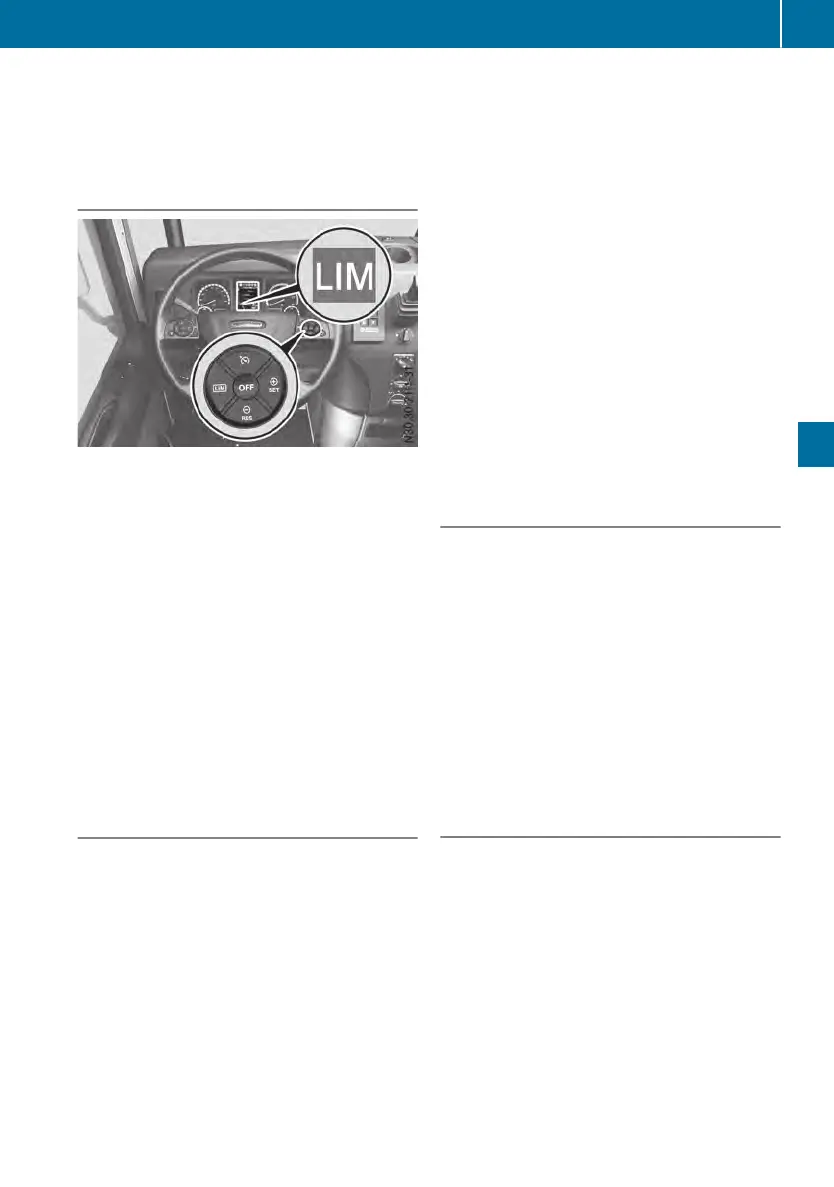
Overview
È
Selects the speed limiter
Ñ
Activates and sets the current limit
speed/increases the set limit speed
q
Activates and calls up the storedlimit
speed/decreasesthe set limit speed
é
Selects cruise control (Y page 122)/
selects the distance control assistant
(Y page 124)
o
Deactivatesthe speed limiter
The È symbolinthe on-board computer
shows the statusofthe speed limiterbycolor:
R
Graysymbol: the speed limiterisselected,
butnot activated.
R
White symbol: the speed limiterisactive
and is restricting the vehicle speed to the
set limit speed.
Activating
Functionsand activationconditions
The speed limiterrestricts the vehicle speed to
the set limit speed. It is possible to accelerate
the vehicle up to the set limit speed using the
acceleratorpedal.Inorder to keep the set
limit speed on downhillgradients, the speed
limiterautomaticallybrakes the vehicle with
the continuousbrake. If the set speed is
exceeded,the È symbolinthe on-board
computerflashes.
If the speed limitercannot be activated, the
on-board computerwilldisplay
---miles/h---miles/h in gray.
Selecting the speed limiter
X
Press the È button.
The on-board computershows the È
symbolingray.
Activating whendriving
X
Select the speed limiter.
X
Drive at the desiredspeed and brieflypress
the Ñ button.
The speed limiterisactivatedand the cur-
rent vehicle speed is storedasthe limit
speed.
or
X
Briefly press the q button.
The speed limiterisactivatedand assumes
the storedlimit speed.
The on-board computershows the È
symboland the set limit speed in white.
Increasing or decreasingthe limit
speed
You can change the settings of the limit speed
while driving.
X
Activate the speed limiter.
X
To adjust in 0.6 mph increments: briefly
press the q or Ñ button repeatedly
untilthe desiredspeed is shown in the on-
board computer.
or
X
To adjust in 3mph increments: press and
holdthe q or Ñ button untilthe
desiredspeed is shown in the on-board
computer.
Driving
It is possible to exceedthe set limit speed,
e.g. whenovertaking:
X
Briefly depress the acceleratorpedal
beyond the point of resistance (kickdown).
The set limit speed is stillshown and the
È symbolflashesinthe on-board com-
puter.
X
Whenovertaking is completed, briefly
release the acceleratorpedal and depress it
again.
The speed limiteragain restricts the vehicle
speed to the set limit speed.
Drivingsystems
121
Drivingmode
Z












 To Next Page