Deactivating
The limit speed remainsstoredifyou deacti-
vatethe speed limiter.
X
Press the o button.
The on-boardcomputershows the È
symbol in gray.
or
X
Using the é button, selectcruise control
or thedistancecontrol assistant.
The on-boardcomputershows the é or
É symbol and theset speed in gray.
Cruisecontrol
Important safetynotes
G
WARNING
If you callupthe stored speed and it differs
from thecurrentspeed, thevehicle acceler-
ates or decelerates. If you do notknowthe
stored speed, thevehicle could accelerate
or brake unexpectedly. There is ariskofan
accident.
Pay attention to theroadand traffic condi-
tionsbeforecallingupthe stored speed. If
you do notknowthe stored speed, storethe
desiredspeed again.
!
Do notexceedthe maximum design speed
of theindividual gears. Obeserve thetach-
ometer.
If you fail to adapt your drivingstyle or fail to
pay attention to your surroundings, cruise con-
trol can neither reduce theriskofanaccident
noroverride thelaws of physics. Cruise con-
trol cannottakeroadand weather conditions
into account, northe prevailingtraffic situa-
tion.Cruise controlisonlyanaid. You are
responsible forthe distancetothe vehicle in
front, forvehicle speed, braking in goodtime
and remaininginlane. Always adapt your driv-
ingstyle to theprevailingroadand weather
conditionsand maintain asufficient, safedis-
tancefromother road users.
Do notuse cruise control:
R
in traffic conditionsthatdonot allow you to
drive at aconstantspeed (e.g. heavytraffic
or windingroads).You may otherwise cause
an accident.
R
on slipperyroads. The drive wheels may
losetheir grip when braking or accelerating
and thevehicle may skid.
R
when there is low visibility, e.g. due to fog,
heavyrain or snow.
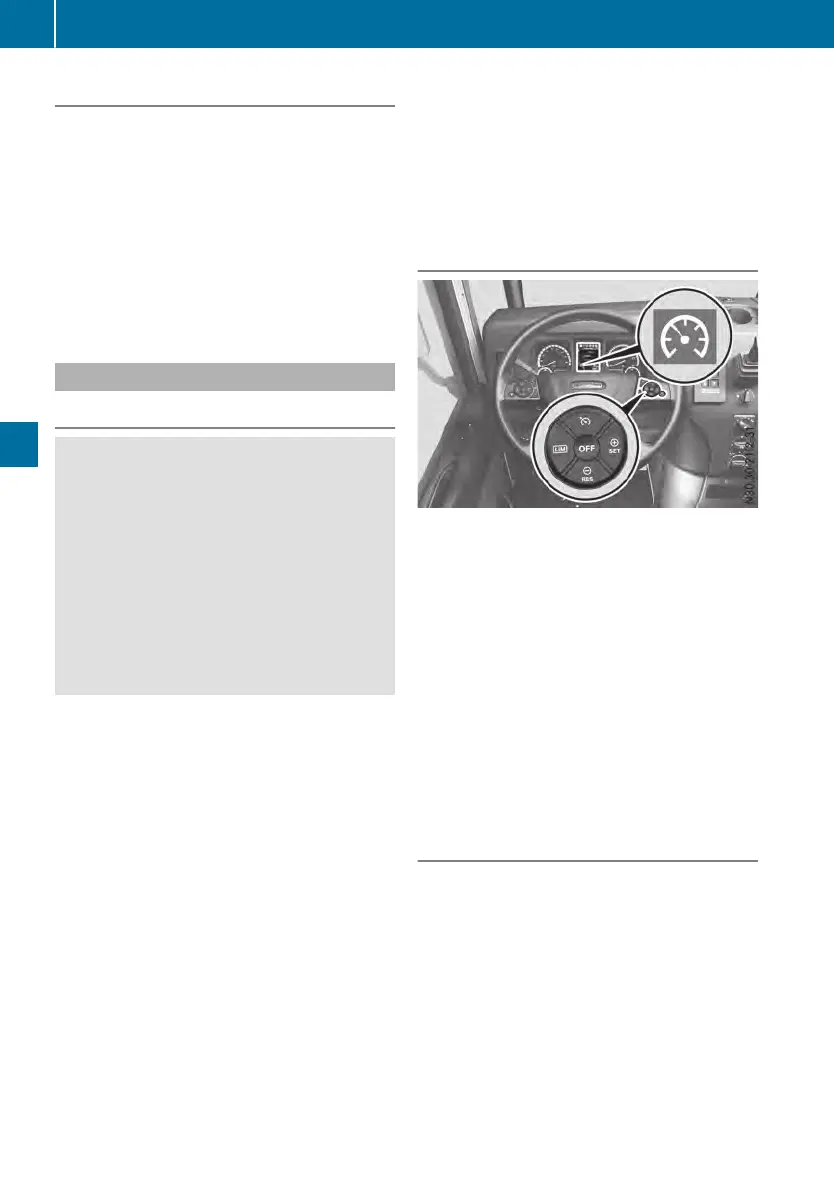
Overview
é
Selects cruise control/selects thedis-
tancecontrol assistant (Y page 124)
Ñ
Activates and adjustscurrentspeed or
increasesset speed
q
Activates and calls up stored speed or
reducesset speed
È
Selects thespeed limiter (Y page 121)
o
Deactivates cruise control
The é symbol in theon-boardcomputer
shows thestatusofcruise controlincolor:
R
gray symbol: cruise controlisselected, but
notactivated
R
whitesymbol: cruise controlisactivated and
maintainsthe set speed
Activating
Functions andactivation conditions
Cruise controlmaintainsthe set speed of the
vehicle foryou. If theset speed is exceededon
downhill gradientsbymorethanthe set speed
tolerance, thecontinuous brake is applied
automatically.
If you are drivingslower than 9mph
(15 km/h), cruise controlcannotbeactivated.
If cruise controlcannotbeactivated, theon-
boardcomputerwill display ---miles/h---miles/h in
gray.
122
Driving systems
Driving mode












 To Next Page