X
To select manualmode: when indicator
lamp C goesout,pushthe controllever in
the direction of arrow ;.
Indicatorlamp C lights up and manual
modeisactivated.
X
Whenstationary or starting at aspeed of
approximately6mph (10 km/h), push the
controllever in the direction of arrow
=, ?, A or B.
Monitor : displaysthe corresponding cam-
era image in full-screenmode.
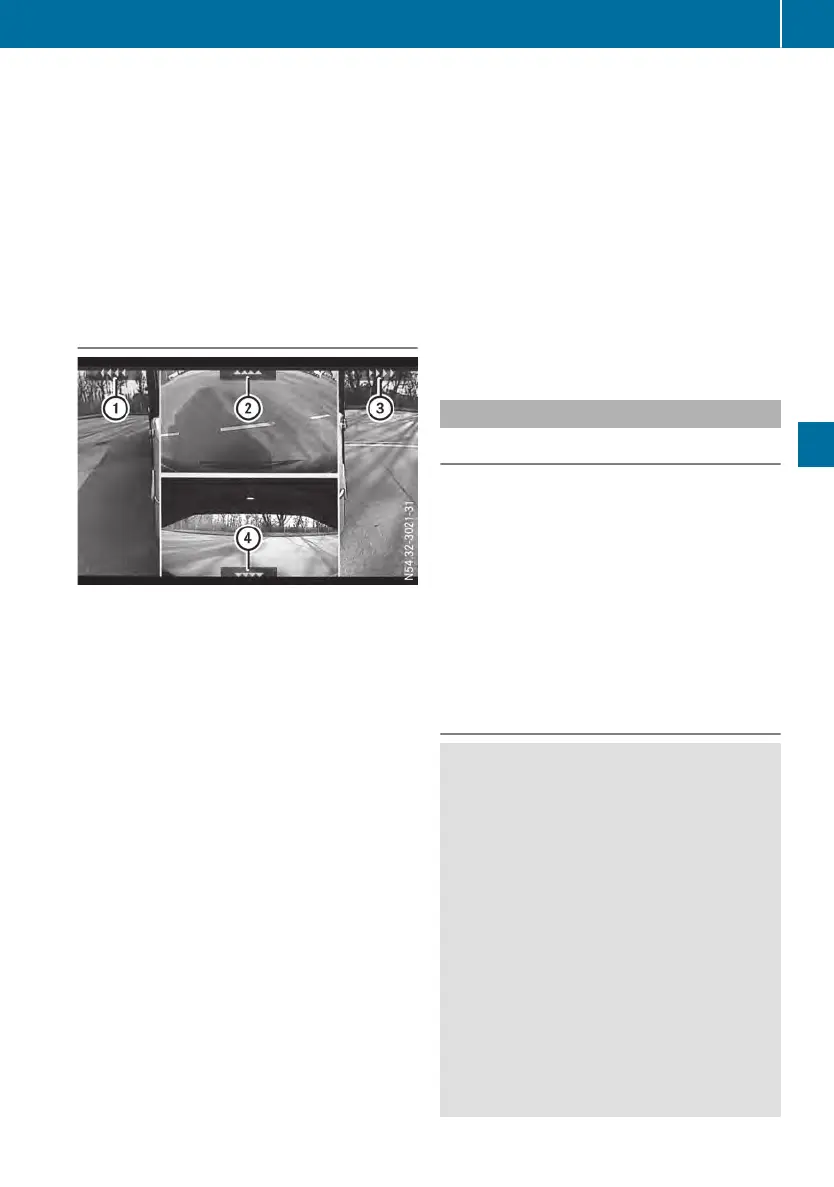
Monitordisplays
Split-screenviewincluding allcamera images
:
Symbolfor left-side blind spotcamera
;
Symbolfor front camera
=
Symbolfor right-side blind spotcamera
?
Symbolfor reversing camera
The camera images are combinedinasplit-
screen viewordisplayed on the monitor in full-
screen mode. Symbols : to ? indicate the
corresponding camera position.
Informationonthe monitor can be found in the
manufacturer'soperating instructions. The fac-
tory settings of the monitor must not be
changed.
In accordance with your direction of travel,the
monitor displays:
R
allfourcamera images in split-screenview
when the vehicleisstationary or when you
brake
R
the blind spotcamera images as well as the
reversing camera image when youreverse
R
the front camera image when driving for-
wards up to aspeed of approximately6mph
(10 km/h)
R
when driving forwardsstarting at aspeed of
approximately6mph (10 km/h)depending
on the display controlselected
-
the camera images relevant to your speed
and the traffic situation, such as when
youmakeaturn or during maneuvering.
The front camera image will no longer be
displayed from aspeed of approximately
22 mph (35 km/h).
-
the selectedcamera image in full-screen
modeduring manualoperation.
Sideguard Assist
General notes
Sideguard Assist monitors the areatothe side
of the vehiclewithtwo radar sensors.The
radar sensors are installedonthe wing
bracket in front of the rearaxle. Sideguard
Assist provides assistance when turning and
changing lanes to the co-driver'sside. Awarn-
ing lamp in the warning element on the A-pillar
informs youthatanobject hasbeendetected
in the monitoredarea. Awarning tone also
sounds if thereisariskofcollision.
Sideguard Assist is not active whilereversing.
Important safety notes
G
WARNING
Whendetection is restricted, Sideguard
Assist mayissue awarning too late or not at
all.
In particular, the detection of obstaclescan
be impaired in the following situations:
R
dirty,icy or obscured sensors
R
very wide lanes
R
vehicles not driving in the middleoftheir
lane
R
barriers or otherroadboundaries
There is ariskofanaccident.
Alwayspay carefulattentiontothe traffic
situationand maintain asafedistance at the
side of the vehicle.
Driving systems
137
Driving mode
Z












 To Next Page