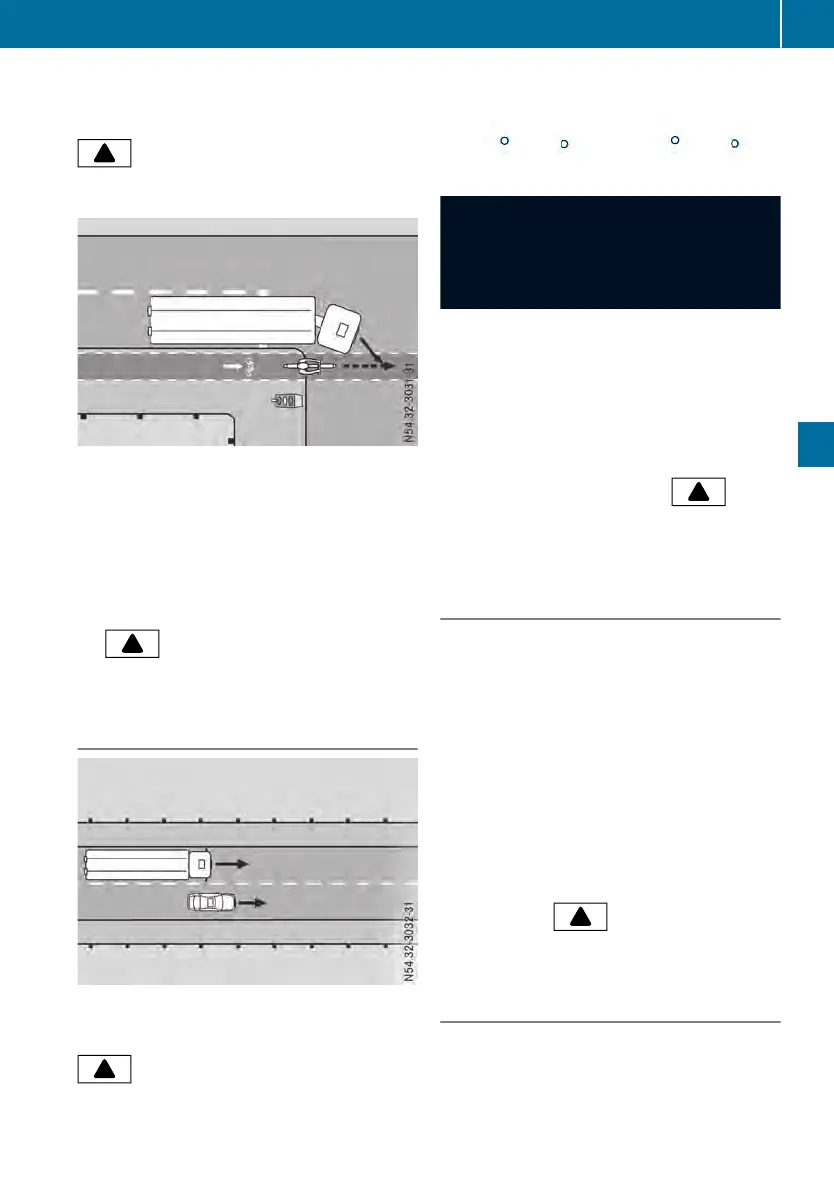
There is amoving object in the monitoring
range of Sideguard Assist.The yellow warning
lamp in the A-pillar lights up. In addition, the
indicator lamp lights up yellow in the
AssistanceAssistance menu window of the on-board
computer.
There is amoving object in the monitoring
range of Sideguard Assist.Sideguard Assist
recognizes when you steer or indicate to the
right and set the vehicle in motion.There is a
risk of collision. The red warning lamp in the
A‑pillar flashes for approximately 2seconds. A
warning tonealso sounds. The red warning
lamp in the A-pillar then lights up continuously
while there is arisk of collision. In addition,
the indicator lamp lights up red in the
AssistanceAssistance menu window of the on-board
computer.
Warning when changing lanes
There is amoving object in the monitoring
range of Sideguard Assist.The yellow warning
lamp in the A-pillar lights up. In addition, the
indicator lamp lights up yellow in the
AssistanceAssistance menu window of the on-board
computer.
When changing lane, amoving object is loca-
ted in the danger zone. There is arisk of colli-
sion.
If you indicate or steer to the right, the red
warning lamp in the A-pillar flashes for approx-
imately 2seconds. Awarning tonealso
sounds. The red warning lamp in the A-pillar
then lights up continuously while there is a
risk of collision. In addition, the
indica-
tor lamp lights up red in the AssistanceAssistance menu
window of the on-board computer.
Warning for stationary obstacles when
turning right
Sideguard Assist warns you about stationary
obstacles in the vehicle's range of movement
up to amaximum speed of 22 mph (35 km/h).
Sideguard Assist is only an aid. It may fail to
detect some objectsand is not asubstitute for
attentive driving. Always ensure that there is
sufficient distance to the side for other road
users, pedestrians and obstacles.
If there is arisk of collision with astationary
obstacle when turningright, the red warning
lamp in the A-pillar flashes for approximately
2seconds. Awarning tonealso sounds. The
red warning lamp in the A-pillar then lights up
continuously while there is arisk of collision.
In addition, the indicator lamp lights
up red in the AssistanceAssistance menu window of the
on-board computer.
Deactivating
Sideguard Assist is automatically activated
when you switch on the ignition.
You can deactivate Sideguard Assist via the
systems menu window.
Driving systems
139
Driving mode
Z












 To Next Page