14
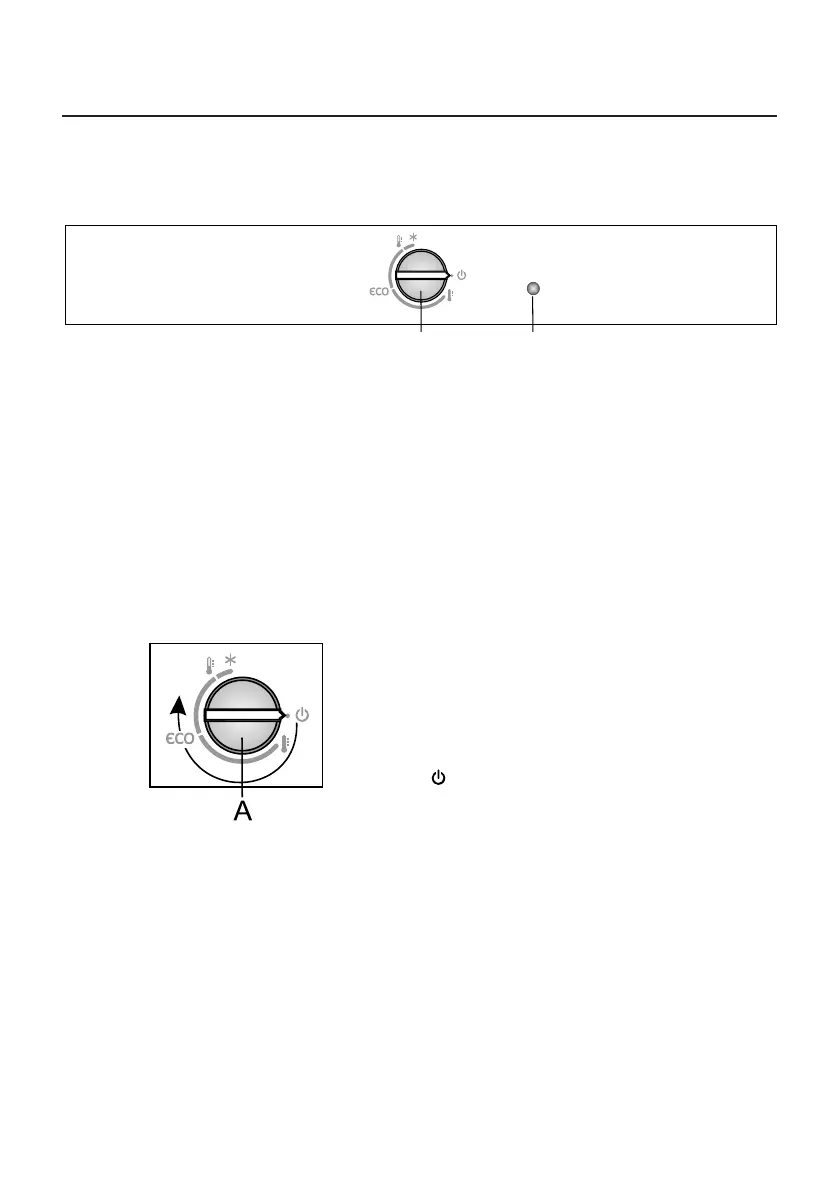
A Temperature setting and on/o knob
Use the dial to switch the appliance on or o , set the temperature, and control
the ECO and intensive freezing (freezer boost) function.
B Lighting on/o key
Lighting will switch on automatically when you open the refrigerator
compartment door, and it will switch o when you close it.
Switching on: To switch on: rotate the
A dial clockwise.
Switching off: Rotate the A dial in
the counter-clockwise direction until
the arrow is aligned with the symbol
(Warning: appliance will remain
powered, i.e. there will still be electric
current in the appliance.)
SWITCHING THE APPLIANCE ON/OFF
B
A
CONTROL UNIT 1
OPERATING THE APPLIANCE
837875



 To Next Page