EasyManua.ls Logo

Frigidaire FFRE15L3Q14 - User Manual

Frigidaire FFRE15L3Q14
12 pages
Print Icon
To Next Page IconTo Next Page
Loading...
TABLE
O
F C
O
NTENTS
w
ww.
f
r
igi
i
dai
dai
re.
re.
com
USA
USA
A
A
1-81-8
1
88-
8
775-6937
w
ww.
f
rigidair
e.c
ec
a
Ca
Ca
nad
nad
a 1
a 1
-80
80
0-6
68-4606
All about the
Use &Care
Care and Cleaning
............................
...
...
..
.
...
...
......
10
10
ani
ng
Ene
Ene
rgy
rgy
Saving I
d
eas .........................................
.. 1
.. 1
..
0
2020218A
1732
3
2
2
2
2
(
June 2009
)
P
ro
duc
duc
t R
egi
strati
on
n
4
4
Pac
P
kag
ing
ng
4
..................
...
......
.....
.
...
...
.
......
..
.
.
.
...
..
.........
...
.
........
N
Nor
No
ma
l
So
und
d
s
s
...
.
..................
...
...
..
...
.
...
.
.
...
..
...
.
...
...
.
.......
4
...
...
...
..
..
...
.
.
...
.
..
.
...
.
..............................
A
Ai
Air
r
Co
nditioner
Fe
e
a
atu
res
5
5
Imp
Im
ortant Safety I
nst
t
ruc
ruc
tio
tio
ns
ns .
ns
...
.
...
...
......
...
..
...
.
............ 2-
3
Operating Instruction
s
5-
10
of your
Room Air Conditioner
Bef
B
o
re
Yo
Y
u
C
all
all
...
...
...
...
.
.......................................... 11
Maj
or App
lia
ncence
Li
Li
mit
mit
ed
ed
War
W
War
ran
n
ra
ty
ty .
...
...
...
..
................. 1
2
Question and Answer IconNeed help?

Do you have a question about the Frigidaire FFRE15L3Q14 and is the answer not in the manual?

Summary

Important Safety Instructions

General Safety Precautions

Covers warnings, accident prevention, electrical safety, and danger avoidance.

Additional Safety Precautions

Cautions and Cord Device Operation

Includes cautions for property damage and operation of the power cord's current device.

Product Information and Sounds

Product Registration and Packaging

Details on registering your product and unpacking the unit.

Understanding Normal Operational Sounds

Explains common sounds like rushing air, chatter, vibration, and gurgle/pinging.

Features and Operating Instructions

Air Conditioner Features Overview

Describes the electronic control panel and remote control features.

Basic Operating Instructions

Guidance on turning the unit on and understanding the display.

Operating Instructions

Adjusting Temperature and Fan Speed

How to set temperature and adjust fan speeds using the unit controls.

Using the Auto Fan Feature

Explanation of the auto fan mode and how it adjusts speed based on room temperature.

Operating Modes

Fan Only and Cool Mode Operation

Instructions for operating the unit in fan-only mode or the standard cool mode.

Sleep Feature Operation

How to activate and use the sleep mode for gradual temperature adjustment.

Advanced Operating Functions

Timer Delay Start;Stop Feature

How to set delayed start or stop times for the air conditioner.

Filter Check and Fault Code Interpretation

Information on checking the air filter and understanding error codes (AS, ES).

Additional Operating Features

Temperature Display and Unit Power Off

How to change temperature display units and turn the unit off.

Fresh Air Vent Control System

Details on using the fresh air vent for ventilation options.

Care, Cleaning, and Energy Saving

Air Filter and Cabinet Cleaning Procedures

Step-by-step guide for cleaning the air filter and the unit's cabinet.

Winter Storage and Energy Saving Tips

Advice on storing the unit for winter and tips for efficient energy use.

Troubleshooting Common Issues

Air Conditioner Problems and Solutions

Addresses common problems like unit not operating, poor cooling, noise, and water dripping.

Major Appliance Limited Warranty

Warranty Exclusions and Service Information

Details on what the warranty covers, exclusions, and how to obtain service.

Warranty Disclaimers and Customer Rights

Legal disclaimers regarding implied warranties and customer rights.

Summary

Important Safety Instructions

General Safety Precautions

Covers warnings, accident prevention, electrical safety, and danger avoidance.

Additional Safety Precautions

Cautions and Cord Device Operation

Includes cautions for property damage and operation of the power cord's current device.

Product Information and Sounds

Product Registration and Packaging

Details on registering your product and unpacking the unit.

Understanding Normal Operational Sounds

Explains common sounds like rushing air, chatter, vibration, and gurgle/pinging.

Features and Operating Instructions

Air Conditioner Features Overview

Describes the electronic control panel and remote control features.

Basic Operating Instructions

Guidance on turning the unit on and understanding the display.

Operating Instructions

Adjusting Temperature and Fan Speed

How to set temperature and adjust fan speeds using the unit controls.

Using the Auto Fan Feature

Explanation of the auto fan mode and how it adjusts speed based on room temperature.

Operating Modes

Fan Only and Cool Mode Operation

Instructions for operating the unit in fan-only mode or the standard cool mode.

Sleep Feature Operation

How to activate and use the sleep mode for gradual temperature adjustment.

Advanced Operating Functions

Timer Delay Start;Stop Feature

How to set delayed start or stop times for the air conditioner.

Filter Check and Fault Code Interpretation

Information on checking the air filter and understanding error codes (AS, ES).

Additional Operating Features

Temperature Display and Unit Power Off

How to change temperature display units and turn the unit off.

Fresh Air Vent Control System

Details on using the fresh air vent for ventilation options.

Care, Cleaning, and Energy Saving

Air Filter and Cabinet Cleaning Procedures

Step-by-step guide for cleaning the air filter and the unit's cabinet.

Winter Storage and Energy Saving Tips

Advice on storing the unit for winter and tips for efficient energy use.

Troubleshooting Common Issues

Air Conditioner Problems and Solutions

Addresses common problems like unit not operating, poor cooling, noise, and water dripping.

Major Appliance Limited Warranty

Warranty Exclusions and Service Information

Details on what the warranty covers, exclusions, and how to obtain service.

Warranty Disclaimers and Customer Rights

Legal disclaimers regarding implied warranties and customer rights.

Overview

This document serves as a comprehensive Use & Care Manual for a Frigidaire Room Air Conditioner, providing detailed instructions for its operation, maintenance, and troubleshooting. It emphasizes safety precautions and offers guidance to ensure efficient and satisfactory performance of the appliance.

Function Description

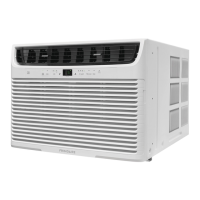
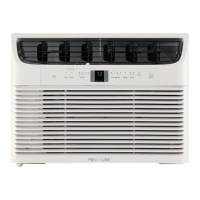
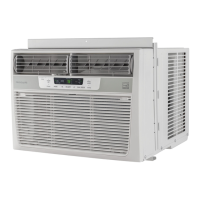
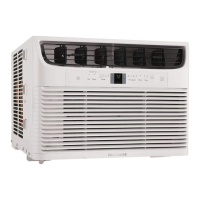
The Frigidaire Room Air Conditioner is designed to cool and circulate air within a room. It features an electronic control system that allows users to manage various functions, including temperature settings, fan speeds, and operational modes. The unit can be controlled either directly via its touch pad or remotely using a dedicated remote control.

The core function of the air conditioner is cooling, which is achieved by a compressor and refrigerant system. Users can set a desired temperature, and the unit will work to maintain it within a range of 60°F (16°C) to 90°F (32°C). The fan plays a crucial role in circulating the cooled air throughout the room.

Beyond basic cooling, the air conditioner offers several specialized modes:

  • Cool Mode: This is the primary cooling function where the compressor and fan work together to lower the room temperature to the set point.
  • Energy Saver (Econ) Mode: In this mode, the fan continues to run for a short period after the compressor shuts off, then cycles on at intervals to check the room temperature. The compressor only restarts if the room temperature rises above the set point, optimizing energy consumption.
  • Fan Only Mode: This mode allows for room air circulation or exhausting stale air without engaging the compressor, useful when cooling is not desired. Users can select various fan speeds in this mode.
  • Auto Fan Feature: When activated, the fan starts at a high speed and automatically adjusts to slower speeds based on the room temperature. It will increase speed if the room temperature rises quickly and return to slower speeds as the room cools.
  • Sleep Feature: This mode gradually increases the selected temperature by 2°F after 30 minutes, and then by another 2°F after an additional 30 minutes. This elevated temperature is maintained for 7 hours before returning to the original setting, promoting comfortable sleep while conserving energy.
  • Timer: Delay Stop / Start Feature: This function allows users to program the unit to turn on or off after a specified delay, ranging from 0.5 hours to 24 hours. This is convenient for pre-cooling a room before arrival or ensuring the unit turns off after a certain period.

The unit also includes a Fresh Air Vent Control (on some models) that allows for three air exchange options: recirculating inside air (Vent Closed), drawing fresh air into the room (Fresh Air), or exchanging air from the room (Vent Open). Air directional louvers, specifically an Auger Type, enable users to direct airflow Up/Down and Left/Right to optimize distribution within the room.

Usage Features

The air conditioner is designed for user-friendly operation with both a touch pad on the unit and a remote control. Both interfaces feature intuitive buttons for mode selection, temperature adjustment, fan speed control, and activating special features like the timer and sleep mode.

Key usage features include:

  • Power On/Off: A dedicated button to turn the unit on or off.
  • Mode Selection: Users can cycle through "Cool," "Econ," and "Fan Only" modes using the "MODE" button.
  • Temperature Adjustment: "UP" (Λ) and "DOWN" (V) buttons allow for precise temperature setting. The display shows the set temperature or the actual room temperature, depending on the mode. The control can display temperature in either Fahrenheit or Celsius, which can be toggled by pressing and holding the UP/DOWN buttons together for 3 seconds.
  • Fan Speed Control: "FAN SPEED" buttons (Λ for faster, V for slower) allow users to select between "Auto," "Hi," "Med," and "Lo" fan speeds.
  • Timer Activation: A "TIMER" button initiates the delay stop/start function, with subsequent UP/DOWN button presses to set the desired delay time.
  • Sleep Mode Activation: A "SLEEP" button engages the sleep feature, which adjusts temperature for nighttime comfort.
  • Filter Reset Button: After cleaning the air filter, this button resets the filter reminder light.

The power supply cord incorporates a current detection device for safety. Users are instructed to test this device by pressing a "TEST" button on the plug head, which should cause a "RESET" button to pop out. Pressing "RESET" again engages the button and supplies electricity to the unit, indicated by a light on the plug head. This device should not be used to turn the unit on or off.

For initial setup, the manual advises allowing the unit to stand upright for one hour before operating. It also provides guidance on proper installation, emphasizing the importance of secure placement and adequate electrical service to prevent accidents and ensure optimal performance.

Maintenance Features

Regular maintenance is crucial for the longevity and efficient operation of the Frigidaire Room Air Conditioner. The manual outlines several key maintenance tasks:

  • Air Filter Cleaning: The air filter should be checked at least once a month. Trapped particles can accumulate, leading to frost on cooling coils and reduced efficiency. The filter can be removed by opening the front panel, grasping it by the center, and pulling it up and out. It can be washed with liquid dishwashing detergent and warm water, rinsed thoroughly, and air-dried, or vacuumed clean. After cleaning, the "Filter Reset" button should be pressed to turn off the reminder light, which illuminates after 250 hours of operation.
  • Cabinet Cleaning: The exterior cabinet and front panel can be dusted with an oil-free cloth or washed with a cloth dampened in a solution of warm water and mild liquid dishwashing detergent. Harsh cleaners, wax, or polish should be avoided. Care must be taken to wring excess water from the cloth before wiping around controls to prevent damage.
  • Winter Storage: If the unit is to be stored during winter, it should be carefully removed from the window according to installation instructions, covered with plastic, or returned to its original carton.

The manual also includes a "Before You Call" section, which serves as a troubleshooting guide for common issues. This section helps users identify and resolve minor problems, such as the unit not operating, insufficient cooling, ice formation on coils, or unusual noises, before contacting service. Fault codes, such as "AS" or "ES" (indicating a sensor failure), are also explained, directing users to contact an authorized service center if these appear.

Safety is a recurring theme in maintenance, with explicit warnings to unplug the unit before any cleaning to prevent shock or fire hazards. Users are also advised against attempting to repair the power supply cord if damaged, as it must be replaced by one obtained from the product manufacturer. The manual emphasizes that the air conditioner contains no user-serviceable parts, and any repairs should be performed by an authorized Electrolux servicer.

Frigidaire FFRE15L3Q14 Specifications

General IconGeneral
TypeWindow
Cooling Capacity15, 000 BTU
Voltage115 V
Room Size Coverage700 sq. ft.
RefrigerantR-32
Installation TypeWindow
Number of Cooling Speeds3
Number of Fan Speeds3
Timer24-hour
FeaturesRemote Control, Energy Saver Mode
Power Supply115V
Filter TypeWashable

Related product manuals