This document is a Use & Care manual for a Frigidaire Room Air Conditioner, providing instructions for safe operation, maintenance, and troubleshooting.
Function Description:
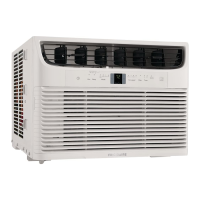
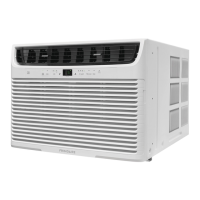
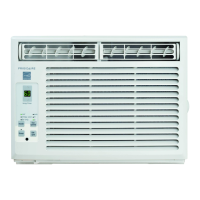
The Frigidaire Room Air Conditioner is designed to cool and dehumidify a room, providing comfort during warm weather. It offers various operating modes including Cool, Energy Saver, and Fan Only, allowing users to customize their comfort settings. The unit can be controlled via a touch pad on the unit itself or a remote control.
Important Technical Specifications:
The manual does not explicitly list technical specifications such as BTU ratings, power consumption, or dimensions. However, it implies standard electrical requirements for room air conditioners, noting the use of a 3-prong grounding plug and a current detection device integrated into the power supply cord. The unit operates within a temperature range, with the control capable of displaying temperatures in both Fahrenheit (60°F to 90°F) and Celsius (16°C to 32°C). The remote control uses AAA batteries.
Usage Features:
- Control Interface: The unit features a touch pad with buttons for Power ON/OFF, Temp/Timer adjustment (Up/Down arrows), Mode selection (Cool, Energy Saver, Fan Only), Fan Speed adjustment (Hi, Lo, Auto), and Filter Reset. A remote control provides the same functionality, offering convenience.
- Temperature Adjustment: Users can set the desired room temperature using the Up/Down arrows. The display shows the set temperature.
- Operating Modes:
- Cool Mode: Provides cooling and dehumidification.
- Energy Saver Mode: This mode is designed to save energy. When the unit is turned on in energy saver mode, or if it's turned off and then back on from cool or energy saver mode, it will run in energy saver mode. The fan will continue to run for 1 minute after the compressor shuts off. The fan then cycles on for 20 seconds at 10 minute intervals until the room temperature is above the set temperature, at which time the compressor turns back on.
- Fan Only Mode: Circulates air without cooling. Users can select High, Low, or Auto fan speeds. In Auto fan speed, the fan adjusts automatically based on room temperature.
- Fan Speed Adjustment: Allows selection of High, Low, or Auto fan speeds. In Auto fan mode, the fan speed will automatically adjust to the lowest speed as the room returns to the original set temperature.
- Timer Function: A "Timer: Delay Start / Stop" feature allows users to program the unit to turn on or off at a specific time, with delay increments of 0.5 hours up to 10 hours, and then 1-hour increments up to 24 hours.
- Check Filter Feature: An LED light illuminates after 250 hours of operation to remind the user to clean the air filter. This promotes efficient operation.
- Temperature Display Change: The display can be toggled between Fahrenheit and Celsius by pressing and holding the Up/Down buttons together for 3 seconds.
- Normal Sounds: The manual describes normal operating sounds such as "Sound of Rushing Air" (from the front of the unit), "High pitched Chatter" (from high efficiency compressors), "Vibration" (from poor wall or window construction), and "Pinging or Swishing" (from refrigerant passing through evaporator).
Maintenance Features:
- Air Filter Cleaning: The air filter should be checked at least once a month and cleaned more frequently if necessary. Cleaning involves removing the filter, washing it with liquid dishwashing detergent and warm water, rinsing thoroughly, and drying completely before re-installation. Alternatively, it can be vacuumed.
- Cabinet Cleaning: The cabinet should be cleaned with an oil-free cloth or washed with a cloth dampened in a solution of warm water and mild liquid dishwashing detergent. It should be rinsed and wiped dry. Harsh cleaners, wax, or polish should not be used.
- Winter Storage: If storing the air conditioner for the winter, it should be carefully removed from the window according to installation instructions and covered with plastic or returned to its original carton.
- Filter Reset: After cleaning the air filter, the "Filter Reset" button should be pressed to turn off the filter reminder light.
Safety Precautions:
The manual emphasizes several safety precautions, including:
- Electrical Safety: Use a 3-prong grounded outlet. Do not use extension cords or adapter plugs. Do not remove any prongs from the power plug. The power supply cord contains a current detection device (TEST and RESET buttons) to reduce the risk of fire.
- Installation Safety: Ensure the unit is securely installed in a window or wall opening according to instructions. Do not block the air discharge area or outlet ports.
- General Safety: Do not operate the air conditioner with wet hands. Do not pull on the power cord. Do not drink any water that is drained from the air conditioner. Avoid placing objects on the unit or blocking the air intake/discharge. Do not store or use gasoline or other flammable vapors and liquids near the unit.
Troubleshooting:
A "Before You Call" section provides a list of common occurrences and their solutions, covering issues such as the unit not operating, insufficient cooling, ice formation, noise, and water dripping. It also mentions "Fault Codes," specifically "AS" indicating a sensor failure, requiring service.
The appliance comes with a limited one-year warranty and a limited 2-5 year warranty on the sealed system (compressor, condenser, evaporator, and tubing). Exclusions include products with altered serial numbers, rust, "as-is" purchases, food loss, commercial use, service calls not involving malfunctions, installation corrections, cosmetic parts, surcharges for remote service, and damages from improper installation or external causes.

 Need help?
 General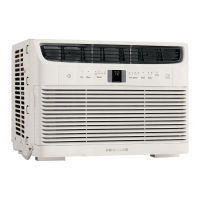


 To Next Page