EasyManua.ls Logo

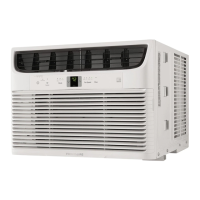
Frigidaire FHTC103WA1 - User Manual

Frigidaire FHTC103WA1
20 pages
Print Icon
To Next Page IconTo Next Page
Loading...
Frigidaire.com USA 1-800-944-9044 Frigidaire.ca Canada 1-800-265-8352
use
&
care
Room Air Conditioner
(DY)16120300A20672 (July 2019)
Introduction...................................................... 2
Important Safety Instructions.................... 3
Normal Sounds................................................ 7
Air Conditioner Features............................. 8
Operating Instructions................................ 9
Energy Saving Ideas................................... 15
Before You Call............................................. 16
Major Appliance Limited Warranty....... 18
Care And Cleaning....................................... 15
Question and Answer IconNeed help?

Do you have a question about the Frigidaire FHTC103WA1 and is the answer not in the manual?

Overview

This document is a user and care manual for a Frigidaire Room Air Conditioner, published in July 2019. It provides comprehensive instructions for operation, safety, maintenance, and troubleshooting, along with warranty information.

Function Description:

The Frigidaire Room Air Conditioner is designed to cool and dehumidify a room, providing a comfortable indoor environment. It features various operating modes, fan speeds, and temperature settings to suit different user preferences and conditions. Some models also include an ionizer feature for air purification and a remote sensing function for more accurate temperature control. The unit can be controlled via a touch-pad on the unit itself or through a remote control.

Important Technical Specifications:

  • Electrical Rating: The complete electrical rating is stated on the serial plate of the unit. It is crucial to ensure the electrical service is adequate for the chosen model.
  • Power Cord: Equipped with a three-prong grounding plug for shock hazard protection and a current detection device to reduce fire risk. The power cord cannot be repaired if damaged and must be replaced by a cord from the product manufacturer.
  • Refrigerant: Uses flammable refrigerants R32 or R290. Special precautions are outlined for handling, installation, and disposal of units containing these refrigerants.
  • Temperature Range: The unit should be operated in an indoor temperature range of 60°F - 90°F (16°C - 32°C) and an outdoor temperature range of 64°F - 109°F (18°C - 43°C). Performance may be reduced outside these ranges.
  • Temperature Control: Maintains the set temperature within 2 degrees Fahrenheit, between 60°F and 90°F degrees.
  • Remote Control Battery: Uses AAA size batteries.

Usage Features:

  • On/Off Control: The unit can be turned on or off by pressing the ON/OFF button on the control panel or remote.
  • Modes:
    • Cool Mode: Provides cooling with adjustable temperature settings (62°F to 86°F / 17°C to 30°C) and fan speeds.
    • Auto Mode: Automatically selects cooling and fan speed settings based on room temperature. Fan speed cannot be manually selected in this mode.
    • Fan Only Mode: Circulates air without cooling. Users can choose their preferred fan speed. The display shows the actual room temperature in this mode.
    • Dry Mode: Operates as a dehumidifier, cooling the room while reducing humidity. Fan speed is held at "Lo" in this mode.
    • Sleep Feature: Gradually increases the set temperature by 2°F after 30 minutes, and another 2°F after an additional 30 minutes. This new temperature is maintained for 7 hours before returning to the original setting. The fan operates at Auto speed.
  • Fan Speed Control: Offers four settings: Auto, Lo (Low), Med (Medium), and Hi (High), except in "Auto" or "Dry" modes, or when the Sleep feature is active.
  • Temperature Display: The control panel can display temperature in degrees Fahrenheit or Celsius. To change the display, press and hold the UP/DOWN buttons simultaneously for 3 seconds.
  • Timer (Delay Stop/Start): Allows users to set a delay for the unit to turn on or off. The delay can be adjusted in 0.5-hour increments up to 10 hours, then 1-hour increments up to 24 hours.
  • Ionizer Feature (on some models): Generates ions to attract and remove impurities from the air, providing cleaner air. Activated by pressing the IONIZER button.
  • Remote Sensing Feature (on some models): Activated from the remote control in cooling mode. The remote control acts as a thermostat, allowing the user to set the desired temperature from its location. The unit's control panel will display the set temperature, while the remote displays the actual temperature at its location.
  • Air Directional Louvers: Slider-type louvers allow users to direct airflow Up, Down, Left, or Right to optimize air distribution.
  • Power Outage Memory: After a power outage, the unit memorizes the last setting and returns to it once power is restored.
  • Compressor Delay: The "Cool" circuit has an automatic 3-minute time-delayed start to prevent overheating and circuit breaker tripping if the unit is turned off and on quickly. The fan continues to run during this time. A 2-second delay for compressor shutdown occurs when selecting FAN ONLY mode.

Maintenance Features:

  • Air Filter Cleaning: The air filter should be checked at least once a month. It can be washed with liquid dishwashing detergent and warm water, or vacuumed clean. Proper reinstallation of the filter is crucial.
  • Check Filter Reminder: An LED indicator illuminates after 250 hours of operation to remind the user to clean the air filter. Pressing the "Filter Reset" button turns off the light.
  • Cabinet Cleaning: The cabinet and front can be dusted with an oil-free cloth or washed with a cloth dampened in a solution of warm water and mild liquid dishwashing detergent. Harsh cleaners, wax, or polish should not be used. Excess water should be wrung from the cloth before wiping around controls to prevent damage.
  • Winter Storage: If storing the unit for winter, it should be carefully removed from the window according to installation instructions, covered with plastic, or returned to its original carton.
  • Troubleshooting Guide: The manual includes a comprehensive troubleshooting section to help users identify and resolve common issues before calling for service. This includes solutions for problems like the unit not operating, insufficient cooling, ice formation on coils, rapid on/off cycling, noise, and water dripping.
  • Fault Codes: The display will show "AS" or "ES" if a sensor has failed, indicating the need to contact an Authorized Frigidaire Service Center.

Frigidaire FHTC103WA1 Specifications

General IconGeneral
BrandFrigidaire
ModelFHTC103WA1
CategoryAir Conditioner
LanguageEnglish

Related product manuals