FRITZ!Box 7272 20
Connecting to the Internet
4.2 Connecting to the Internet
The FRITZ!Box can be connected using various types of Inter-
net connections:
• DSL line
• Internet cable access using a cable modem
• Internet via mobile network using a UMTS/HSPA modem
• Internet connection of another router
Connecting to a DSL Line
How to connect the FRITZ!Box depends on the type of your
line.
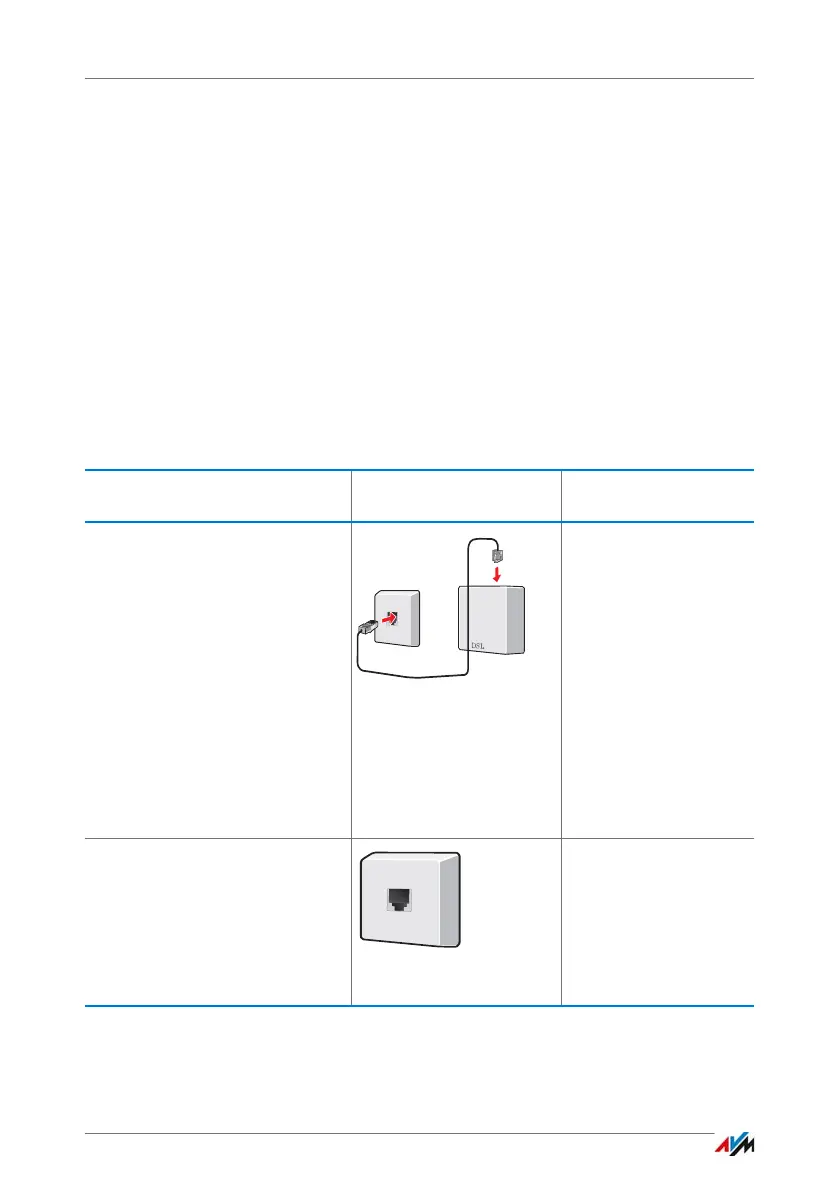
Line Sockets Connecting the
FRITZ!Box
DSL line with landline
Your landline is an analog tele-
phone line or an ISDN line.
You have a telephone
socket (left) and a DSL
splitter.
If you have ISDN, the NT-
BA is also connected to
the DSL splitter.
Read the instructions
on page 21.
DSL line only, without landline
(also “IP-based access” or
“direct access”)
Telephone calls can be conduct-
ed over the Internet.
You have a telephone
socket.
Read the instructions
on page 22.



 To Next Page