FRITZ!Box 7272 52
Connecting Telephones and Other Terminal Devices
10 Connecting Telephones and Other Terminal Devices
This chapter describes how to connect telephones, fax machines, an-
swering machines and telephone systems (PBXs) to the FRITZ!Box.
10.1 Connecting an Analog Telephone or Terminal Device
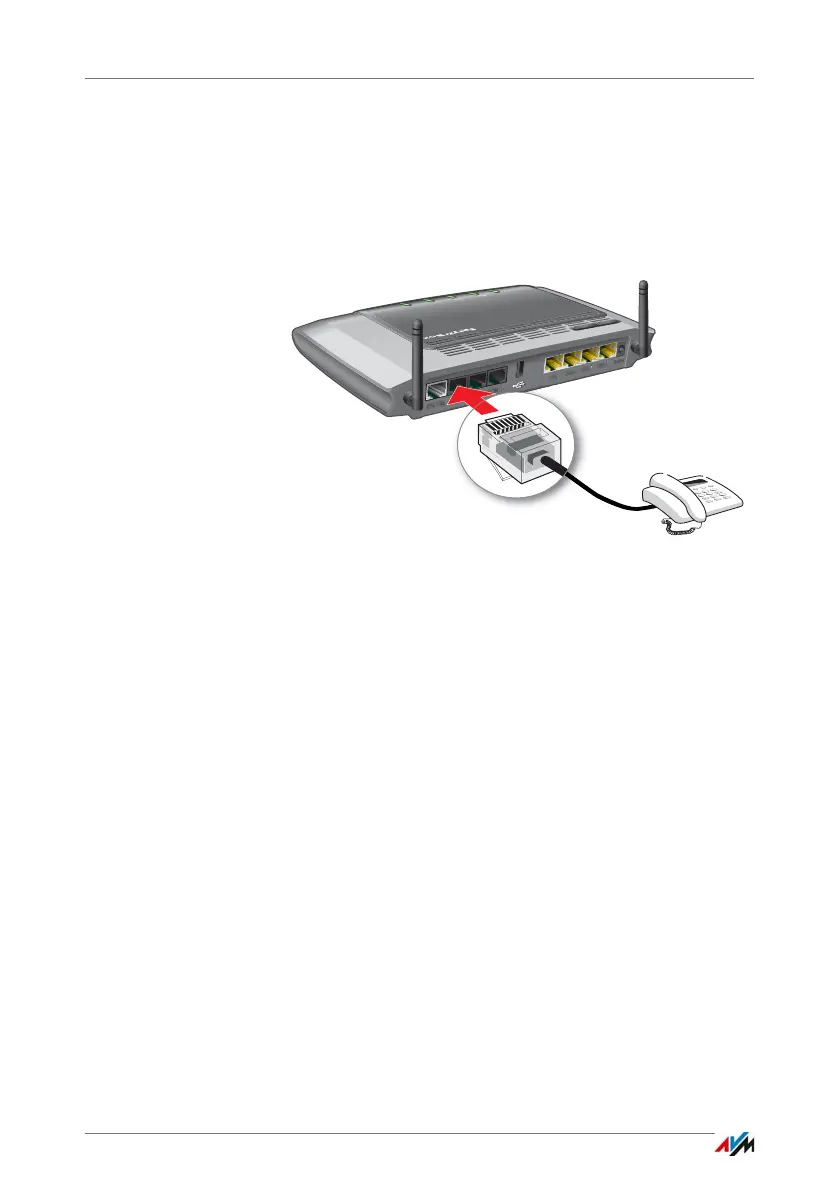
1. Connect the terminal device to the “FON 1” or “FON 2”
port.
You can connect a telephone or another terminal device
(a fax machine, for instance) to each port.
2. Configure the terminal device in the FRITZ!Box; see
page 58.
10.2 Connecting ISDN Telephones and ISDN Terminal Devices
Requirements
• ISDN terminal devices must support operation on an
ISDN point-to-multipoint line.
Connecting an ISDN Telephone
1. Connect the ISDN telephone to the “FON S
0
” port.
DSL/TEL
FON 1
FON 2
LAN 1
LAN 2
LAN 3
LAN 4
Power
FON S
0
Power / DSL
Internet
Fixed L ine
DECT
Info
WLAN
WPS
DECT



 To Next Page