FRITZ!Box 7272 28
Connecting a Network Hub or Switch
5.2 Connecting a Network Hub or Switch
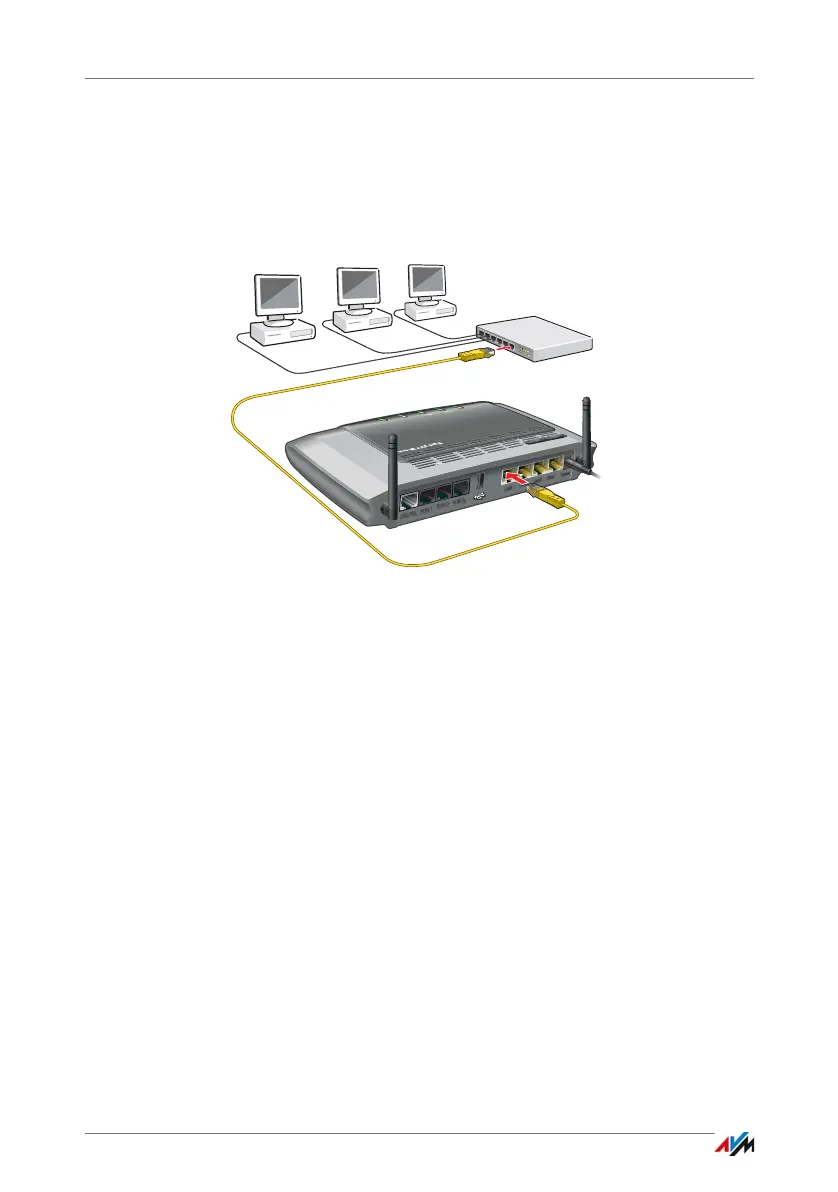
You can connect a network hub or network switch to the
FRITZ!Box.
1. Insert the network cable included in the package into
the uplink port of the network hub or network switch.
You can also use any other network cable. For more in-
formation, see page 179.
2. Insert the free end of the cable into a LAN socket on the
FRITZ!Box.
For connections at maximum speed (gigabit Ethernet),
connect the cable to the “LAN 1” or “LAN 2” socket.
The FRITZ!Box and the network hub are now connected with
each other.
Power
FON S
0
Power / D SL
Internet
Fixed L ine
DECT
Info
WLAN
WPS
DECT



 To Next Page