Registering FRITZ!Fon and Other Cordless (DECT) Telephones
FRITZ!Box 7272 53
2. Configure the ISDN telephone in the FRITZ!Box; see
page 58.
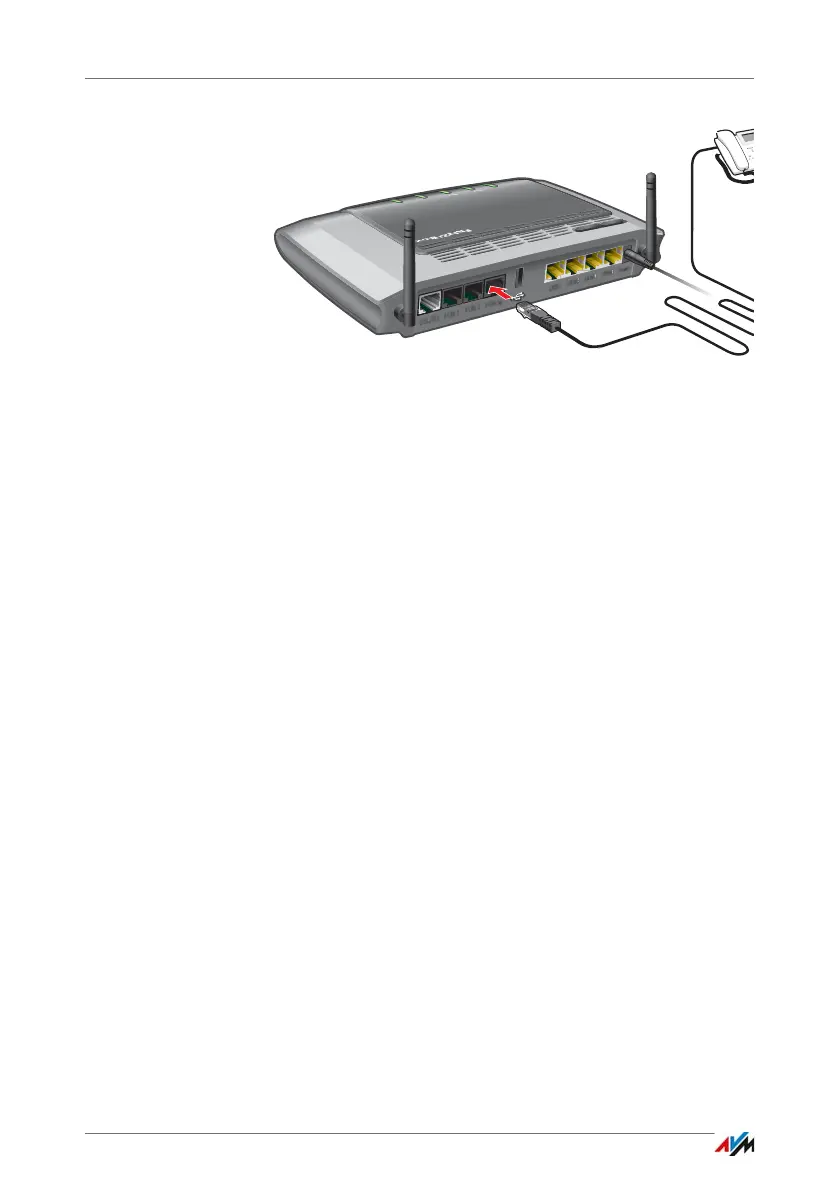
Connecting Multiple ISDN Telephones
With S
0
bus cabling you can connect up to eight ISDN tele-
phones to the FRITZ!Box. Please note for configuration:
• Since the FRITZ!Box has terminators installed, the
FRITZ!Box must be positioned on one end of the S
0
bus
cabling.
• The FRITZ!Box can supply one ISDN telephone with elec-
trical power. All other ISDN telephones will need their
own power supply.
10.3 Registering FRITZ!Fon and Other Cordless (DECT) Telephones
Up to six cordless DECT telephones can be registered on the
FRITZ!Box.
1. Start the registration of your cordless telephone with a
base station.
2. If you are prompted to press the “DECT”, “Register”, or
“Paging” button on the base station:
Press and hold down the “FRITZ!Box” button on the
DECT. Hold the button down until the “DECT” LED on the
FRITZ!Box flashes.
Power
FON S
0
Power / DSL
Internet
Fixed Line
DECT
Info
WLAN
WPS
DECT



 To Next Page