Using a FRITZ!Box Password
FRITZ!Box 7272 61
4. Save your changes by clicking “Apply”.
You will be directed to the welcome screen of your
FRITZ!Box.
5. Enter your user name to log in to the user interface of
your FRITZ!Box.
Password protection is enabled in your FRITZ!Box.
Quick Access to the Login Data
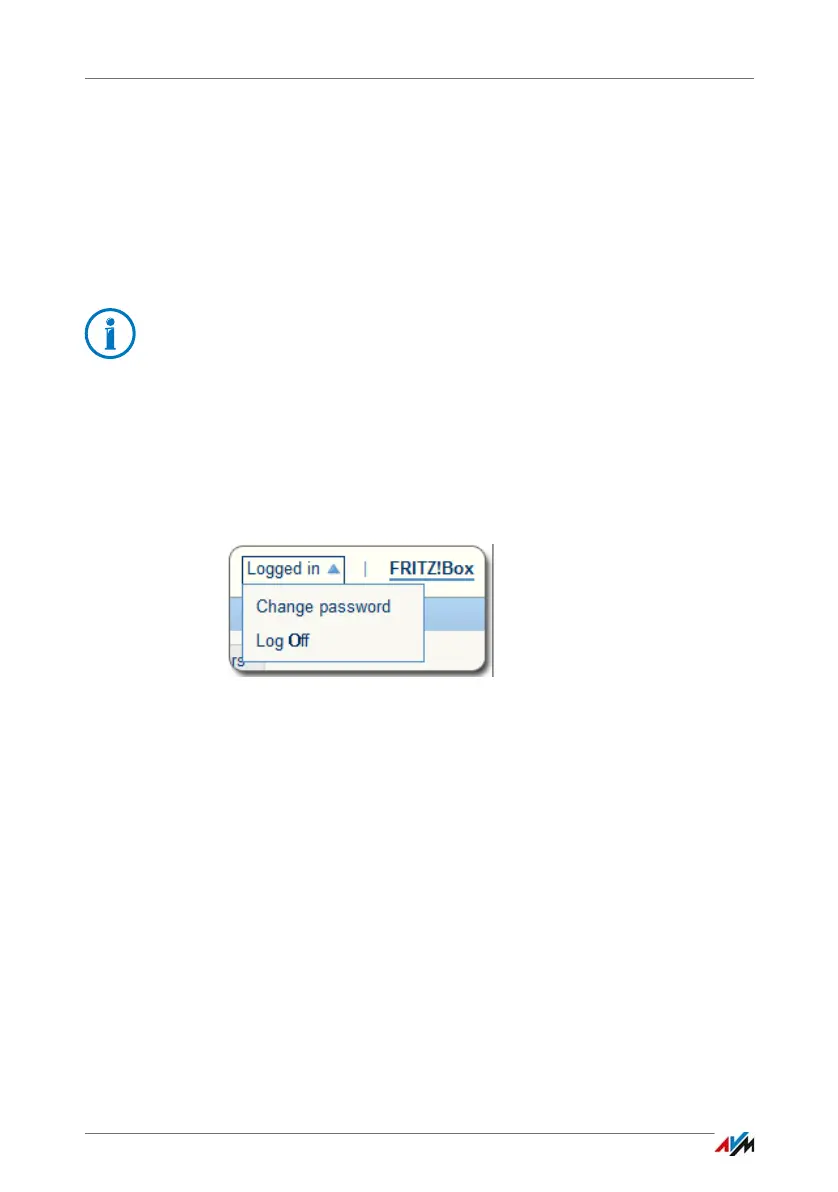
As soon as you have configured the FRITZ!Box password, the
upper navigation bar of the FRITZ!Box user interface will dis-
play the entry “Logged in”.
Click the blue triangle to control basic functions of your
FRITZ!Box log in:
• Changing the Password
Using the “Change password” entry you can change the
FRITZ!Box password.
• Deregistering
Click “Log Off” here to leave the FRITZ!Box user inter-
face.
Log off of the FRITZ!Box user interface before you surf the
web with your browser. If you do not click on the
FRITZ!Box user interface for a period of longer than sixty
minutes, you will be logged off automatically.
With the FRITZ!Box password it is not possible to access the
FRITZ!Box from the Internet. For users who require access to
the FRITZ!Box via Internet, you must also set up an account
as a FRITZ!Box user; see page 62.



 To Next Page