3 | Overview of the basic functions
8 B0640421_en | Operating instructions Control Panel RBG 3200
3 Overview of the basic functions
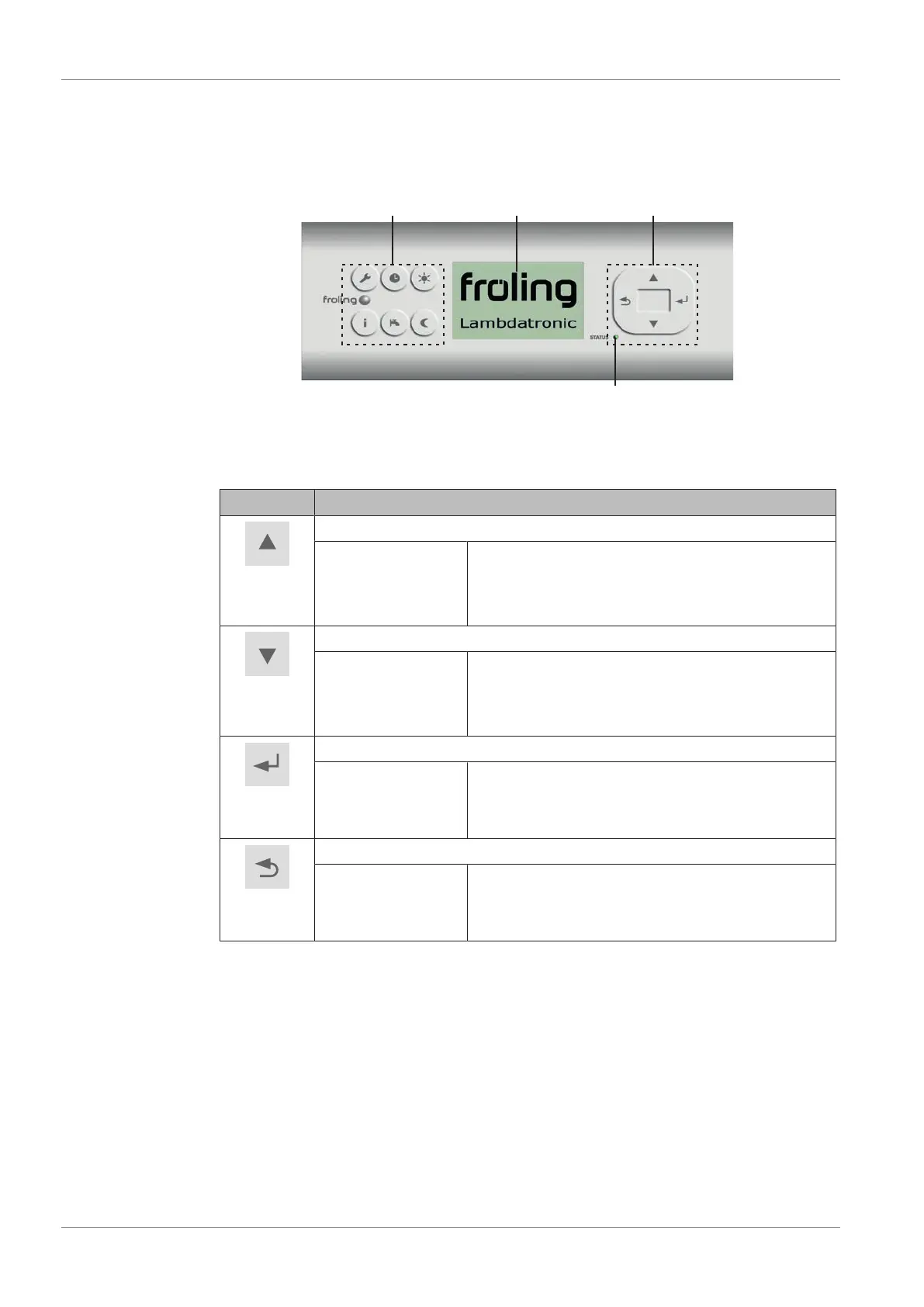
3.1 Control keys and display
Function keys
Visual display
Navigation keys
Status LED
3.1.1 Navigation keys
The navigation keys are used to move within the menu and to change parameter values.
Key Function for
UP arrow
navigation: move up a menu level
parameter change: depending on how long the key is pressed:
- short: increase value
- long: increase value in increments of 10
- long (>10 secs): increase value in increments of 100
DOWN arrow
navigation: move down a menu level
parameter change: depending on how long the key is pressed:
- short: reduce value
- long: reduce value in increments of 10
- long (>10 secs): reduce value in increments of 100
Enter
key
navigation: go to selected menu
parameter change: release the parameter for editing, or save parameter
value after changing
Back
key
navigation: go back up a menu level
parameter change: depending on how long the key is pressed:
- short: do not save parameter
- long: back to basic display without saving
3.1.2 Status LED
The status LED shows the operating status of the system:
▪ GREEN flashing (interval: 5 sec OFF, 1 sec ON):
▪ GREEN constant: BOILER SWITCHED ON
▪ ORANGE flashing: WARNING
▪ RED flashing: FAULT


 To Next Page