FS0507T PN 60711000162
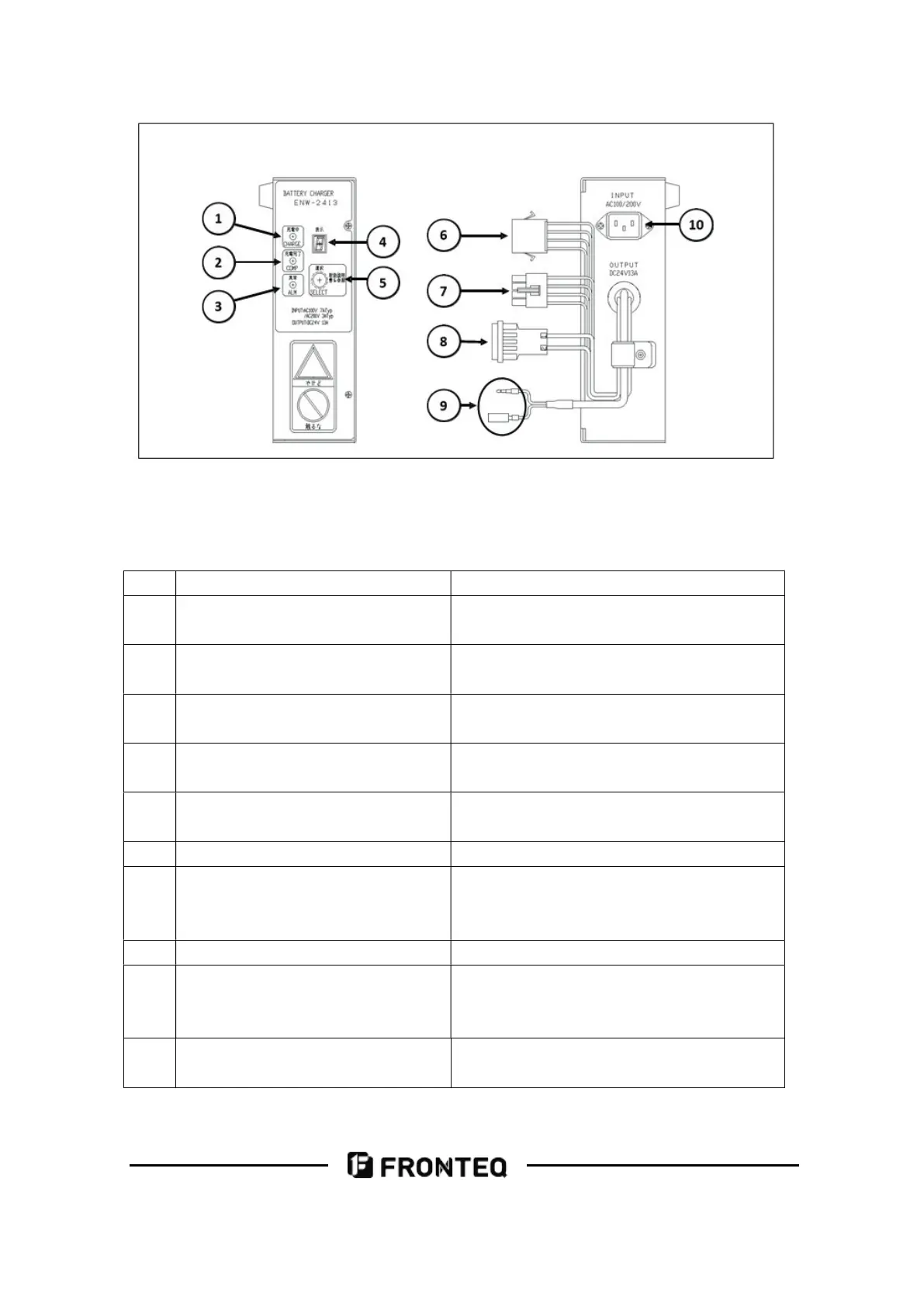
No. Name Function
1 Charging indicator (green) The charging status is displayed by
lighting and flashing.
2
Charging end indicator(
yellow)
The charging end status is displayed by
lighting and blinking.
3
Abnormal indicator (
red)
Lights up and flashes when an error
occurs.
4 Show window Lights up and flashes when an error
occurs.
5 Switch Lights up and flashes when an error
occurs.
6 Spare interface Unused
7 Output display interface The lower operation panel has a
charging status display function and is
connected to the machine's mains wire.
8 Output Interface Connect the wires to the machine body.
9 Chain interface Connected to the machine body. The
machine cannot be turned on when not
connected.
10 Chain interface Connected to the input line (AC) via an
interlocking line.



 To Next Page