www.frontpointsecurity.com
Set up your
Control Panel
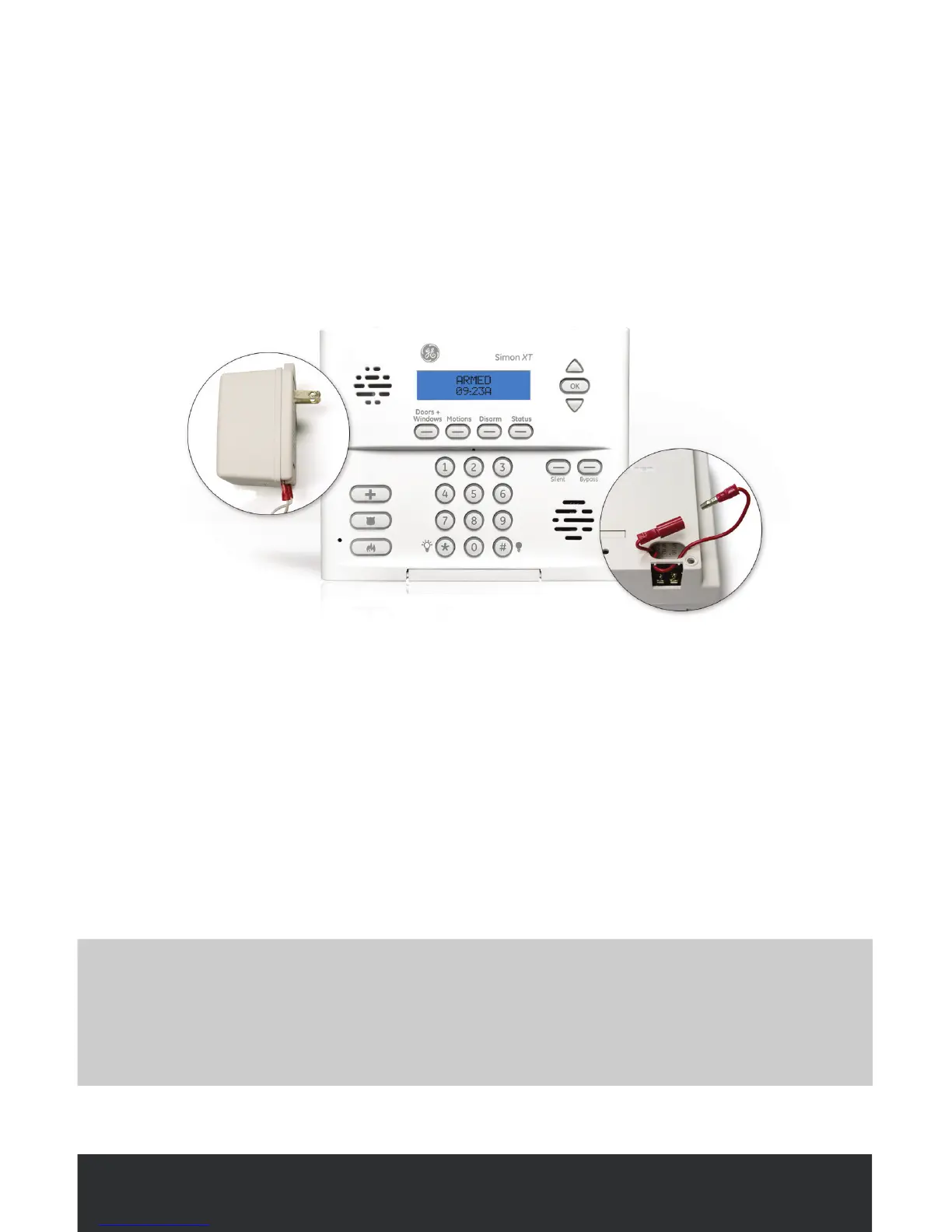
SPECIAL SETUP NOTE
Make sure you have plugged the Control Panel’s power adapter into an outlet
that is NOT controlled by a switch and does not have a “test/reset” button
(i.e. a non-ground fault interrupted (GFI) electrical outlet).
STEP 1
Activate the battery
Connect the backup battery (located on the backside of the panel) by pushing the
red connectors together until the metal part of the plug is completely hidden.
STEP 2
Plug in the power adapter
Plug the power adapter into an outlet that is NOT controlled by a switch.



 To Next Page