42
10/2021
Creating Tasks Using Worklist Information IPS740 series
Before retrieving worklist information, worklist server settings should be properly con gured in
the Setup -> System menu.
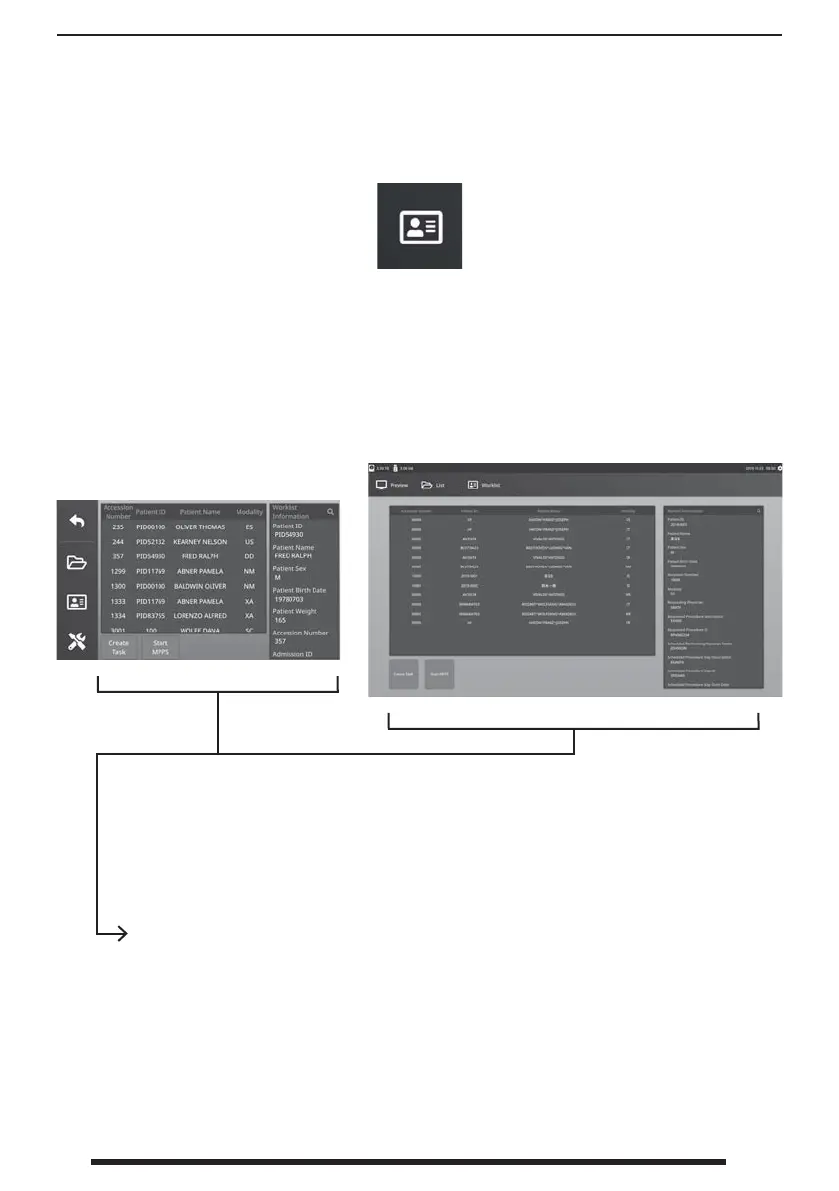
Select the WORKLIST icon.
Patient information that is stored on the worklist server
will be
presented in the left window. Click a worklist item and detailed information associated with the
item is presented in the right window.
Front Panel LCD
External Monitor
• Left Column: Patients on the worklist.
• Right Column: After a selection, patient information details.
• Create Task - Click to convert a worklist item into a recorder task.
• Start MPPS (Modality Performed Procedure Step)


 To Next Page