15
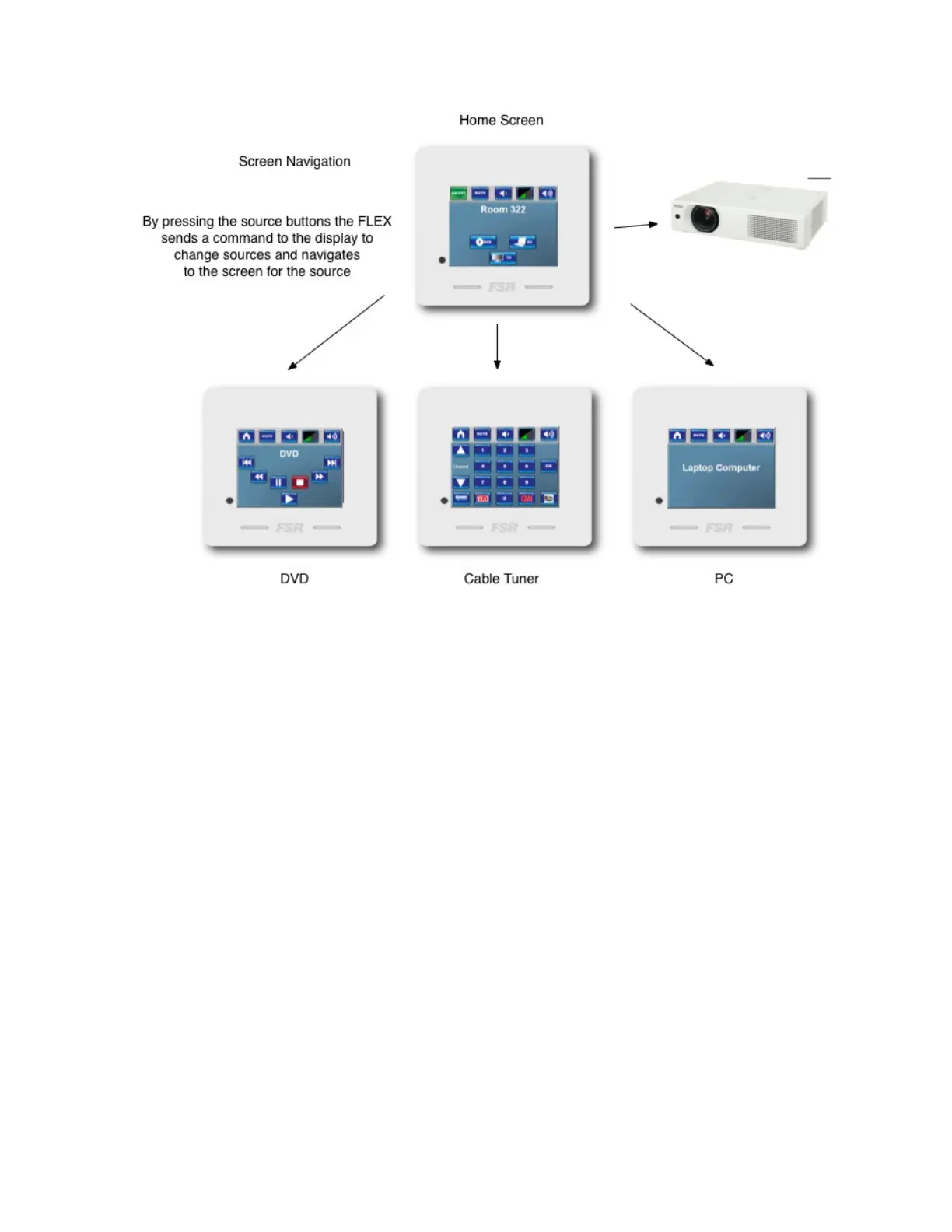
InthissystemwehaveaprojectorDVD/VCRandaPC.TheFLEXwillswitchsources
ontheprojectorandcontrolvolumelevels.
Designingthesystem
STEPONE:DevicestoControl
Thefirststepindesigningasystemisdeterminingwhatdevicesaretobecontrolled.
InthesystembelowwehaveaprojectoraDVD/VCRandacomputer.Onthe
projectorwewillswitchsourcesandcontrolvolumelevels.Wewillalsoprovide
transportcontrolsfortheDVDVCR.Nextstepistodetermineanyadditional
screenswemaydesire.YoumaywantaseparatescreenfortheDVDmenu.You
couldhaveawaitscreentoindicateyoursystemisinthepowerupmode.Theseare
allcapabilitiesoftheFLEXcontrolsystems.



 To Next Page