5
TheFLEXLT–150hardwarefeatures:
EthernetportwithPoweroverEthernet
TheFLEXLT–100hardwarefeatures:
3.5”ColorLCDTouchScreen
TwoRS‐232serialports
TwoIRports
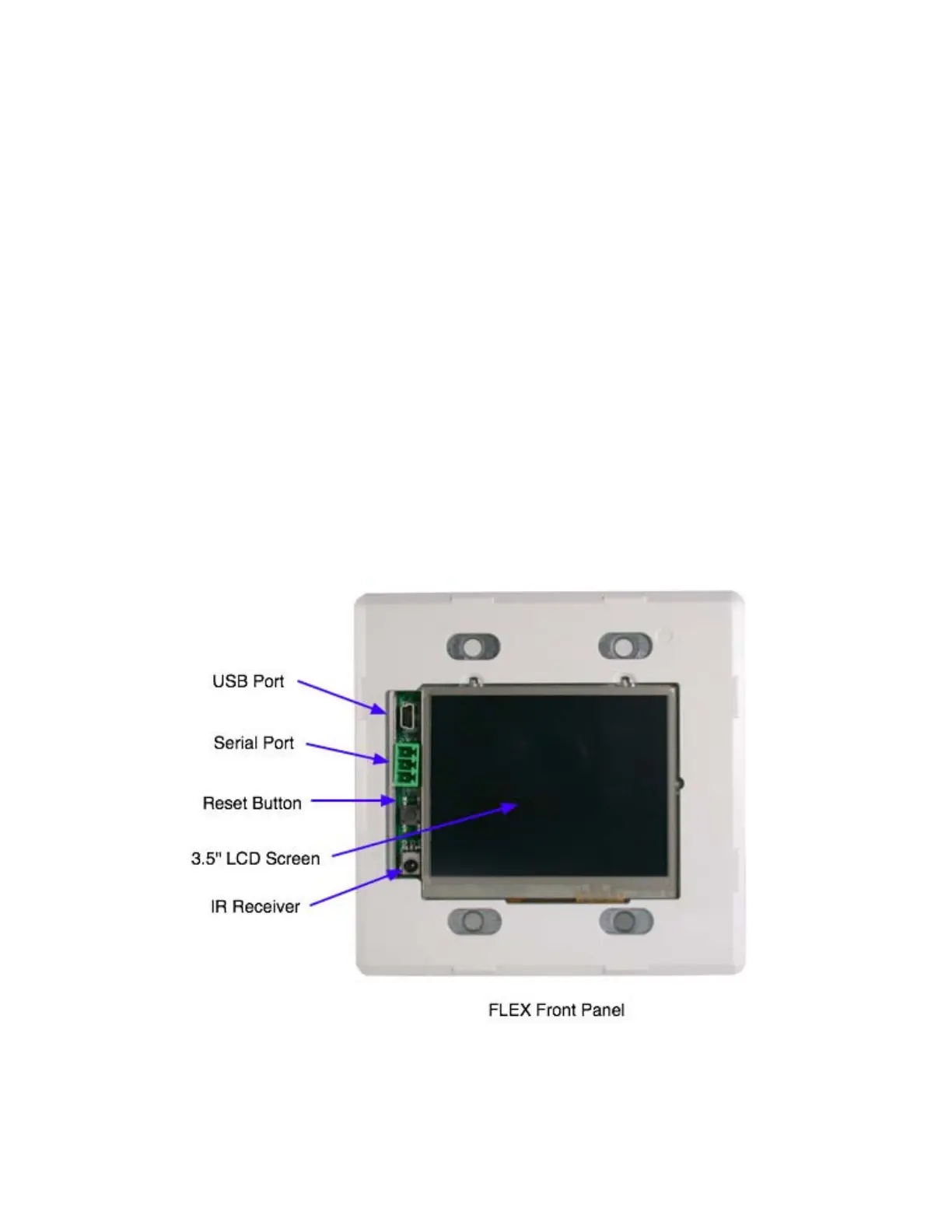
FLEXFrontPanel
YoucangainaccesstotheFLEXfrontpanelbyremovingtheplasticbezel.Thefront
panelhastwocommunicationports,RS‐232andminiUSB(forfutureuse).The
communicationportisusedtoloadconfigurationsintotheFLEXpanel.Belowthe
communicationportsisthehardwareresetswitch.TheFLEXpanelalsohasanIR
receiver(forfutureuse).Seethepanelillustrationbelow.
NOTE:TheUSBportandIRReceiverarecurrentlyinoperable.
RX
GND
TX



 To Next Page