PAG.
9
rev 1.0
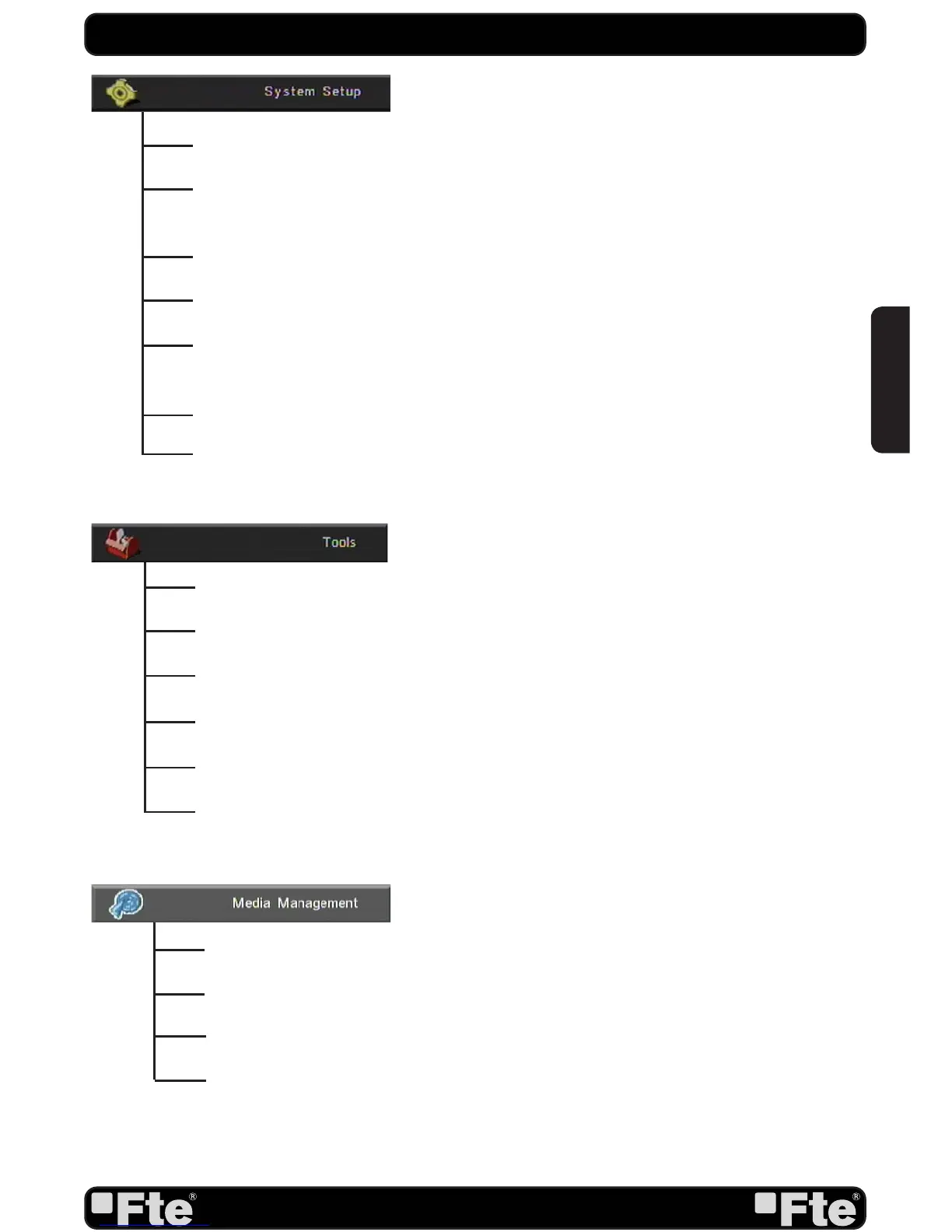
Language: This option allows choosing the language of the menus.
TV System: This option allows choosing the video Standard and other parameters of
the screen.
Time & Timer Setting: Timer setting menu.
OSD Setting: This option allows confi guring the subtitles of the channel information.
Parental Lock: In this option, user can lock the access to the menu and change the
password of the receiver.
Power setting: Turns on or off the LNB power.
RCU position Switch: To chose the RCU position of the remote control.
Information: Shows all the technical information for the selected channel.
Quick Setup: The installation assistant will be loaded.
Game: Some games like Tetris, Snake and Othello.
Factory Default: This option resets the receiver and loads the factory default values.
Software Upgrade: To update the receiver by USB or by satellite.
SatcoDX Auto programming: To load SatcoDX channel lists.
QUICK INSTALLATION GUIDE
Media List: Allows to reproduce, to block and to delete recordings. Multimedia Player.
Media Control: Allows to confi gure the hard disk options and to format it.
Disk Information: You can see the capacity of the hard disk.
Upgrade: To upgrade the receiver through the USB Port.
ENGLISH


 To Next Page