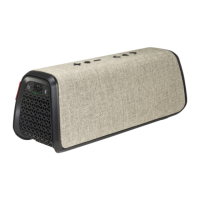
User Manual Fugoo GO Bluetooth Speaker Model FSNA3 page 3 1/27/2017
POWERING UP AND CONNECTIONS
Power On / Off .................... Hold 1 second
Battery status ..................................... Click
Pair with a device ............... Hold 3 seconds
Disconnect device ..............Hold 3 seconds
Clear all paired devices ..... Hold 8 seconds
PLAYBACK CONTROL
Play / Pause ....................................... Click O
Volume up ........................................... Click +
Volume down ...................................... Click –
Previous track .......................... Click O and –
Next track ................................. Click O and +
SPEAKER SETTINGS
To change settings on the speaker, hold the following
buttons while powering on the speaker:
Normal / Outdoor mode .............. Hold O and
Power Save On / Off .................... Hold - and
Voice prompts level: ........... Hold + and - and
PAIR TWO SPEAKERS TOGETHER
Place 1
st
unit in Pairing Mode ... ...Click and +
Place 2
nd
unit in Pairing Mode.......Click and +
Toggle between Double/Stereo Mode...Click and –
• CAUTION: Never connect a cable to any of the connectors on the speaker if they are
wet, or are at risk of getting wet.


 To Next Page