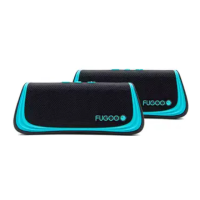
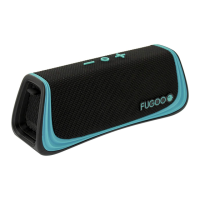
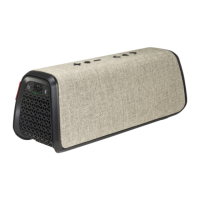
User Manual Fugoo GO Bluetooth Speaker Model FSNA3 page 5 1/27/2017
Powering on your speaker
•
Click the (Power) button momentarily to power the speaker on.
•
When
the speaker runs from battery power, it will power itself off after a period of inactivity,
unless the
Power Save feature is Off. (See the Power Save Mode section for further detail.)
•
Hold the (Power) button for one second to turn the speaker off.
Connecting your speaker to smartphones and other devices
You can connect to your Fugoo GO Bluetooth Speaker either through its audio input
jack (if your model includes this feature) or through a Bluetooth wireless link. Only
one of these inputs can be active at a time.
Connecting through an audio cable to the audio input jack
• Connect one end of a 3.5 mm audio cable to your Fugoo Bluetooth Speaker's audio
input jack, then connect the other end to the headphones jack of your audio source
device. Your Fugoo Bluetooth Speaker will automatically switch to playing from the
source connected by the audio cable. To return to Bluetooth operation, remove the
audio cable from the speaker.
• Plugging an audio cable into the speaker's audio input jack turns off the Bluetooth
wireless link, to save power and maximize battery life.
Pairing and connecting with another Bluetooth device
1. Make sure that a 3.5 mm audio cable is not connected to the speaker's audio input.
2. Place your Fugoo GO Bluetooth Speaker and your other Bluetooth device
within 33 feet (10 meters) of each other.
3. Turn the speaker and the other device on.
4. Hold the (Bluetooth) button for three seconds. The LED blinks blue
repeatedly. If voice prompts are enabled, the speaker says, “Pairing mode.
Use the Bluetooth settings of your device to connect.” The speaker will
remain in pairing mode for three minutes, or until it pairs with your device.
5. On your other Bluetooth device, turn on Bluetooth, which will allow it to discover
the speaker. (See the Bluetooth settings information for your device.)
6. Select 'Fugoo GO” on your Bluetooth device.
7. Wait briefly for the speaker to discover your Bluetooth device. If voice prompts
are enabled, the speaker will say, "Pairing successful” and “Connected”.
If you hear "Pairing is unsuccessful. Please try again." Try pairing again.


 To Next Page