2 Product Overview
26
Product Overview
2
* : Attach the ferrite core to the cable connected to the connector.
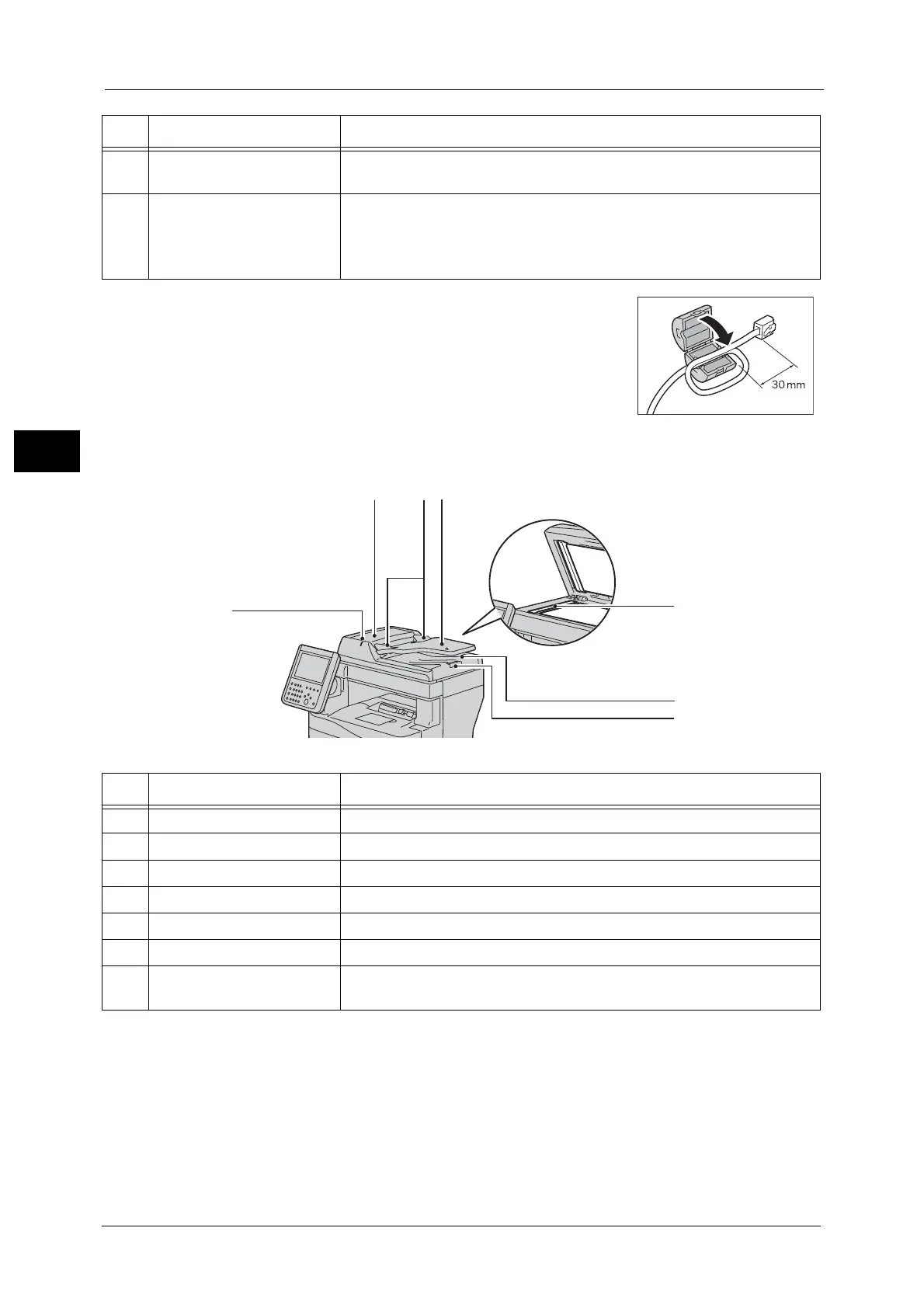
Duplex Automatic Document Feeder
Note •In this guide, the duplex automatic document feeder is referred to as the "document feeder".
12 Rear cover Open this cover to clear paper jams, replace consumable, and clean the
machine.
13 Main power switch Switches the main power on/off of the machine. Always follow the
instructions by the system administrator.
Important • Always switch the power off before switching the main power off. Refer
to "Power Source" (P.30).
No. Component Function
No. Component Function
1 Confirmation indicator Lights up when a document is loaded correctly.
2 Left cover Open this cover to clear paper jams.
3 Document guides Use these guides to align the edges of documents.
4 Document feeder tray Load documents here.
5 Document output tray Scanned documents are delivered here.
6 Document stopper Prevents outputs from falling off.
7 Constant velocity transport
glass
Scans a loaded document.


 To Next Page
 Loading...