2
Switching the Power Off
When the power is switched off, all the machine functions
are stopped.
Do not switch the power off when the machine is in the
following states. If the power is switched off, the data
that is being processed may be deleted.
- During data reception (Data indicator is lit)
- Within 5 seconds after ejection of paper
- During copying or scanning
1.
Press the Power/Power Saving button.
Long pressing the Power/Power Saving button also
switches off power.
2.
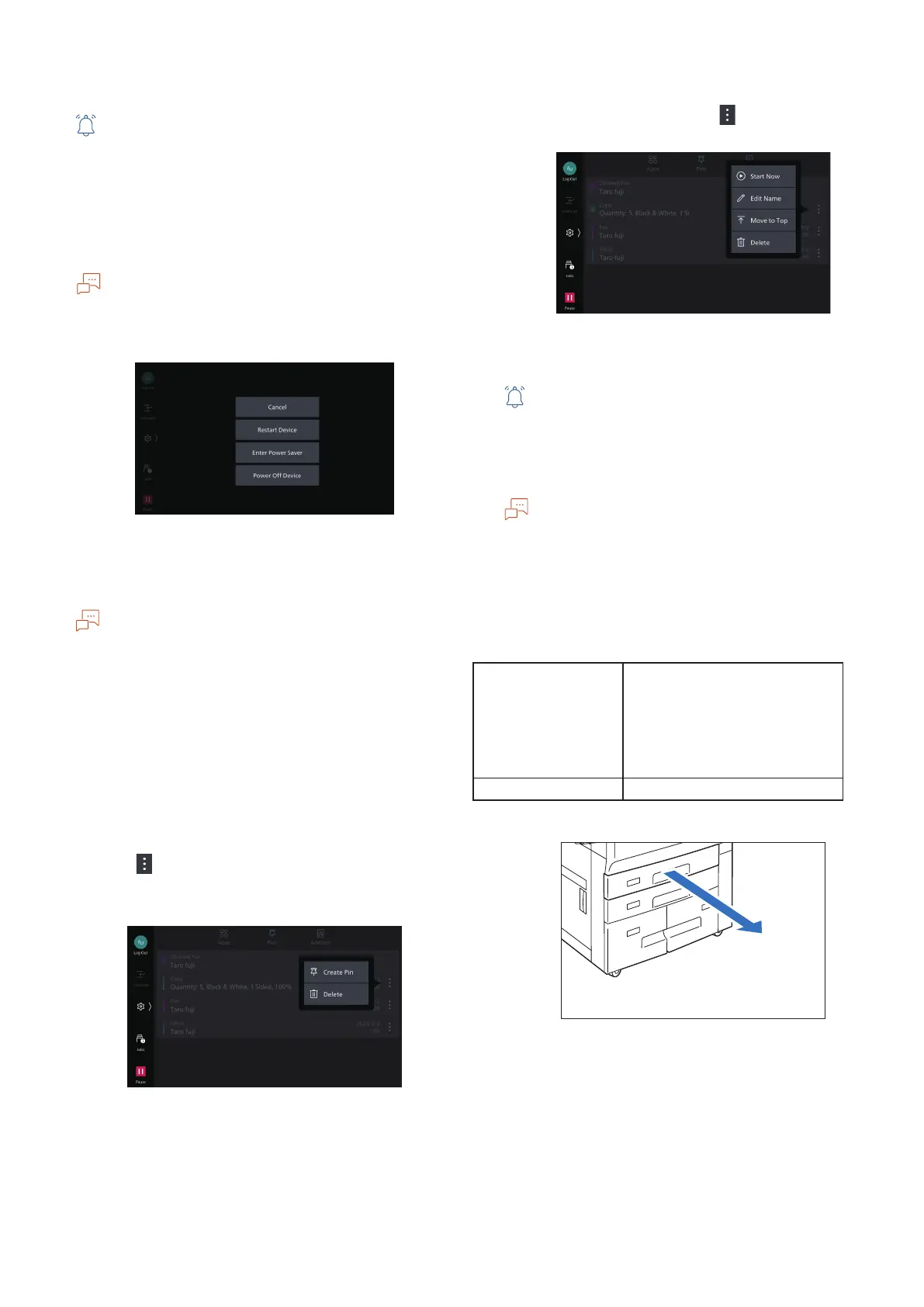
Tap on [Power Off Device].
Creating Pin
If you create a pin of Job Direction History of a job that is
executed in the past, you can easily execute the job with the
same settings.
■
Job direction histories and created pins are managed by
each user.
■
Pinned job direction histories are not overwritten.
■
A pin created in an Administrator mode is shared by all
users.
■
Change/deletion of a shared pin can be performed in an
Administrator mode.
Creating Pin of Job Direction History
1.
Log in.
2.
On the Home screen, tap on [Pins].
3.
Tap on on the right side of the history for
which you want to create a pin and tap on
[Create Pin].
Executing the Job from the Pinned Job
Direction History
On the [Pins] screen, tap on at the right side
of the pinned job and tap on [Start Now].
Loading Paper
■
Do not place paper or other objects in the reserved
space of the tray. It may cause paper jams or machine
malfunction.
■
While the printer is processing a job, do not remove the
Paper Tray used for the job.
Before loading the paper into the Paper Tray, fan a stack
of paper well. This will separate the sheets, and it can
prevent paper jamming.
This section explains how to load the plain paper into the
tray 1 to 4.
Loadable Paper
Paper size (mm) Tray 1, 2
Width: 100 to 330
Length: 148 to 488
Tray 3, 4
Standard size:
Max: A4 /Letter
Min: JIS B5
Paper weight (g/m
2
) 52 to 300
1.
Pull out the Paper Tray until it stops.
2.
When paper is already loaded in the tray,
take out the paper.





 To Next Page