EasyManua.ls Logo

FujiFilm DS-7 - Page 22

FujiFilm DS-7
44 pages
Print Icon
To Next Page IconTo Next Page
To Previous Page IconTo Previous Page
Loading...
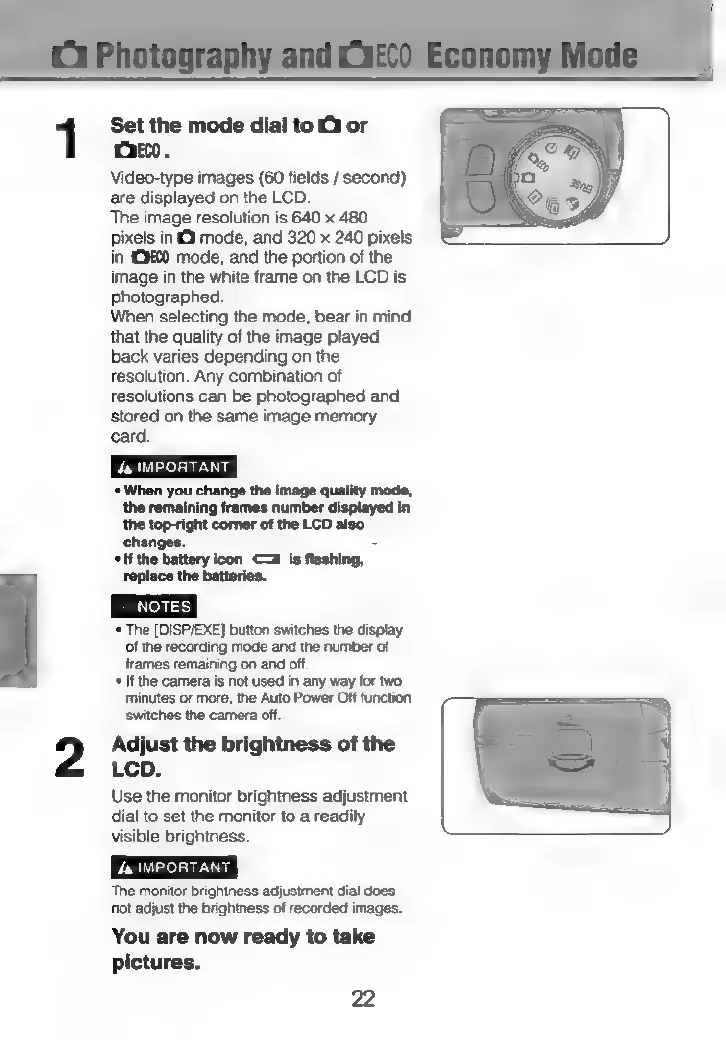
Set the
mode
dial
to
O
or
Oro.
ee
a
Video-type
images
(60
fields
/
second)
Tey
me
are
displayed
on
the
LCD.
oe
&
The
image
resolution
is
640
x
480
pixels
in
(3
mode,
and
320
x
240
pixels
in
290
mode,
and
the
portion
of
the
image
in
the
white
frame
on
the
LCD
is
photographed.
When
selecting
the
mode,
bear
in
mind
that
the
quality
of
the
image
played
back
varies
depending
on
the
resolution.
Any
combination
of
resolutions
can
be
photographed
and
stored
on
the
same
image
memory
card.
*
When
you
change
the
image
quality
mode,
the
remaining
frames
number
displayed
in
the
top-right
corner
of
the
LCD
also
changes.
“
*If
the
battery
icon
<a
is
flashing,
replace
the
batteries.
‘*
The
[DISP/EXE]
button
switches
the
display
of
the
recording
mode
and
the
number
of
frames
remaining
on
and
oft.
«If
the
camera
is
not
used
in
any
way
for
two
minutes
or
more,
the
Auto
Power
Off
function
switches
the
camera
off.
Adjust
the
brightness
of
the
LCD.
Use
the
monitor
brightness
adjustment
dial
to
set
the
monitor
to
a
readily
visible
brightness.
The
monitor
brightness
adjustment
dial
does
‘not
adjust
the
brightness
of
recorded
images.
You
are
now
ready
to
take
pictures.
22