EasyManua.ls Logo

FujiFilm DS-7 - Press the Shutter Button; Selecting the Aperture

FujiFilm DS-7
44 pages
Print Icon
To Next Page IconTo Next Page
To Previous Page IconTo Previous Page
Loading...
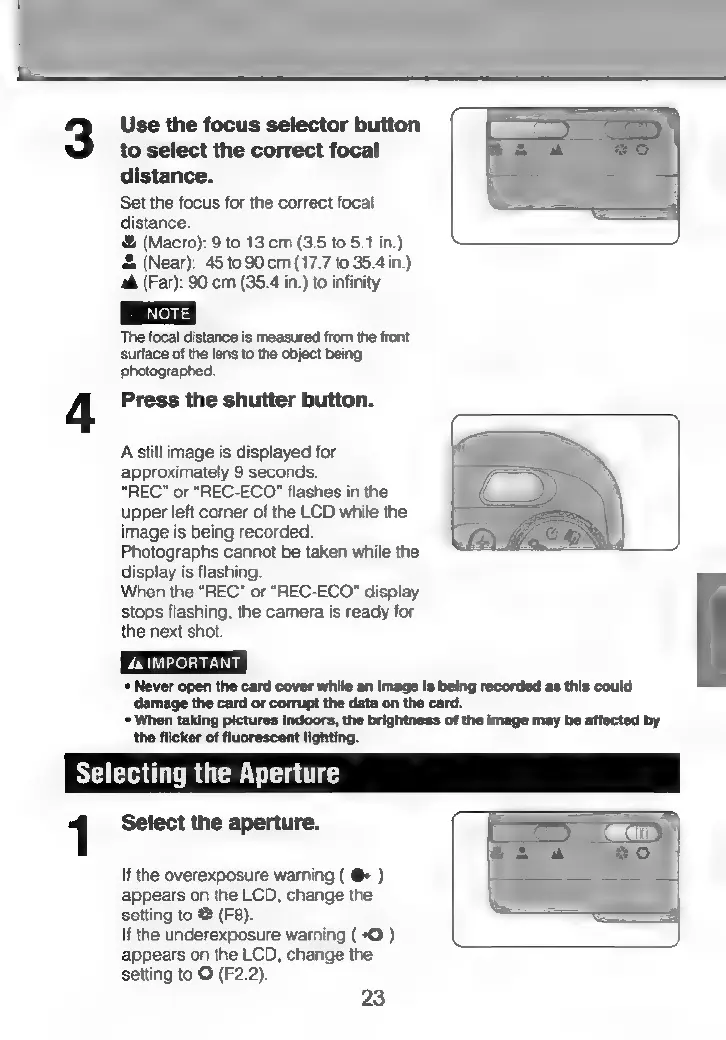
Use
the
focus
selector
button
to
select
the
correct
focal
distance.
Set
the
focus
for
the
correct
focal
distance.
®&
(Macro):
9
to
13
cm
(3.5
to
5.1
in.)
&
(Near):
45
to
90
cm
(17.7
to
35.4
in.)
aA
(Far):
90
cm
(35.4
in.)
to
infinity
The
focal
distance
is
measured
from
the
front
surface
of
the
lens
to
the
object
being
photographed.
Press
the
shutter
button.
A
still
image
is
displayed
for
approximately
9
seconds.
“REC”
or
“REC-ECO"
flashes
in
the
upper
left
corner
of
the
LCD
while
the
image
is
being
recorded.
Photographs
cannot
be
taken
while
the
display
is
flashing.
When
the
“REC”
or
“REC-ECO"
display
stops
flashing,
the
camera
is
ready
for
the
next
shot.
4
IMPORTANT
+
Never
open
the
card
cover
while
an
image
is
being
recorded
as
this
could
damage
the
card
or
corrupt
the
data
on
the
card.
*
When
taking
pictures
indoors,
the
brightness
of
the
image
may
be
affected
by
the
flicker
of
fluorescent
lighting.
Selecting
the
Aperture
1
Select
the
aperture.
Con
If
the
overexposure
warning
(
@+
)
appears
on
the
LCD,
change
the
setting
to
@
(F8).
If
the
underexposure
warning
(
+O
)
appears
on
the
LCD,
change
the
setting
to
G
(F2.2).
23