EasyManua.ls Logo

FujiFilm DS-7 - Page 26

FujiFilm DS-7
44 pages
Print Icon
To Next Page IconTo Next Page
To Previous Page IconTo Previous Page
Loading...
©)
Single
(Multi)-Frame
Playback
Mode
©
The
DS-7
automatically
determines
the
image
quality
mode
used
for
playback
and
can
move
forward
or
back
through
the
images
one
frame
at
a
time.
*
Use
the
AC-DS7
AC
Power
Adaptor
(sold
separately)
to
play
back
images
for
extended
periods.
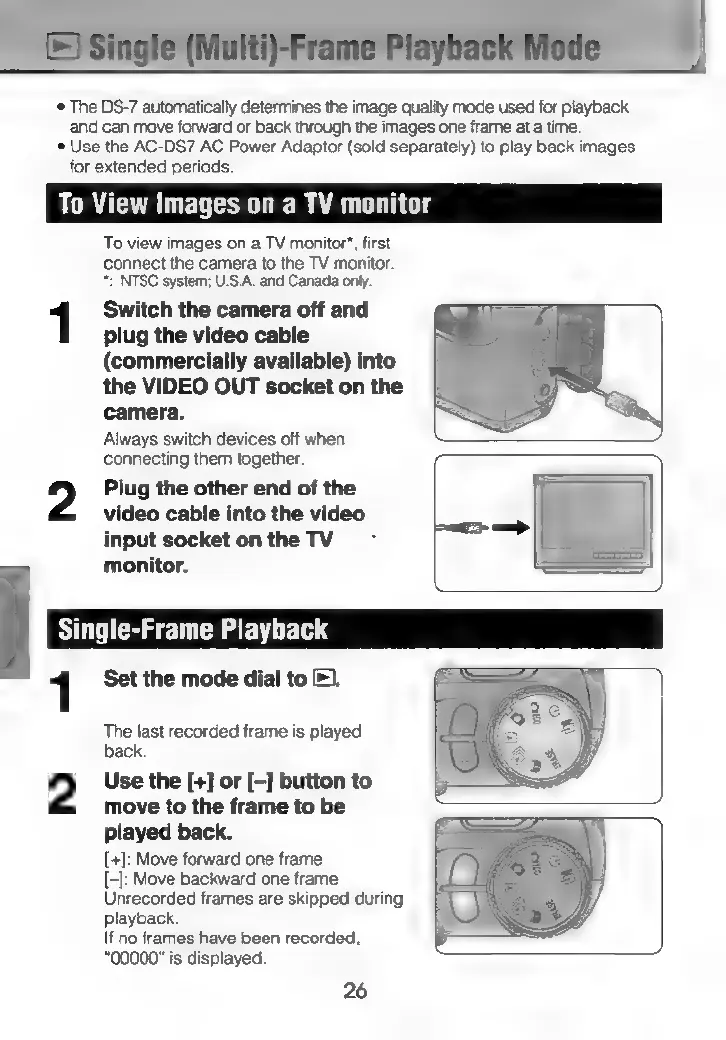
To
View
Images
on
a
TV
monitor
To
view
images
on
a
TV
monitor",
first
connect
the
camera
to
the
TV
monitor.
*:
NTSC
system;
U.S.A.
and
Canada
only.
1
Switch
the
camera
off
and
plug
the
video
cable
(commercially
available)
into
the
VIDEO
OUT
socket
on
the
camera.
Always
switch
devices
off
when
connecting
them
together.
2
Plug
the
other
end
of
the
video
cable
into
the
video
input
socket
on
the
TV
monitor.
1
Set
the
mode
dial
to
).
The
last
recorded
frame
is
played
back.
2
Use
the
[+]
or
[—]
button
to
move
to
the
frame
to
be
played
back.
[+]:
Move
forward
one
frame
(4:
Move
backward
one
frame
Unrecorded
frames
are
skipped
during
playback.
If
no
frames
have
been
recorded,
"00000"
is
displayed.
26