EasyManua.ls Logo

FujiFilm FINEPIX FinePix S3500 - User Manual

FujiFilm FINEPIX FinePix S3500
100 pages
Print Icon
To Next Page IconTo Next Page
Loading...
1
2
3
4
5
6
Getting Ready
Using
the Camera
Advanced
Features
Software
Installation
Settings
Viewing Images
BL00404-200
(
1
)
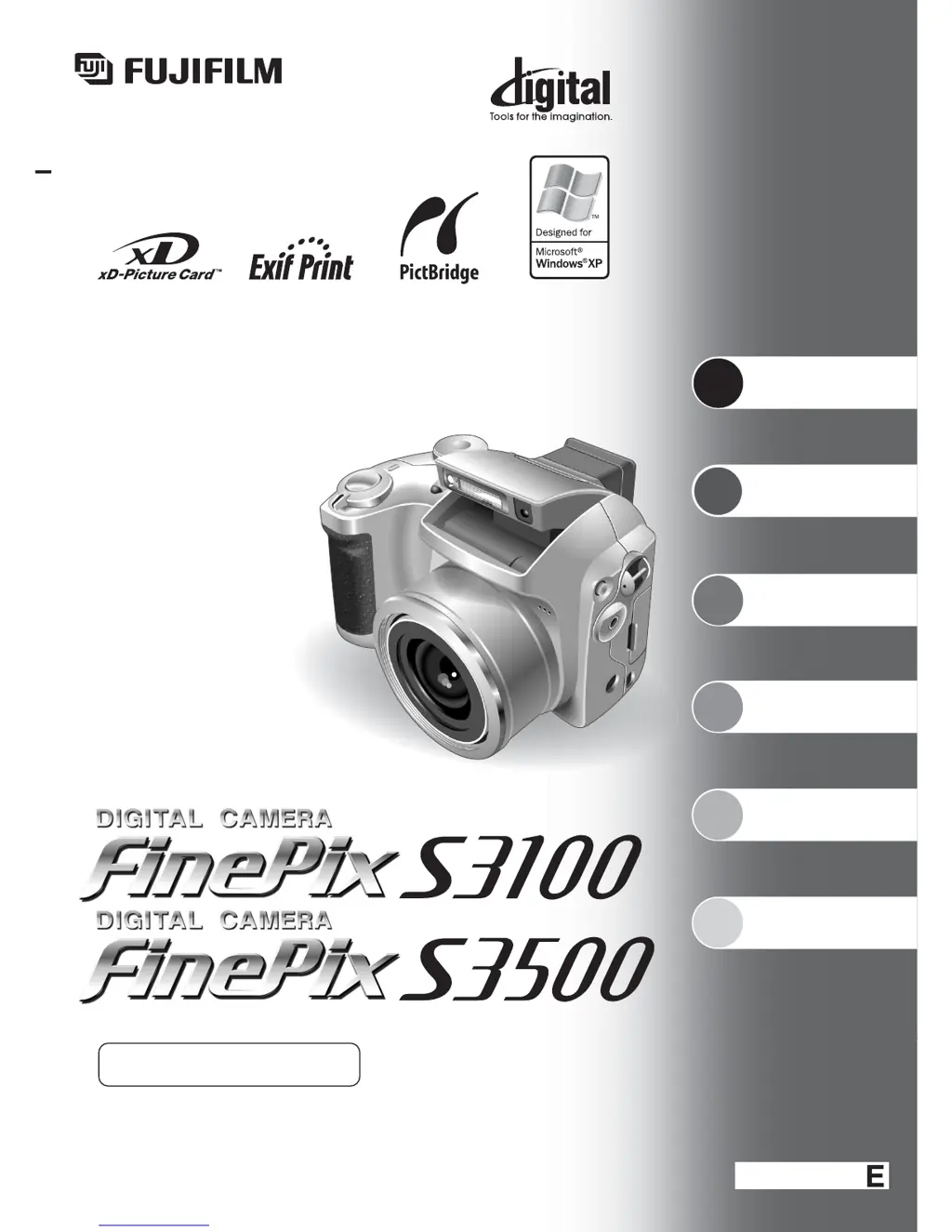
This manual will show you how to use your
FUJIFILM DIGITAL CAMERA FinePix S3100/FinePix S3500 correctly.
Please follow the instructions carefully.
OWNER’S MANUAL

Table of Contents

Questions and Answers

  • S
    Sarah HoldenAug 19, 2025
    How to fix a FujiFilm FINEPIX FinePix S3500 Digital Camera that won't turn on?
    • C
      Cameron HopkinsAug 19, 2025
      If your FujiFilm Digital Camera isn't powering on, here are a few things to check: * Ensure the batteries aren't depleted; if they are, load new or fully charged batteries. * Verify the batteries are inserted correctly, not backwards. * Make sure the battery cover is correctly and completely closed. * If using an AC adapter, confirm it's securely plugged into the power outlet.
  • S
    Steven SmithAug 21, 2025
    What to do if my FujiFilm FINEPIX FinePix S3500 won't take pictures?
    • C
      Chris DavisAug 21, 2025
      If your FujiFilm Digital Camera is not taking pictures when you press the shutter button, consider the following: * Confirm that an xD-Picture Card is inserted. * If a card is inserted, check if it is full. If it is, insert a new card or erase unwanted frames. * Ensure the card is formatted; if not, format it on the camera. * Check the card's contact area and wipe it with a clean, dry cloth if soiled. * The card might be damaged, try inserting a new card. * Make sure the camera is turned on, as the Auto power off function might have activated. * Check that the batteries are not depleted; if they are, load new or fully charged batteries.
  • E
    elizabethpowellAug 23, 2025
    Why does my FujiFilm FINEPIX FinePix S3500 turn off while I'm using it?
    • A
      Amanda AllenAug 25, 2025
      If your FujiFilm Digital Camera is losing power during operation, the batteries may have run out. Try loading new or fully charged batteries.
  • S
    Samantha GriffinAug 26, 2025
    Why are my FujiFilm FINEPIX FinePix S3500 photos blurry?
    • B
      Brittany ObrienAug 26, 2025
      If your photos are blurry when using your FujiFilm Digital Camera, consider these points: * The lens may be dirty, so try cleaning it. * If the subject was too dark, try standing about 2 meters (6.6 ft) away. * If you photographed scenery with Macro mode selected, cancel Macro mode. * If you took a close-up shot without selecting Macro mode, select Macro mode. * If you are shooting a subject that is not suited to autofocusing, use AF/AE lock to take the picture.
  • B
    Brandon RodriguezAug 28, 2025
    Why are my FujiFilm FINEPIX FinePix S3500 flash photos too dark?
    • J
      John CarlsonAug 28, 2025
      If your FujiFilm Digital Camera flash photos are too dark, even when the flash is used, it could be due to these reasons: * The subject might be too far away. Move closer to within the flash's effective range. * Your finger might be covering the flash or flash control sensor; hold the camera correctly. * If Scene position mode is selected, change the Photography mode for a wider range of flash settings.
  • L
    Leslie LiAug 30, 2025
    What does it mean if my FujiFilm FINEPIX FinePix S3500 no longer works correctly?
    • P
      pricejulieAug 30, 2025
      If your FujiFilm Digital Camera no longer works correctly, the camera may have encountered an unforeseen problem. Briefly remove the batteries or disconnect the AC power adapter. Then reload the batteries or reconnect the AC power adapter and try again. If the message still appears, contact your FUJIFILM dealer.
  • G
    Gregory KingSep 1, 2025
    What to do if the Mode dial on my FujiFilm FINEPIX FinePix S3500 Digital Camera isn't working?
    • L
      Lydia RiggsSep 2, 2025
      If the Mode dial on your FujiFilm Digital Camera isn't working, it could be due to a camera malfunction. Briefly remove the batteries or disconnect the AC power adapter. Then reload the batteries or reconnect the AC power adapter and try again. Also, check if the batteries have run out and load new or fully charged batteries.
  • S
    saundersmiguelSep 4, 2025
    Why won't the flash work on my FujiFilm FINEPIX FinePix S3500?
    • L
      Lori GarciaSep 4, 2025
      If the flash on your FujiFilm Digital Camera isn't working, check if the flash is popped up and pop it up if it is not. Also, if the camera is set to Landscape in Scene position mode, select another Scene position or change the Photography mode.
  • X
    xbrownSep 6, 2025
    How do I enable Macro mode on my FujiFilm FINEPIX FinePix S3500 Digital Camera?
    • R
      riveravincentSep 6, 2025
      If you can’t set your FujiFilm Digital Camera to Macro (close-up) mode, it might be because the camera is set to Scene position (m) mode or to Movie mode (r). Change the Photography mode to “B” or “s.”
  • H
    Hector BishopSep 8, 2025
    Why is the FujiFilm FINEPIX FinePix S3500 Digital Camera image black and white on my TV?
    • A
      alison90Sep 8, 2025
      If the TV image from your FujiFilm Digital Camera is black and white, the video output setting is likely incorrect. Change the setting to “NTSC” or “PAL.”

Summary

Getting Ready

ATTACH THE LENS CAP; STRAP; ADAPTER RING

Attaching essential accessories like lens cap, strap, and adapter ring.

LOADING THE BATTERIES

Instructions for inserting and securing batteries into the camera.

INSERTING THE MEDIA

Guide on how to insert the xD-Picture Card into the camera slot.

TURNING ON AND OFF; SETTING THE DATE AND TIME

Procedures for powering the camera on/off and setting initial date/time.

Using the Camera

Camera parts and features

Identification and description of the camera's physical controls and components.

Photography mode selector

How to select shooting modes like Auto, Scene Position, or Manual.

Using the Menus

Navigating and using the camera's menu system for settings.

TAKING PICTURES (AUTO AUTO MODE)

Step-by-step guide to taking photos in automatic mode.

USING LCD MONITOR

How to use the LCD screen for framing shots and taking pictures.

USING AF;AE LOCK

How to lock focus and exposure settings for better shot control.

USING THE ZOOM (OPTICAL ZOOM;DIGITAL ZOOM)

Operating the optical and digital zoom functions for framing shots.

Advanced Features

TAKING PICTURES - SELECTING THE CAMERA SETTINGS

Guide to selecting various photography settings for optimal image capture.

Software Installation

INSTALLATION ON A Windows PC

Step-by-step guide for installing the camera software on Windows operating systems.

INSTALLATION ON A Mac OS 9.2

Instructions for installing the camera software on Mac OS 9.2.

INSTALLATION ON A Mac OS X

Guide for installing the camera software on Mac OS X.

Viewing Images

CONNECTING TO A PC

Connecting the camera to a PC for image transfer and software use.

FujiFilm FINEPIX FinePix S3500 Specifications

General IconGeneral
BrandFujiFilm
ModelFINEPIX FinePix S3500
CategoryDigital Camera
LanguageEnglish

Related product manuals