EasyManua.ls Logo

FujiFilm FinePix S8630 - User Manual

FujiFilm FinePix S8630
131 pages
Print Icon
To Next Page IconTo Next Page
Loading...
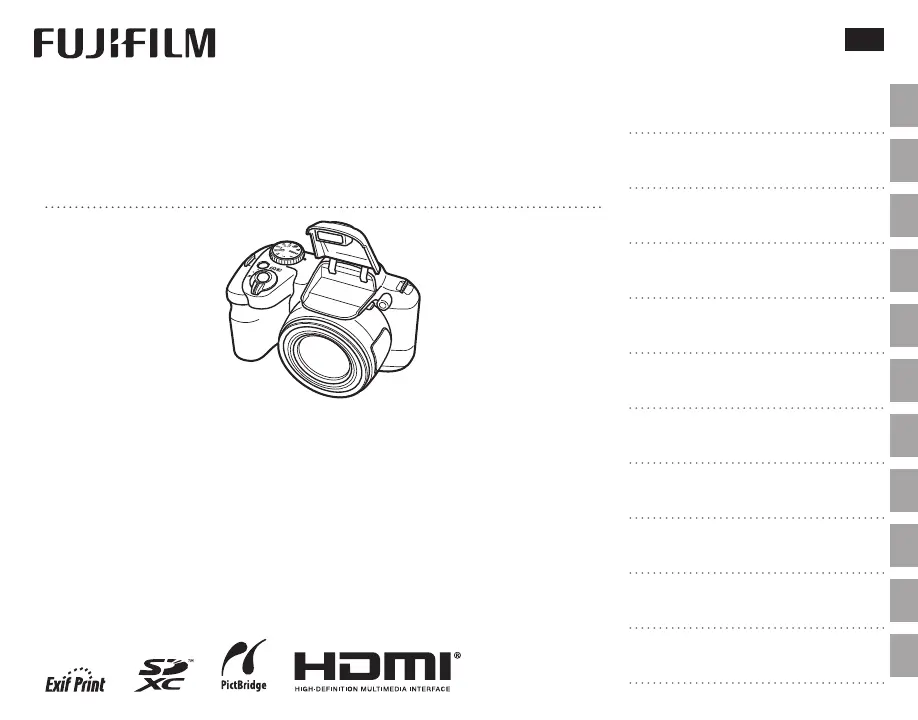
DIGITAL CAMERA
FINEPIX S8600 Series
Owners Manual
For information on related products, visit our website at
http://www.fujifilm.com/products/digital_cameras/index.html
Before You Begin
First Steps
Basic Photography and Playback
More on Photography
More on Playback
Movies
Connections
Menus
Technical Notes
Troubleshooting
Appendix
BL04301-101
EN

Table of Contents

Questions and Answers

  • R
    Rebecca SolisJul 29, 2025
    Why my FujiFilm FinePix S8630 Digital Camera does not turn on?
    • C
      Claire BarnesJul 29, 2025
      Your FujiFilm Digital Camera might not be turning on due to several reasons. It could be that the batteries are exhausted, so try inserting fresh or fully-charged spare batteries. Another possibility is that the batteries are not in the correct orientation; ensure they are re-inserted properly. Also, check if the battery-chamber cover is securely latched. If you're using an AC power adapter and DC coupler, make sure they are properly connected. If the camera has been left unused for a while without batteries or the adapter, wait a few moments after inserting batteries or connecting the adapter before turning it on.
  • K
    Kristen PittsAug 4, 2025
    What to do if my FujiFilm FinePix S8630 Digital Camera doesn't take a picture when I press the shutter button?
    • M
      Michelle JonesAug 4, 2025
      If your FujiFilm Digital Camera isn't taking pictures, there are several potential causes. First, the memory might be full, so try inserting a new memory card or deleting existing pictures. The memory card might also need to be formatted. Check the memory card contacts and clean them with a soft, dry cloth if there is dirt on them. The memory card could also be damaged, so try a new one. Ensure that the batteries are not exhausted by inserting fresh or fully-charged batteries. Finally, verify that the camera hasn't turned off automatically and turn it back on if needed.
  • M
    Margaret RothAug 10, 2025
    Why do the batteries run down so quickly on my FujiFilm FinePix S8630?
    • J
      Jeffrey ReillyAug 10, 2025
      There are several reasons why the batteries in your FujiFilm Digital Camera might be running down quickly. If the batteries are cold, try warming them in a pocket before re-inserting them. Dirt on the battery terminals can also cause this issue, so clean them with a soft, dry cloth. If the camera is in M mode, select another shooting mode. For rechargeable Ni-MH batteries, discharge them using the P DISCHARGE option and recharge them in a separate charger. If they still don't hold a charge, they may need to be replaced. Also, if u CONTINUOUS is selected for F AF MODE, select a different focusing option. Lastly, ensure you are using fresh or fully-charged batteries.
  • A
    Alexis MartinezAug 15, 2025
    How to fix a temporary malfunction on FujiFilm Digital Camera?
    • P
      parkergaryAug 16, 2025
      To address a temporary malfunction in your FujiFilm Digital Camera, try removing and reinserting the batteries, or disconnect and reconnect the AC power adapter/DC coupler. Also, make sure the batteries are not exhausted, and insert fresh or fully-charged spare batteries.
  • E
    ellenturnerAug 22, 2025
    Why is the flash mode not available on my FujiFilm FinePix S8630?
    • J
      Jessica WashingtonAug 22, 2025
      The flash mode may not be available because the desired flash mode is not supported in the current shooting mode. Try choosing a different shooting mode.

Summary

For Your Safety

Safety Notes

Essential safety information and warnings for camera operation.

Battery Safety

Precautions for safe battery usage, charging, and storage.

Power and Battery Usage

Guidance on using batteries and power adapters for optimal performance.

First Steps

Inserting Batteries

Step-by-step guide to inserting AA or rechargeable batteries into the camera.

Inserting a Memory Card

Guide to inserting SD, SDHC, and SDXC memory cards into the camera.

Memory Card Handling

Detailed steps for inserting and removing memory cards, including cautions.

Camera Power On;Off

Instructions for turning the camera on, off, and switching modes.

Basic Photography and Playback

SR AUTO Mode Photography

How to use the automatic Scene Recognition mode for shooting.

The Mode Dial

Explanation of the different shooting modes selectable via the mode dial.

Focusing and Shooting

How to focus the camera and take a picture using the shutter button.

Viewing Pictures and Deleting Them

How to view pictures and the process for deleting them.

More on Photography

Shooting Modes

Description of available shooting modes like SR AUTO, AUTO, Continuous Shooting.

Manual Exposure Mode

Controlling both shutter speed and aperture manually for exposure.

Intelligent Face Detection

How the camera automatically detects and focuses on faces for portraits.

Using the Flash

Guide to raising the flash and selecting flash modes.

Exposure Compensation

Adjusting exposure settings for bright, dark, or high-contrast subjects.

More on Playback

Deleting Pictures

Steps for deleting individual or multiple pictures from the camera.

Movies

Recording Movies

Instructions for shooting video clips using the camera.

Viewing Movies

How to play back recorded movie clips and use playback controls.

Connections

Viewing Pictures on a Computer

Transferring pictures from the camera to a computer for viewing.

Using the Shooting Menu

Shooting Menu Options

Detailed list and explanation of options available in the shooting menu.

Shooting Menu: AF Mode, Panorama

Settings for autofocus modes and panorama framing.

ISO Sensitivity Settings

Adjusting the camera's sensitivity to light (ISO) for different shooting conditions.

AF Mode Settings

Selecting how the camera selects the focus area (CENTER, MULTI, AREA, etc.).

Using the Playback Menu

Playback Menu Options

Lists available functions in the playback menu for managing photos.

The Setup Menu

Using the Setup Menu

Navigating and adjusting camera settings in the setup menu.

Setup Menu: Format Memory Card

Formatting memory cards for use with the camera.

Technical Notes

Camera Care

Guidelines for storing, cleaning, and protecting the camera.

Troubleshooting

Power and Battery Troubleshooting

Solutions for issues related to camera power and battery performance.

Menus & Displays Troubleshooting

Resolving problems related to menu display and language settings.

Shooting Problems: No Picture

Troubleshooting steps when no picture is taken after pressing the shutter button.

Focus Troubleshooting

Solutions for when the camera fails to focus correctly.

Intelligent Face Detection Troubleshooting

Resolving issues where face detection is not available or no face is detected.

Flash Operation Troubleshooting

Solutions for problems related to the camera's flash not firing or lighting the subject.

Image Quality Troubleshooting

Addressing issues like blurred, mottled, or smeared images.

Warning Messages and Displays

Explains common warning messages and their solutions.

FujiFilm FinePix S8630 Specifications

General IconGeneral
Sensor TypeCCD
Effective Pixels16 MP
Optical Zoom36x
ViewfinderElectronic Viewfinder
Movie recordingYes
Storage MediaSD / SDHC / SDXC memory card
TypeDigital Camera
Sensor Size1/2.3-inch
LensFujinon
ISO SensitivityISO 100 - 3200
Shutter Speed1/2000 - 8 sec
LCD Screen Size3.0 inches
LCD ScreenTFT LCD
File formatJPEG
Maximum video resolution1280 x 720
Video Recording720p
Battery4x AA type alkaline batteries

Related product manuals