EasyManua.ls Logo

FujiFilm Finepix S8500 series - User Manual

FujiFilm Finepix S8500 series
143 pages
Print Icon
To Next Page IconTo Next Page
Loading...
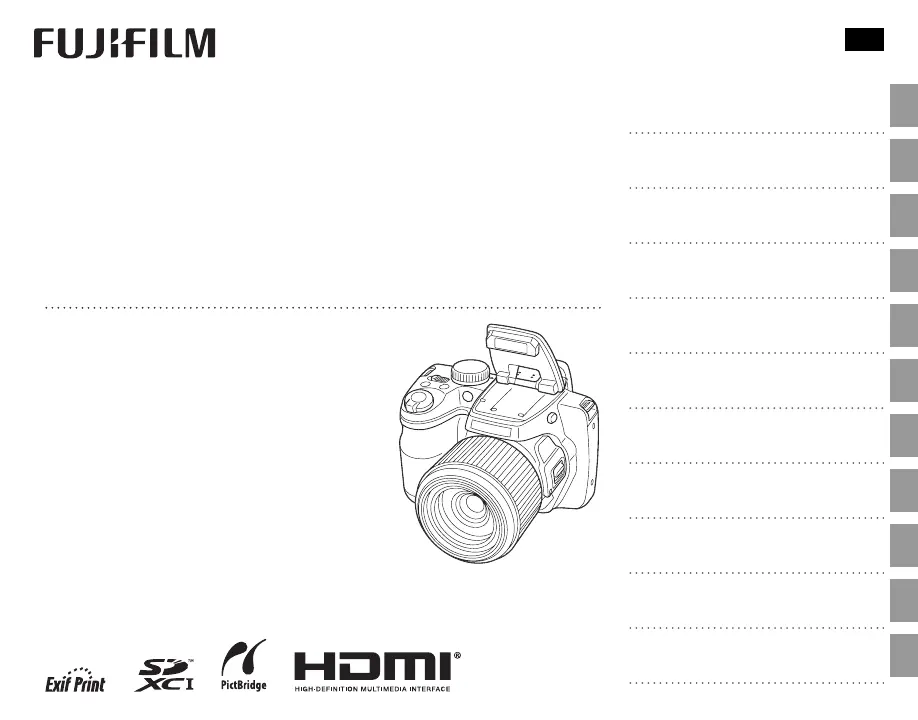
DIGITAL CAMERA
FINEPIX S8500 Series
FINEPIX S8400 Series
FINEPIX S8300 Series
FINEPIX S8200 Series
Owners Manual
Thank you for your purchase of this prod-
uct. This manual describes how to use your
FUJIFILM digital camera and the supplied
software. Be sure that you have read and
understood its contents and the warnings
in “For Your Safety” (P ii) before using the
camera.
For information on related products, visit our website at
http://www.fujifilm.com/products/digital_cameras/index.html
Before You Begin
First Steps
Basic Photography and Playback
More on Photography
More on Playback
Movies
Connections
Menus
Technical Notes
Troubleshooting
Appendix
BL02201-103
EN

Table of Contents

Questions and Answers

  • J
    Joseph TurnerJul 29, 2025
    What to do if my FujiFilm Digital Camera does not turn on?
    • N
      Natasha GarciaJul 29, 2025
      If your camera isn't turning on, first, ensure that the batteries are not exhausted and are inserted correctly. Latch the battery-chamber cover securely. If using an AC power adapter and DC coupler, verify they are properly connected. If the camera has been without power for a while, wait a few moments after inserting batteries or connecting the adapter before attempting to turn it on.
  • J
    Jennifer GarciaAug 2, 2025
    What to do if my FujiFilm Finepix S8500 does not focus?
    • N
      Nicolas TurnerAug 2, 2025
      If your camera is having trouble focusing, try the following: if the subject is too close, switch to macro mode. If the subject is too far, cancel macro mode. If the subject isn't suitable for autofocus, use focus lock.
  • W
    William ThomasAug 6, 2025
    What to do if no picture is taken when the shutter button is pressed on my FujiFilm Finepix S8500 Digital Camera?
    • J
      Jackson PearsonAug 6, 2025
      If your camera isn't taking pictures when you press the shutter button, check if the memory is full, and if so, insert a new card or delete pictures. Ensure the memory card is formatted and clean the contacts if dirty. Replace a damaged memory card. Also, ensure the batteries are not exhausted, and turn the camera on if it has turned off automatically.
  • M
    Mackenzie RuizAug 11, 2025
    Why do the batteries run down so quickly on my FujiFilm Finepix S8500?
    • J
      Joshua ReynoldsAug 11, 2025
      Several factors can cause batteries to drain quickly. Cold batteries should be warmed before use. Dirty battery terminals should be cleaned with a soft, dry cloth. Ensure MONITOR SUNLIGHT MODE is set to OFF. Avoid using M mode, select another shooting mode instead. If using rechargeable Ni-MH batteries, discharge and recharge them, replacing them if they no longer hold a charge. Also, avoid using u CONTINUOUS for F AF MODE; select a different focusing option.
  • T
    Todd BoydAug 15, 2025
    Why does the flash not fire on my FujiFilm Finepix S8500 Digital Camera?
    • J
      Jessica YoungAug 15, 2025
      If the flash isn't firing, ensure it is raised and has finished charging. The current shooting mode may not support flash, so try a different mode. Make sure the batteries aren't exhausted. Also, the camera may be in super macro or continuous shooting mode; turn these modes off.
  • M
    Mathew GuzmanAug 19, 2025
    What to do in case of temporary malfunction of FujiFilm Finepix S8500 Digital Camera?
    • K
      Kristina JensenAug 20, 2025
      In case of a temporary malfunction, try removing and reinserting the batteries or disconnecting and reconnecting the AC power adapter/DC coupler. Also, ensure that the batteries are not exhausted and insert fresh or fully-charged spare batteries.
  • A
    Adam BarrettAug 25, 2025
    Why does the monitor go dark after shooting with my FujiFilm Finepix S8500?
    • S
      Sherri CameronAug 25, 2025
      The monitor may darken while the flash charges. Wait for the flash to charge.

Summary

Basic Photography and Playback

SR AUTO Mode Shooting

How to use automatic scene recognition mode for simple point-and-shoot photography.

More on Photography

Advanced Shooting Modes

Covers modes like Custom, SP, P/S/A/M, and Intelligent Face Detection.

Creative Shooting Techniques

Features like Focus Lock, Flash usage, Burst Mode, and Exposure Compensation.

Specialized Shooting Modes

Details on Macro, Self-Timer, Zoom Bracketing, and 3D imaging.

Menus

Shooting Menu Operations

Guide to navigating and using the shooting menu options for camera settings.

Playback Menu Operations

Guide to navigating and using the playback menu options for image management.

Troubleshooting

Warning Messages and Displays

Appendix

Detailed Camera Specifications

Technical specifications including sensor, lens, sensitivity, and modes.

FujiFilm Finepix S8500 series Specifications

General IconGeneral
BrandFujiFilm
ModelFinepix S8500 series
CategoryDigital Camera
LanguageEnglish

Related product manuals