EasyManua.ls Logo

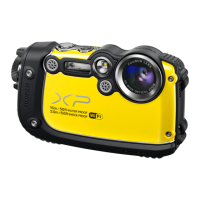
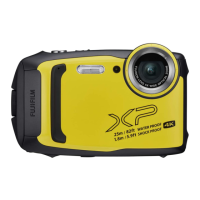
FujiFilm Finepix XP140 Series - User Manual

FujiFilm Finepix XP140 Series
180 pages
Print Icon
To Next Page IconTo Next Page
Loading...
Owners Manual
BL00005004-201
EN
Series

Table of Contents

Questions and Answers

  • M
    Melinda BoydAug 16, 2025
    What to do if my FujiFilm Finepix XP140 is unresponsive?
    • T
      Tami TurnerAug 16, 2025
      If your FujiFilm Digital Camera is unresponsive, it might be due to a temporary malfunction. Try removing and reinserting the battery to resolve this. Also, check if the battery is exhausted and charge it or insert a fully-charged spare battery. If the camera is connected to a wireless LAN, ending the connection might help.
  • D
    Daniel JamesAug 19, 2025
    Why is my FujiFilm Finepix XP140 Digital Camera not taking pictures?
    • Y
      ynelsonAug 19, 2025
      If your FujiFilm Digital Camera isn't taking pictures when you press the shutter button, several issues could be the cause. First, check if the memory is full and insert a new memory card or delete pictures. Ensure the memory card is formatted; if not, format it. Also, check for dirt on the memory card contacts and clean them with a soft, dry cloth. If the memory card is damaged, insert a new one. Verify that the battery isn't exhausted by charging it or inserting a fully-charged spare battery. Finally, make sure the camera hasn't turned off automatically, and if it has, turn it back on.
  • B
    bradleyjenkinsAug 21, 2025
    Why does the battery of my FujiFilm Finepix XP140 run down so quickly?
    • J
      Jacob GriffinAug 22, 2025
      If the battery of your FujiFilm Digital Camera runs down quickly, several factors could be the cause. If the battery is cold, warm it by placing it in a pocket or other warm place before reinserting it. Ensure there is no dirt on the battery terminals; if there is, clean them with a soft, dry cloth. Check if x TRACKING is selected for FOCUS MODE and select a different focus mode. Also, verify if S is selected for the shooting mode and select a different mode. If the battery has been charged many times, it may have reached the end of its life, and you should purchase a new one.
  • S
    Shelley BrownAug 25, 2025
    Why are my FujiFilm Finepix XP140 Digital Camera pictures blurred?
    • M
      Mrs. Mary MooreAug 26, 2025
      If your FujiFilm Digital Camera pictures are blurred, it could be due to a couple of reasons. If 's' is displayed during shooting and the focus frame is red, check the focus before shooting. If 'k' is displayed during shooting, use the flash or a tripod.
  • D
    Dr. Leslie Smith DDSAug 28, 2025
    Why are my FujiFilm Finepix XP140 Digital Camera pictures mottled?
    • A
      aimee81Aug 28, 2025
      If your FujiFilm Digital Camera pictures are mottled, it could be because the camera has been used continuously at high temperatures or a temperature warning is displayed. Turn the camera off and wait for it to cool down.
  • K
    Kathryn ChandlerAug 31, 2025
    What to do if my FujiFilm Finepix XP140 will not turn off?
    • T
      Timothy LevyAug 31, 2025
      If your FujiFilm Digital Camera cannot be turned off by pressing the ON/OFF button or pressing and holding the a button, it might be due to several reasons. The battery may be exhausted, so charge it or insert a fully-charged spare battery. Ensure the battery is inserted correctly. Check that the battery-chamber cover is latched.
  • Z
    Zachary RamseySep 2, 2025
    Why is the monitor blank on my FujiFilm Finepix XP140?
    • X
      xjohnsonSep 3, 2025
      If the monitor of your FujiFilm Digital Camera is blank, it might be because the camera is connected to a TV. In this case, pictures will be displayed on the TV instead of the camera monitor.
  • T
    Tyrone FarmerSep 5, 2025
    How to fix the flash on my FujiFilm Digital Camera?
    • J
      Joel WheelerSep 5, 2025
      If the flash on your FujiFilm Digital Camera isn't firing, it might be because the camera is in continuous mode. To fix this, select single frame mode. Alternatively, check if OFF is selected for SOUND & FLASH and select ON.
  • U
    usloanSep 9, 2025
    How to restore sound in movie playback on FujiFilm Finepix XP140?
    • J
      John MccoySep 9, 2025
      If you're not getting any sound during movie playback on your FujiFilm Digital Camera, there are a few things to check. First, make sure the playback volume isn't too low and adjust it if necessary. Ensure that the microphone wasn't obstructed during recording, and hold the camera correctly. Also, verify that the speaker isn't obstructed during playback, and hold the camera correctly. Finally, check if OFF is selected for SOUND & FLASH and select ON.
  • J
    jamesfigueroaSep 12, 2025
    What to do if water gets inside my FujiFilm Digital Camera?
    • W
      whitelisaSep 12, 2025
      If there is water in your FujiFilm Digital Camera, take the camera to a Fujifilm-authorized service technician for repairs. Do not turn the camera on. This issue may arise if the battery-chamber cover was not fully closed before the camera was immersed, or was opened under water.

Summary

Before You Begin with Fujifilm XP140

First Steps with Fujifilm XP140

Inserting the Battery and a Memory Card

Guide to properly inserting the battery and memory card into the camera.

Charging the Battery

Procedures for charging the camera's battery using AC adapter or USB.

Turning the Camera On and Off

How to power the camera on and off using the dedicated button.

Basic Setup

Initial setup process including language, clock, and smartphone pairing.

Basic Photography and Playback

Taking Photographs

Essential steps for capturing still images, including focusing and shooting.

Movie Recording and Playback

Recording Movies

Instructions on how to film movies, including start/stop and zoom usage.

Taking Photographs with Fujifilm XP140

Choosing a Shooting Mode

Guide to selecting appropriate shooting modes based on scene or subject.

Continuous Shooting (Burst Mode)

Capturing a rapid sequence of pictures using continuous or 4K burst modes.

Using the Flash

Instructions for using the built-in flash for additional lighting in various situations.

The Shooting Menus

WIRELESS COMMUNICATION

Connecting the camera to smartphones for remote control and image transfer.

Playback and the Playback Menu

The Setup Menus

CONNECTION SETTING

Configuring wireless connections for smartphones, computers, and printers.

FORMAT

Erasing all data from the memory card or internal memory to prepare it for reuse.

Shortcuts for Fujifilm XP140

Assigning a Role to the Function Buttons

Guide to selecting and assigning specific functions to the camera's Fn buttons.

Connections and Connectivity

Wireless Connections (Bluetooth, Wi-Fi)

Connecting to computers, smartphones, and tablets via Bluetooth or Wi-Fi.

Connecting to Computers via USB

Transferring pictures to a computer using a USB cable and software.

Technical Notes and Safety

For Your Safety

Crucial safety instructions, warnings, and handling guidelines for the camera.

Troubleshooting

Solutions for common problems encountered while using the camera.

FujiFilm Finepix XP140 Series Specifications

General IconGeneral
Sensor1/2.3-inch CMOS
LensFujinon 5x Optical Zoom Lens
ISO Range100-12800
Video Resolution4K (3840 x 2160) at 15p
DustproofYes
ConnectivityWi-Fi, Bluetooth
Battery LifeApprox. 240 shots
Wireless CommunicationWi-Fi, Bluetooth
WaterproofUp to 25m (82ft)
ShockproofYes (up to 1.8m)
FreezeproofYes, -10°C/14°F
Display3.0-inch LCD
Dimensions71.0mm
Aperturef/3.9 (Wide) - f/4.9 (Telephoto)
Digital Zoom2x
Focus RangeWide: Approx. 9cm to infinity / 3.5 in. to infinity, Telephoto: Approx. 1.0m to infinity / 3.3 ft. to infinity
Shutter Speed4 sec to 1/2000 sec

Related product manuals