EasyManua.ls Logo

FujiFilm FINEPIX XP50 Series - User Manual

FujiFilm FINEPIX XP50 Series
130 pages
Print Icon
To Next Page IconTo Next Page
Loading...
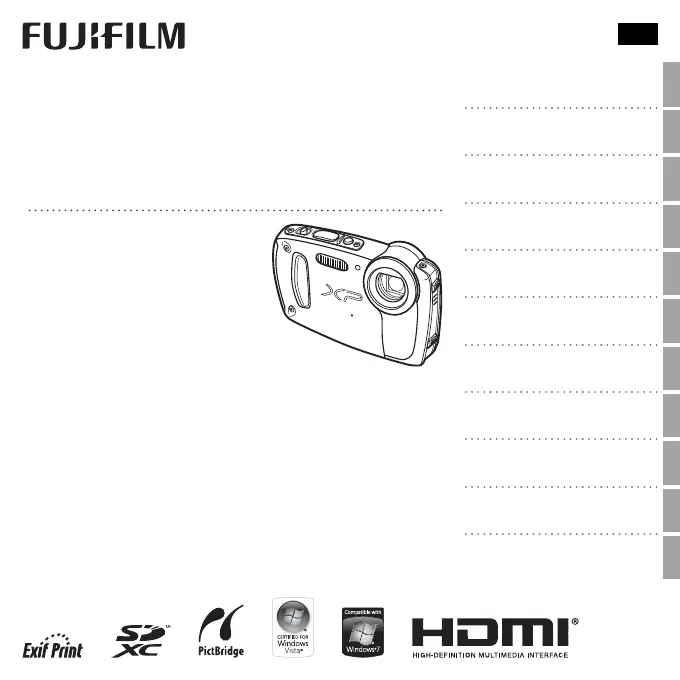
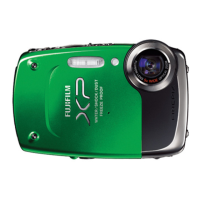
FINEPIX XP50 Series
DIGITAL CAMERA
Owner’s Manual
Thank you for your purchase
of this product. This manual
describes how to use your
FUJIFILM digital camera and the
supplied software. Be sure that
you have read and understood
its contents and the warnings in
“For Your Safety (P ii) before us-
ing the camera.
For information on related products, visit our website at
http://www.fujifilm.com/products/digital_cameras/index.html
EN
Before You Begin
First Steps
Basic Photography and Playback
More on Photography
More on Playback
Movies
Connections
Menus
Technical Notes
Troubleshooting
Appendix
BL01637-201

Table of Contents

Questions and Answers

  • F
    fkaneAug 16, 2025
    Why my FujiFilm FINEPIX XP50 Digital Camera does not turn on?
    • T
      Tiffany WilsonAug 17, 2025
      If your FujiFilm Digital Camera is not turning on, it could be due to the following reasons: * The battery is exhausted. Charge the battery or insert a fully-charged spare battery. * The battery is inserted incorrectly. Reinsert in the correct orientation. * The battery-chamber cover is not latched. Latch the battery-chamber cover.
  • K
    Karen AshleyAug 19, 2025
    What to do if my FujiFilm FINEPIX XP50 doesn't take a picture?
    • A
      Ashley MillerAug 19, 2025
      If your FujiFilm Digital Camera doesn't take a picture when you press the shutter button, here are some possible causes and solutions: * The memory is full. Insert a new memory card or delete pictures. * The memory card is not formatted. Format the memory card or internal memory. * There is dirt on the memory card contacts. Clean the contacts with a soft, dry cloth. * The memory card is damaged. Insert a new memory card. * The battery is exhausted. Charge the battery or insert a fully-charged spare battery. * The camera has turned off automatically. Turn the camera on. * The indicator lamp was orange when you attempted to record a panorama. Wait until the indicator lamps turn off.
  • J
    juliejonesAug 22, 2025
    Why does the battery run down quickly on my FujiFilm FINEPIX XP50 Digital Camera?
    • D
      Danielle Wiggins MDAug 22, 2025
      If the battery of your FujiFilm Digital Camera runs down quickly, consider the following: * The battery is cold. Warm the battery by placing it in a pocket or other warm place and reinsert it in the camera immediately before taking a picture. * There is dirt on the battery terminals. Clean the terminals with a soft, dry cloth. * Q is selected for shooting mode. Select B mode to reduce the drain on the battery. * TRACKING is selected for AF MODE. Select a different AF mode. * The battery has been charged many times and has reached the end of its charging life. Purchase a new battery.
  • S
    Stacy ThompsonAug 25, 2025
    How to fix FujiFilm Digital Camera if it does not focus?
    • Z
      Zachary MaxwellAug 26, 2025
      If your FujiFilm Digital Camera does not focus, consider the following: * The subject is close to the camera. Select macro mode. * The subject is far away from the camera. Cancel macro mode. * The subject is not suited to autofocus. Use focus lock.
  • H
    Henry NolanAug 27, 2025
    What to do if FujiFilm Digital Camera charging lamp lights but battery doesn't charge?
    • R
      Rebecca Tate DDSAug 27, 2025
      If the charging lamp lights but the battery of your FujiFilm Digital Camera does not charge, it could be due to: * Dirt on the battery terminals. Clean the terminals with a soft, dry cloth. * The battery having been charged many times and reached the end of its charging life. Purchase a new battery. * The battery being too hot or too cold. Wait for the battery temperature to stabilize.
  • M
    Maria CarrollAug 30, 2025
    What to do if there is water in my FujiFilm FINEPIX XP50 Digital Camera?
    • C
      cervantesjacquelineAug 30, 2025
      If you have water in your FujiFilm Digital Camera, this may be because the battery-chamber cover was not fully closed before the camera was immersed, or was opened under water. Take the camera to a FUJIFILM-authorized service technician for repairs and do not turn the camera on.
  • C
    Cindy ShannonSep 2, 2025
    Why are some flash modes not available on my FujiFilm FINEPIX XP50 Digital Camera?
    • D
      David PorterSep 2, 2025
      If some flash modes are not available on your FujiFilm Digital Camera, it may be because: * The desired flash mode is not available in the current shooting mode. Choose a different shooting mode. * The camera is in silent mode. Turn silent mode off.
  • T
    thompsonmatthewSep 4, 2025
    How to fix slow charging on FujiFilm FINEPIX XP50?
    • T
      Thomas EatonSep 5, 2025
      To resolve the issue of slow charging with your FujiFilm Digital Camera, charge the battery at room temperature.
  • R
    reevesmelissaSep 7, 2025
    How to change the language to English on my FujiFilm FINEPIX XP50?
    • M
      mcurtisSep 8, 2025
      To resolve the issue of menus and displays not being in English on your FujiFilm Digital Camera, select ENGLISH for L.
  • R
    Richard WalkerSep 12, 2025
    What to do if my FujiFilm FINEPIX XP50 turns off suddenly?
    • C
      Carlos SmithSep 12, 2025
      If your FujiFilm Digital Camera turns off suddenly, charge the battery or insert a fully-charged spare battery.

Summary

Before You Begin

Parts of the Camera

Identification and location of camera controls and buttons.

First Steps

Charging the Battery

Step-by-step guide to charging the camera battery.

Inserting the Battery and a Memory Card

Procedures for inserting battery and memory card.

Basic Photography and Playback

Taking Pictures in SR (Scene Recognition) Mode

Using the automatic scene recognition mode for photos.

More on Photography

Troubleshooting

Problems and Solutions

Troubleshooting for focus, flash, and subject detection.

FujiFilm FINEPIX XP50 Series Specifications

General IconGeneral
Sensor TypeCCD
LCD Screen Size2.7-inch
Waterproof Depth5m
DustproofYes
Video Frame Rate30 fps
Battery LifeApprox. 220 shots
Image Sensor Size1/2.3 inch
Effective Pixels14.4 million
LCD Screen Resolution230, 000 dots
Shockproof1.5m
FreezeproofYes, -10°C
Video Resolution1280 x 720 pixels
Storage MediaSD / SDHC memory card
Battery TypeLi-ion battery NP-45A

Related product manuals