EasyManua.ls Logo

FujiFilm Finepix XP200 Series - User Manual

FujiFilm Finepix XP200 Series
142 pages
Print Icon
To Next Page IconTo Next Page
Loading...
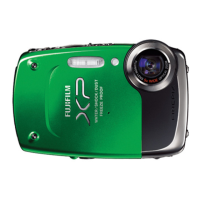
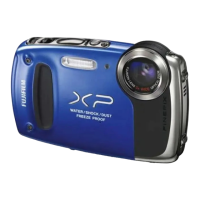
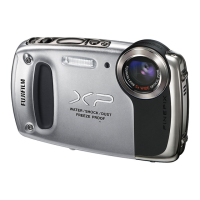
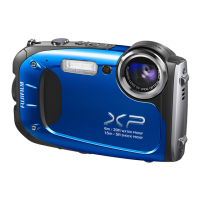
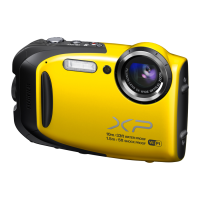
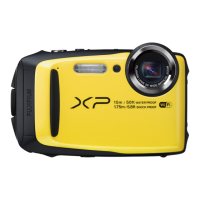
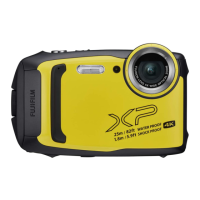
FINEPIX XP200 Series
DIGITAL CAMERA
Owner’s Manual
Thank you for your purchase
of this product. This manual
describes how to use your
FUJIFILM digital camera and the
supplied software. Be sure that
you have read and understood
its contents and the warnings
in “For Your Safety (P ii) before
using the camera.
For information on related products, visit our website at
http://www.fujifilm.com/products/digital_cameras/index.html
EN
Before You Begin
First Steps
Basic Photography and Playback
More on Photography
More on Playback
Movies
Connections
Menus
Technical Notes
Troubleshooting
Appendix
BL03701-101
Wireless Networks

Table of Contents

Questions and Answers

  • T
    Taylor CarrAug 19, 2025
    Why my FujiFilm Finepix XP200 Digital Camera does not turn on?
    • A
      Andrew GomezSep 12, 2025
      If your FujiFilm Digital Camera does not turn on, here are a few things to check: * The battery might be exhausted, so charge it or insert a fully-charged spare battery. * The battery might be inserted incorrectly; reinsert it in the correct orientation. * The battery-chamber cover might not be latched; make sure to latch it.
  • N
    Nathaniel JonesAug 21, 2025
    Why does the battery runs down quickly on FujiFilm Finepix XP200?
    • D
      Dennis JohnsonAug 21, 2025
      If the battery in your FujiFilm Digital Camera runs down quickly, here are some possible causes and solutions: * If the battery is cold, warm it by placing it in a pocket or other warm place and reinsert it in the camera immediately before taking a picture. * If there is dirt on the battery terminals, clean them with a soft, dry cloth. * If Q is selected for shooting mode, select B mode to reduce the drain on the battery. * If TRACKING is selected for AF mode, select a different AF mode. * If the battery has been charged many times, it may be time to purchase a new one.
  • J
    James AndersonAug 23, 2025
    Why are the pictures blurred on my FujiFilm Finepix XP200?
    • K
      Kelly WrightAug 23, 2025
      If the pictures taken with your FujiFilm Digital Camera are blurred, it might be because: * The protective glass covering the lens is dirty. Clean the glass. * The protective glass covering the lens is blocked. Keep objects away from the lens.
  • Q
    qyoungAug 26, 2025
    Why FujiFilm Finepix XP200 Digital Camera does not focus?
    • J
      jkeithAug 26, 2025
      If the FujiFilm Digital Camera does not focus, consider the following: * If the subject is too close, select macro mode. * If the subject is too far away, cancel macro mode. * If the subject is not suited for autofocus, use focus lock.
  • E
    ehodgeAug 27, 2025
    Why the flash does not fire on FujiFilm Digital Camera?
    • C
      Curtis ChanAug 27, 2025
      If the flash on your FujiFilm Digital Camera does not fire, it could be due to the following reasons: * The flash may not be available in the current shooting mode; try choosing a different shooting mode. * The battery might be exhausted; charge it or insert a fully-charged spare battery. * The camera might be in continuous mode; press the burst mode button to select single-frame mode. * The camera might be in silent mode; turn silent mode off.
  • T
    Thomas DeanAug 29, 2025
    What to do if FujiFilm Digital Camera is unresponsive?
    • C
      Crystal EllisAug 29, 2025
      If your FujiFilm Digital Camera is unresponsive, it could be due to: * A temporary camera malfunction. Try removing and reinserting the battery. * The battery being exhausted. Charge the battery or insert a fully-charged spare battery.
  • K
    kenneth51Sep 1, 2025
    What to do if my FujiFilm Digital Camera turns off suddenly?
    • S
      Sarah PatelSep 1, 2025
      If your FujiFilm Digital Camera turns off suddenly, charge the battery or insert a fully-charged spare battery.
  • R
    Ryan PetersSep 3, 2025
    How to change language to English on FujiFilm Finepix XP200?
    • M
      melissamoranSep 3, 2025
      If the menus and displays on your FujiFilm Digital Camera are not in English, select ENGLISH for L a.
  • D
    Dustin SchwartzSep 5, 2025
    Why the battery does not charge on FujiFilm Finepix XP200?
    • M
      Matthew AlexanderSep 5, 2025
      If the battery is not charging on your FujiFilm Digital Camera, try the following: * Reinsert the battery in the correct orientation and make sure that the power connection is made. * Clean the battery terminals with a soft, dry cloth if there is dirt on them. * Purchase a new battery if the battery has been charged many times. * Wait for the battery temperature to stabilize if the battery is too hot or too cold.
  • W
    William FieldsSep 7, 2025
    Why some flash modes are not available on FujiFilm Digital Camera?
    • A
      amy76Sep 7, 2025
      If some flash modes are not available on your FujiFilm Digital Camera, it's likely because: * The desired flash mode is not available in the current shooting mode. Try choosing a different shooting mode. * The camera is in silent mode. Turn silent mode off.

Summary

For Your Safety

IMPORTANT SAFETY INSTRUCTIONS

Key safety guidelines and precautions for operating the appliance.

Safety Notes and Icons

General safety advice, icon explanations, and camera usage precautions.

Battery and Power Safety

Guidelines for safe use and handling of batteries and power adapters.

Wireless Transmitter Safety

Critical notices and cautions for using the built-in wireless transmitter.

Before You Begin

Symbols and Conventions

Explanation of symbols used in the manual for clarity and guidance.

Supplied Accessories

List of items included with the camera and how to attach the strap.

First Steps

Inserting the Battery and a Memory Card

Step-by-step guide on how to insert the battery and memory card.

Compatible Memory Cards

Information on approved memory card types and their usage.

Charging the Battery

Instructions for charging the battery using AC adapter or computer.

Turning the Camera on and Off

How to power the camera on and off in shooting and playback modes.

Basic Setup

Initial camera setup including language selection and date/time configuration.

Basic Photography and Playback

Taking Pictures in SR (Scene Recognition) Mode

Guide to using the automatic scene recognition mode for photography.

Viewing Pictures

How to view captured pictures on the camera's LCD monitor.

More on Photography

Shooting Mode Options

Detailed descriptions of various shooting modes available on the camera.

Intelligent Face Detection

How to use Intelligent Face Detection for improved portrait photography.

Focus Lock

Techniques for composing photos with off-center subjects using focus lock.

Exposure Compensation

Adjusting exposure compensation for better results in challenging lighting conditions.

Using the Flash (Intelligent Flash)

Explanation of the Intelligent Flash system and its modes.

More on Playback

Playback Options

Basic playback functions like viewing, rating, and zooming pictures.

Deleting Pictures

Methods for deleting individual, selected, or all pictures from the camera.

Image Search

How to efficiently search for pictures using various criteria.

Wireless Networks

Uploading Pictures

Connecting wirelessly to upload pictures to smartphones or tablets.

Location Data

Downloading and recording location data with pictures using GPS features.

Saving Pictures to a Computer

Transferring pictures to a computer wirelessly using PC AutoSave.

Movies

Recording Movies

Guide to shooting movies, including scene selection and indicators.

Viewing Movies

How to play back recorded movies and adjust playback settings.

Connections

Viewing Pictures on High-Definition TVs

Connecting the camera to HDTVs via HDMI for playback.

Printing Pictures via USB

Printing photos directly from the camera to a PictBridge printer.

Viewing Pictures on a Computer

Installing and using software to transfer and manage pictures on a computer.

Menus

Using the Menus: Shooting Mode

How to navigate and utilize the shooting menu for camera settings.

Shooting Menu Options

Details of available shooting settings like ISO, Image Size, and Quality.

Using the Menus: Playback Mode

How to navigate and utilize the playback menu for managing photos.

Playback Menu Options

Various playback menu functions like Wireless Transfer, Image Search, and Deleting Pictures.

Technical Notes

Optional Accessories

Information on supported camera accessories from FUJIFILM and other manufacturers.

Caring for the Camera

Precautions for camera storage, use, and maintenance to ensure longevity.

Troubleshooting

Problems and Solutions

A comprehensive guide to diagnosing and resolving common camera issues.

Warning Messages and Displays

Warnings

Explanations of various warning messages displayed on the camera's LCD monitor.

Appendix

Memory Card Capacity

Table detailing recording capacity for photos and movies based on card size.

Specifications

Comprehensive technical specifications for the camera system, lens, and components.

FujiFilm Finepix XP200 Series Specifications

General IconGeneral
BrandFujiFilm
ModelFinepix XP200 Series
CategoryDigital Camera
LanguageEnglish

Related product manuals