7
WW_EN
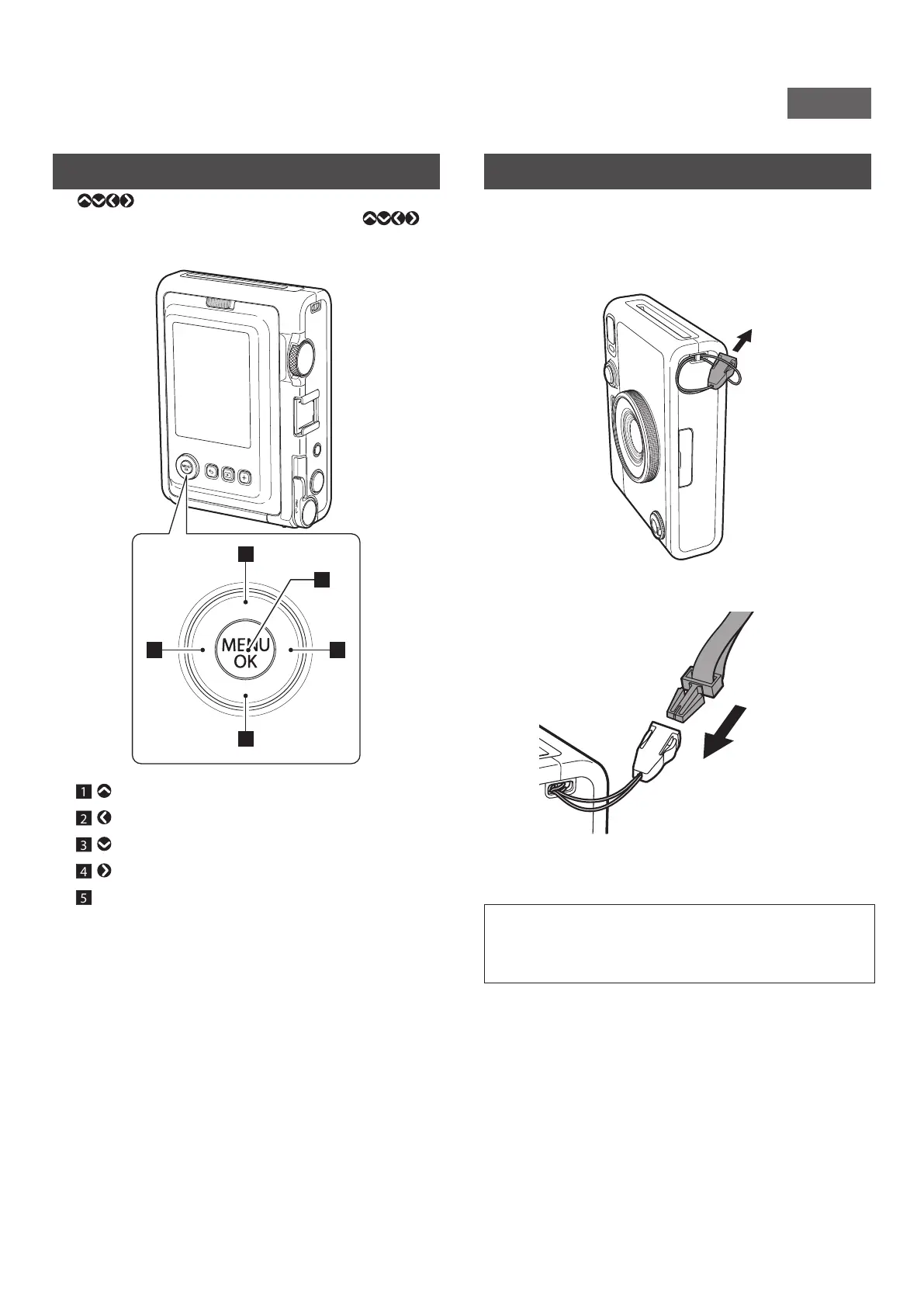
Using the Select buttons
The (Up/Down/Left/Right) buttons are used to select
menu items and to call the functions assigned to the
buttons. The [MENU/OK] button is used to display menus and
make selections.
2 4
1
3
5
1 Move (up).
2 Move (left).
3 Move (down).
4 Move (right).
5 Determines which menu item is displayed or selected.
Attaching the Shoulder Strap
Follow the steps below to attach the shoulder strap to the camera
body.
1
Insert one end of the shoulder strap through the
strap hook on the camera�
2
Attach the strap body to the end of the strap�
3
Attach the other end in the same manner�
•The shoulder strap should be worn on the shoulder, not
hanging around the neck.
•Make sure the shoulder strap does not hang over the film
ejection slot.











 To Next Page